 Avg. 3 min read
 How to Add Product Recommendations to your Webshop
Preparing your Shop for Recommendations
The Hello Retail product recommendations can display relevant products on any page of your webshop.
The exact placement on a page depends on where you add a target <div> that Hello Retail uses to render the recommendations. Edit your webshop’s HTML and insert the <div> at the position where you want the recommendation boxes to appear.
What is a <div> Element?
A <div> tag defines a section in an HTML document.
A <div> element is commonly used as a container for other HTML elements. You can style it with CSS and access it with JavaScript.
Why Use a <div> Element?
Hello Retail uses these containers to place product recommendation boxes. If you want recommendations in a specific location on your site, add a <div> to mark that position.
A div tag looks like this:
<div></div>
Now we have a completely empty <div> tag. By adding an id attribute, Hello Retail can target the exact place on your webshop where you want product recommendations to be shown.
Find <div> Tags for your Product Recommendation Boxes
If you have already created product recommendation boxes or are creating new ones, you can find automatically assigned div IDs that make it easy for the system to place the correct boxes wherever you want them to appear.
Steps on How to Set It Up
- Start by logging into your Hello Retail account. In the left-hand menu, under On-Site, click Recommendations to open the drop-down menu.
- From the drop-down menu, click Overview.
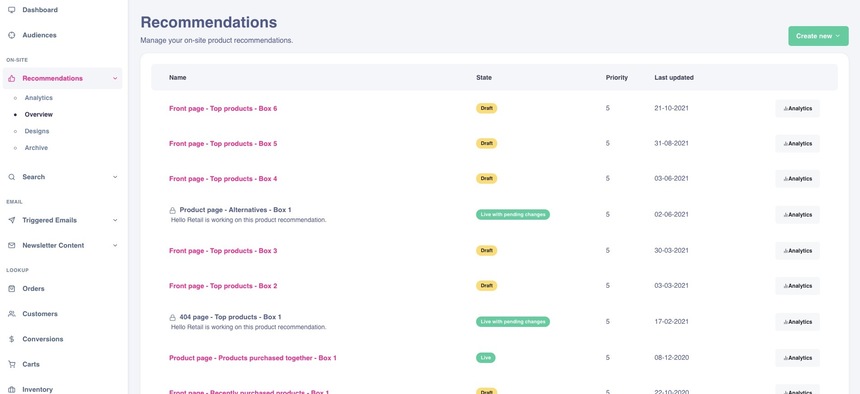
- On the Recommendations page, click the recommendation box for the page you want to edit.
-
Scroll down to the Placement settings section and expand it.
You will see the automatically assigned div ID that you can copy and insert into your website’s HTML exactly where you want the box to render.
The system will recognize the div and insert the product recommendations at that exact position.
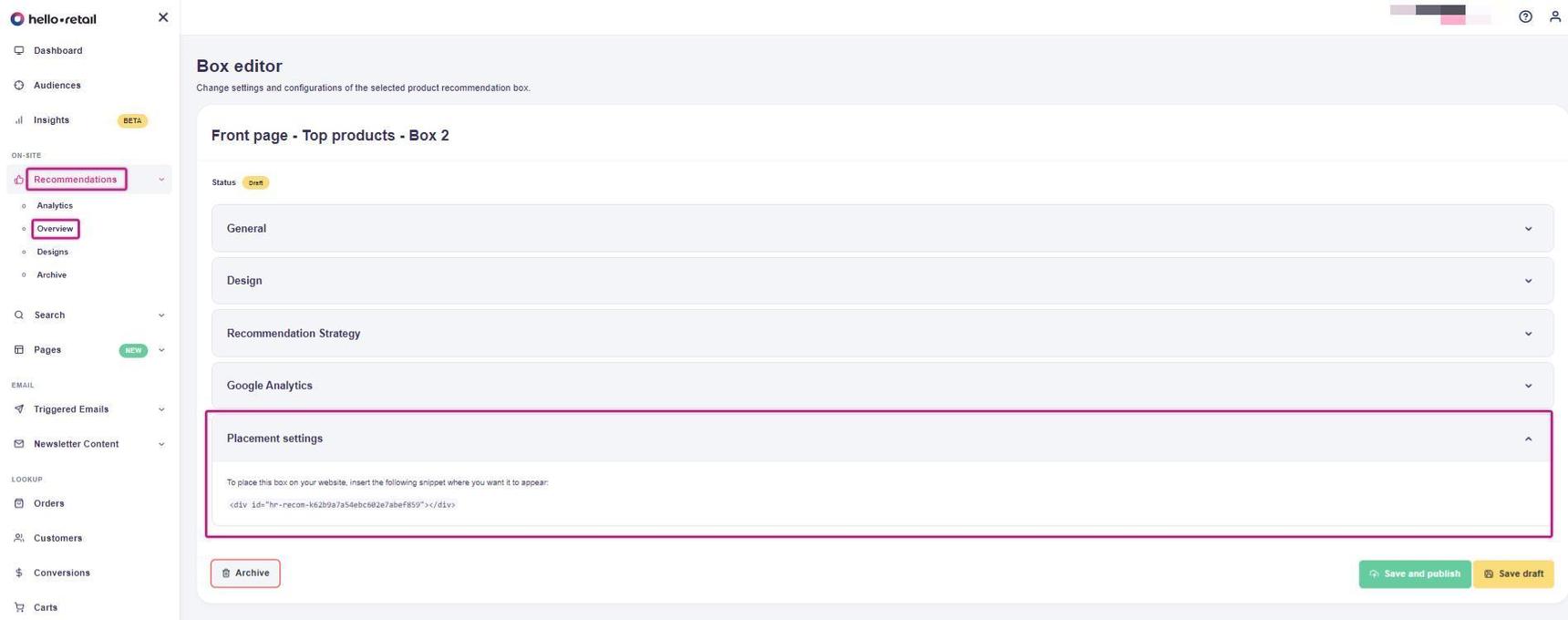 5. Each individual product recommendation box in the overview has its own unique div ID. They are listed under the Placement settings section for each box.
 Place each div in your HTML where you want the corresponding recommendation box to appear. When ready, review the result directly on your site at the chosen location.
To change the location of a product recommendation, move the div to another place in your HTML. The recommendations will follow. Test the layout to ensure it still looks correct.