 Avg. 3 min read
 Installing the JavaScript
After you sign up with Hello Retail, install the Hello Retail JavaScript on your webshop. This enables Recommendations, Pages, Search and other content, and collects necessary data about your products and visitors.
There are two ways to do this.
- Using a webshop extension. See the platform-specific guides below.
- Manually installing the Hello Retail JavaScript or using Google Tag Manager. Find a specific guide on how to add script through GTM here.
Using a webshop extension
If you use one of the e-commerce platforms listed below, click the platform name to open the installation guide:
- Magento
- Magento 2
- Shopify
- WooCommerce
- SmartWeb
- DanDomain
- Prestashop
- Golden Planet / OpenBizBox
- ScanNet Webshop
- Wannafind Webshop / Hostedshop
- Starweb
- Shoporama
- E37
- Norce
- Lightspeed
- Nordisk E-Handel
- Centra
If your webshop platform is not listed, you can install the Hello Retail JavaScript manually by following the steps below.
Manually installing the Hello Retail JavaScript
Use this guide to manually add the Hello Retail JavaScript to your webshop.
Where can I find the JavaScript?
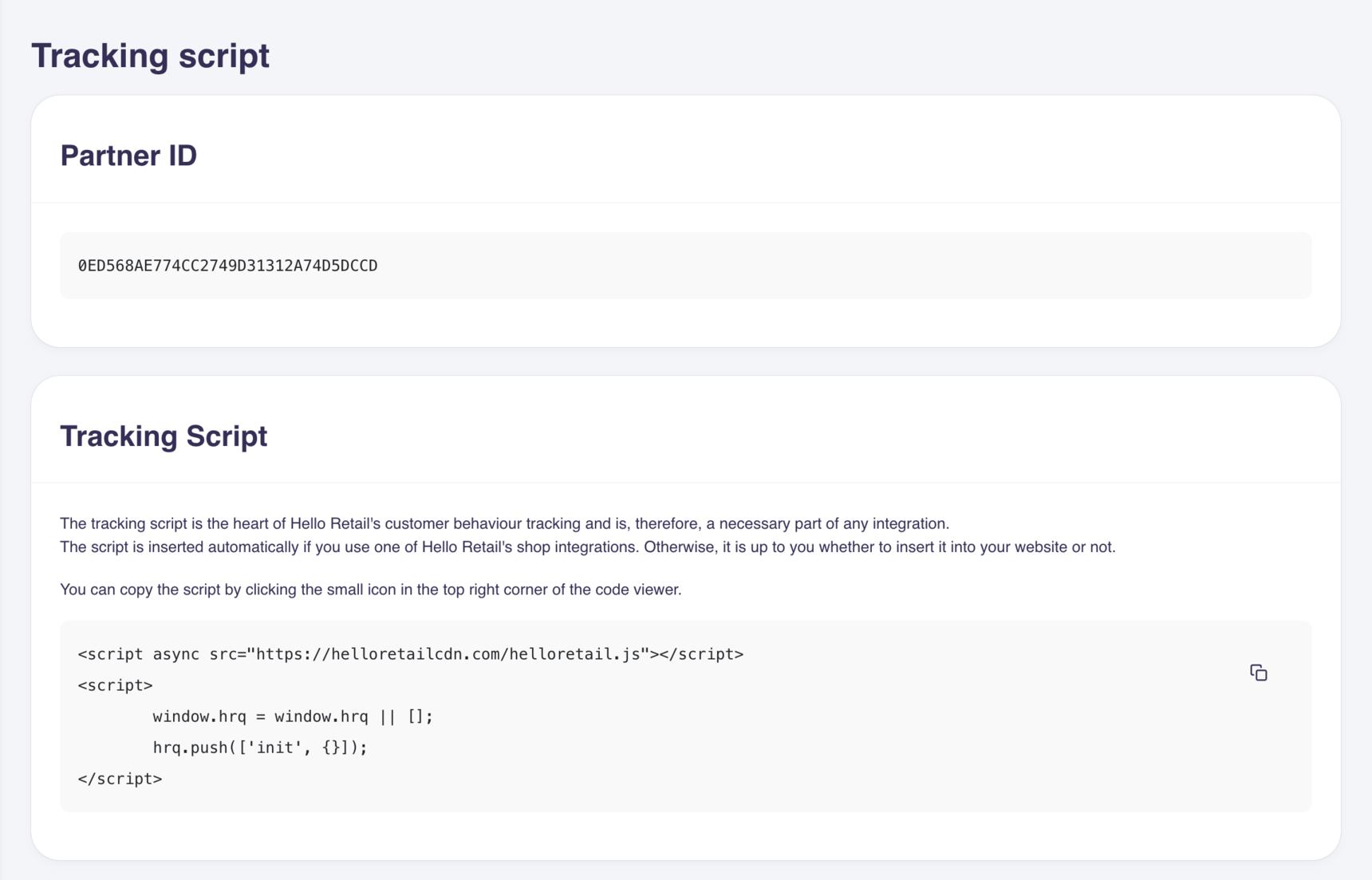
Log in to the Dashboard for your account and navigate to Settings -> Tracking Script as shown below.
Where should I paste the JavaScript?
Place the JavaScript snippet at the beginning of the <head> tag in your webshop’s HTML template to load it as early as possible. Templates vary, but insert the script in a global section to ensure that it is present on all pages of your webshop, as opposed to only the checkout or front page.
What is JavaScript?
JavaScript is code that runs in the browser to perform actions on a web page. You do not need to write or modify our snippet; copy and paste it into your site.
What Does the Hello Retail JavaScript Do?
The Hello Retail JavaScript collects information about your products and visitors and sends it to Hello Retail. We process this data to generate relevant content such as product recommendations. The script then loads this content back into your webshop automatically according to your configuration. All of this happens asynchronously within milliseconds.
You can read more about the Hello Retail JavaScript here.
If you have any questions about this guide, please contact Support or your designated account manager.