 Avg. 3 min read
 Performance Optimization of Hello Retail
We continuously optimize how fast Hello Retail Search and Recommendations render. You can also apply a few small changes on your site to improve load and render times.
1. Load the script with fast_load = true
By default, the Hello Retail JavaScript waits for the entire document to load before it runs. This ensures that all page elements affected by Hello Retail exist before we modify them.
You can choose to start the Hello Retail script earlier. This can improve perceived performance if the site is slowed by other third-party scripts. It requires that the relevant HTML elements are present in the DOM before the Hello Retail init runs.
To enable this:
-
Ensure the Hello Retail script is loaded at the end of the body tag.
-
Append the fast_load=true parameter to the script. The script should look similar to:
Note
If you use a native Hello Retail extension or plugin (Magento, WooCommerce, PrestaShop), contact Hello Retail Support for guidance before enabling fast_load.
2. Optimize HTML-elements for recommendation boxes
There are two ways to render recommendation boxes: attach to an existing HTML tag using a selector, or render into a dedicated Hello Retail div (preferred). Using the dedicated div avoids selector lookups and can reduce render time.
To find the div snippet to insert, log in to the Hello Retail backend, open the specific recommendation box, and check Placement Settings:
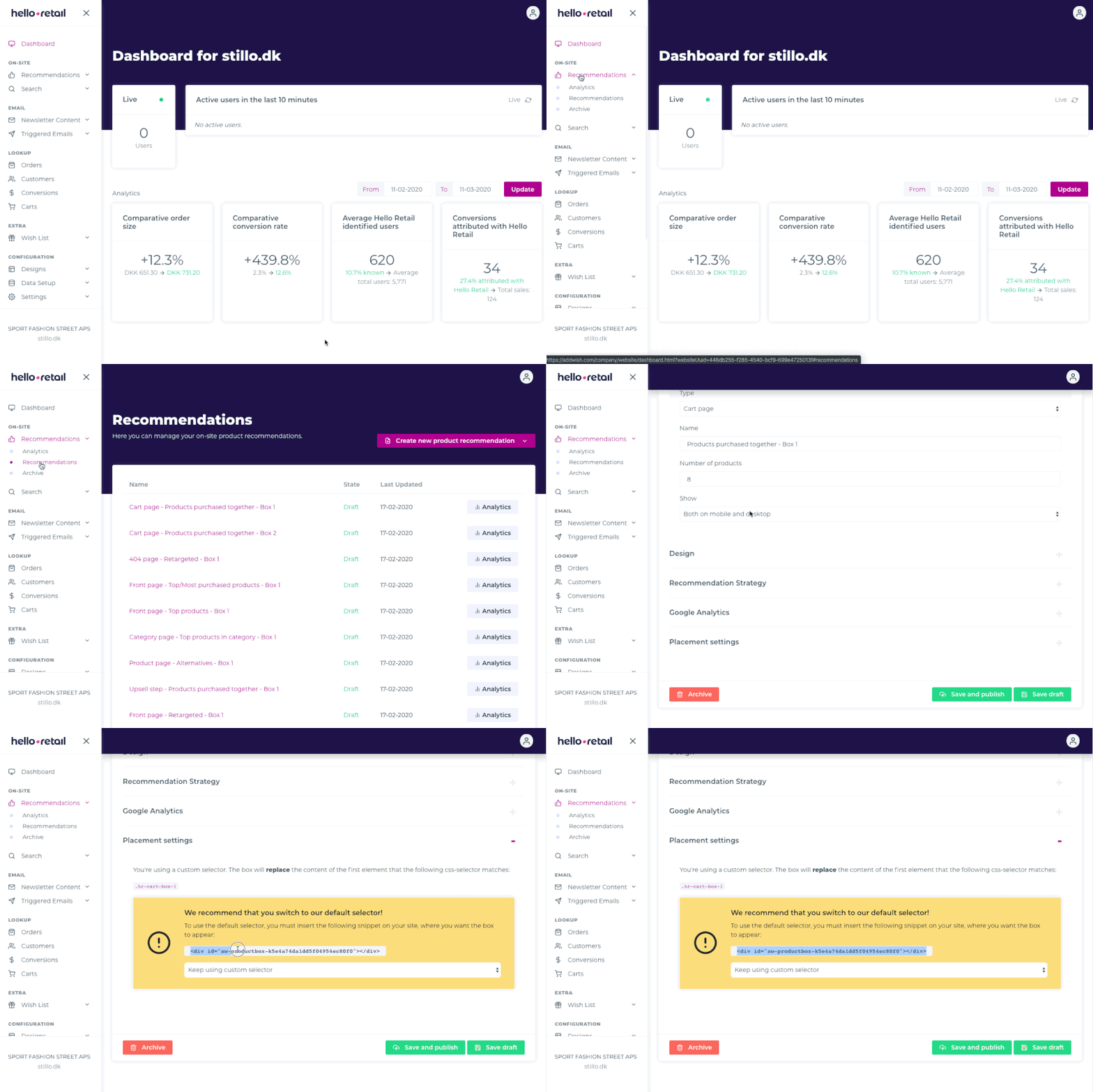
If your current setup uses selectors and you have not inserted the placement divs before, contact our support for assistance.
3. Loading fewer recommendation product items
If you use our slider, Hello Retail preloads additional products. Fewer items mean fewer requests and faster rendering. If you want to reduce the number of products shown in your recommendation boxes, reach out to us and we will assist.