 Avg. 5 min read
 Product Lookup
Product Lookup gives you a complete overview of your product portfolio in Hello Retail. Use it to view product details, manage visibility across services, refine clusters and tags, track changes, and verify feed values. This ensures products display correctly and are optimized for recommendations, search, and other Hello Retail features.
Learn more about metadata here.
When to Use This
Use Product Lookup when you need to:
- Verify product data as stored in Hello Retail.
- Adjust product settings such as visibility, clusters, and tags.
- Investigate issues with product display, recommendations, or search.
- Check updates in the changelog to track feed changes or manual edits.
- Debug feed data with Developer Mode.
This tool is most valuable for e-commerce managers, marketers, and developers who want to ensure products are categorized correctly and used effectively across Hello Retail services.
Examples
- Exclude irrelevant items: Hide return labels from recommendations but keep them in search.
- Correct product placement: Reassign jeans wrongly categorized under Shirts to Clothing → Pants → Jeans.
- Validate feed data: Confirm values by switching to Developer Mode.
- Monitor stock updates: Use the changelog to see when feed updates were last applied.
The Importance of Good Feed Data
To get the best results from Hello Retail, your product feed must include the data points required to configure features such as filters and boosts.
Provide complete product content, including descriptions and images. This improves automatic tag and cluster assignment and overall relevance. Better input data produces better results.
The Different Views
Product Portfolio Overview Page
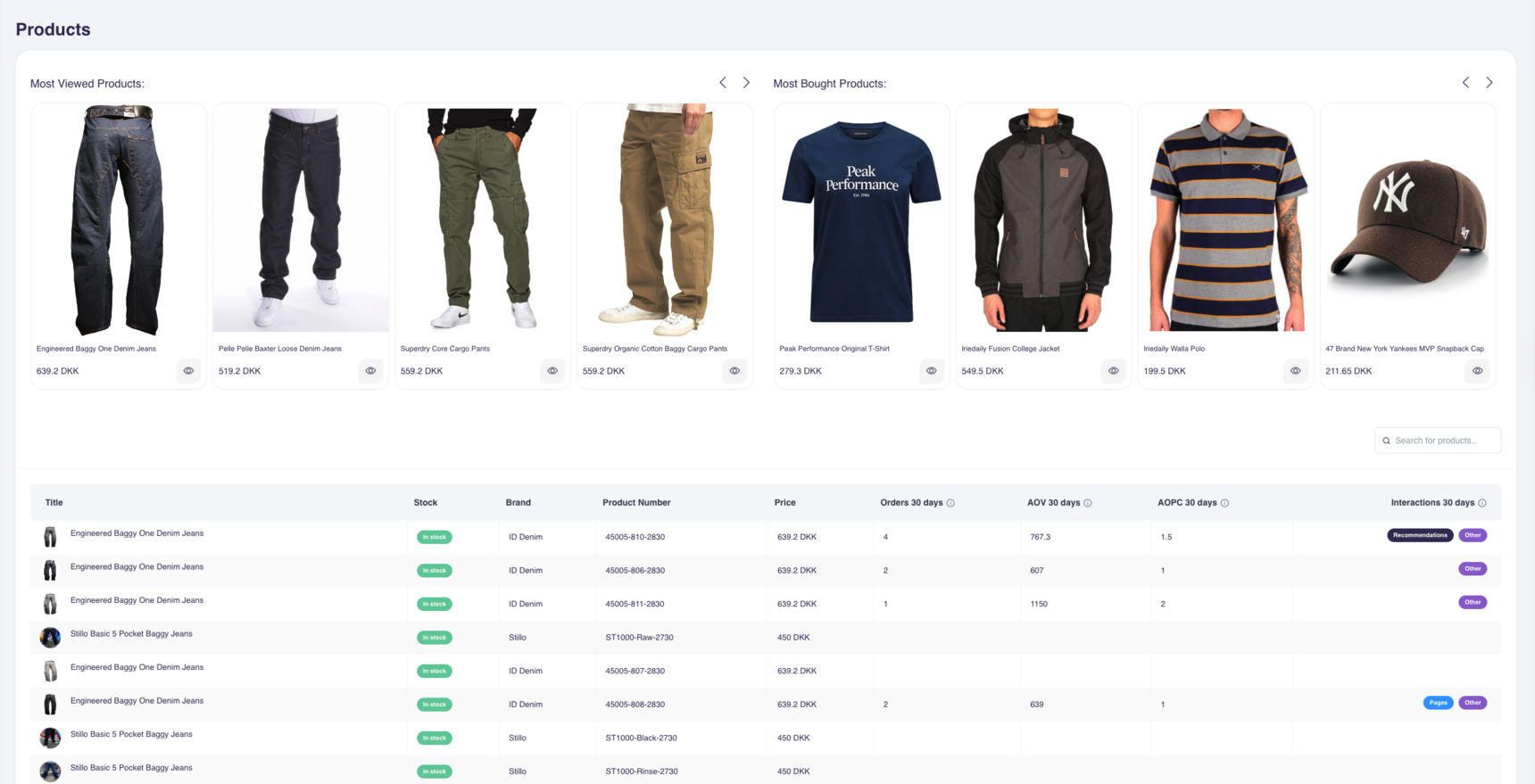
On this page, you can:
- See your most viewed and most bought products at a glance.
- Search for any product by name, SKU, ID, or URL.
- Sort the product table to focus on the metrics that matter most.
The product table includes:
- Product name
- Stock status
- Brand
- Product number
- Price
- Orders (last 30 days) – total number of purchases in the past month
- AOV (Average Order Value) – average purchase value for orders containing this product
- AOPC (Average Product Count per order) – average number of products in orders containing this product
- Interactions (last 30 days) – breakdown of views, clicks, and impressions across Hello Retail touchpoints (Recommendations, Pages, Other)
These metrics help you quickly spot top performers, underperformers, and products that may need attention.
Product Data Page
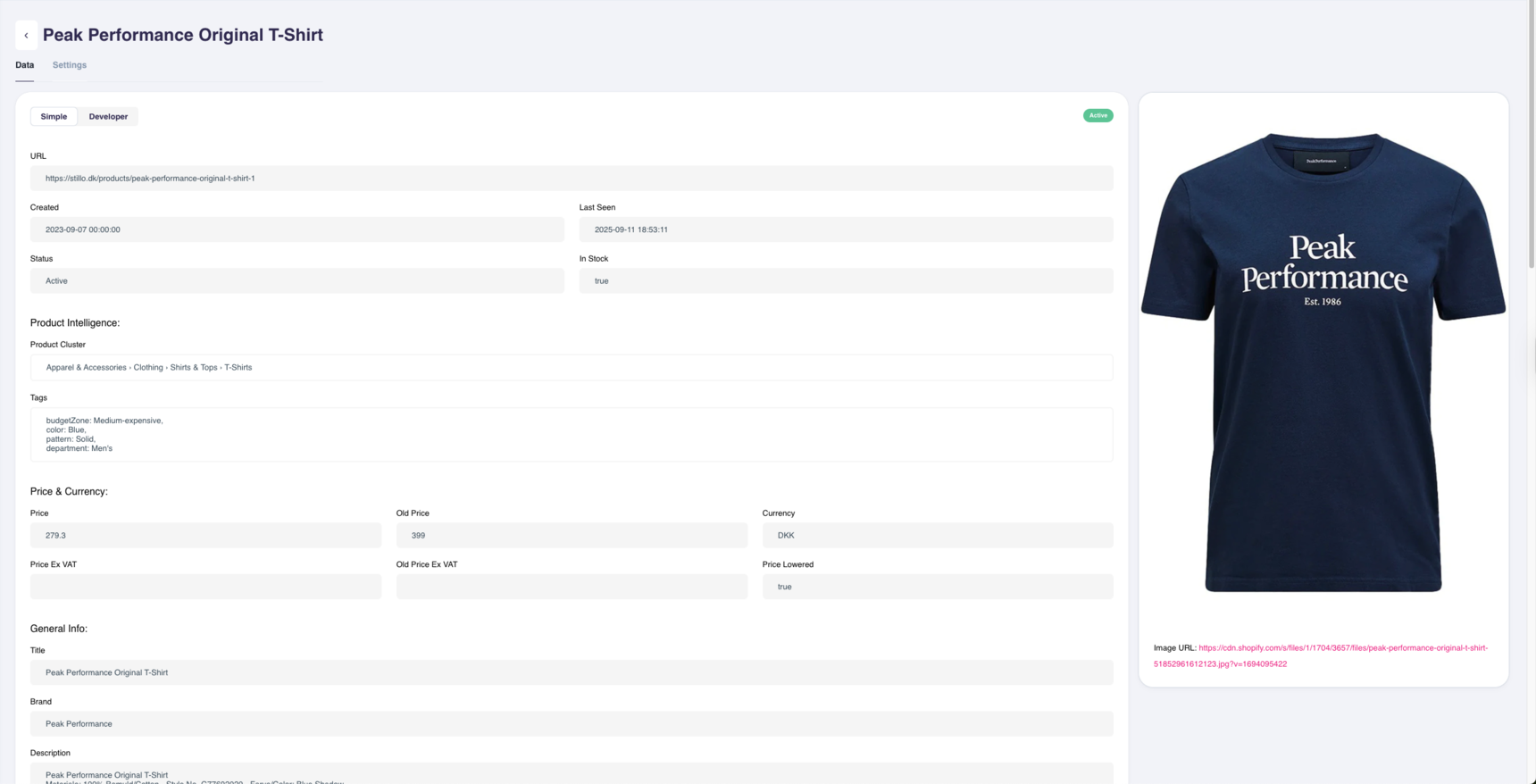
- Click a product name in the table.
- The Product Data Page opens with:
- General info: title, brand, image, description, URL
- Price and stock: price, VAT, discount, in-stock status
- Product Intelligence: assigned clusters and tags
- Data view options: simple view or Developer Mode
Editing Clusters and Tags
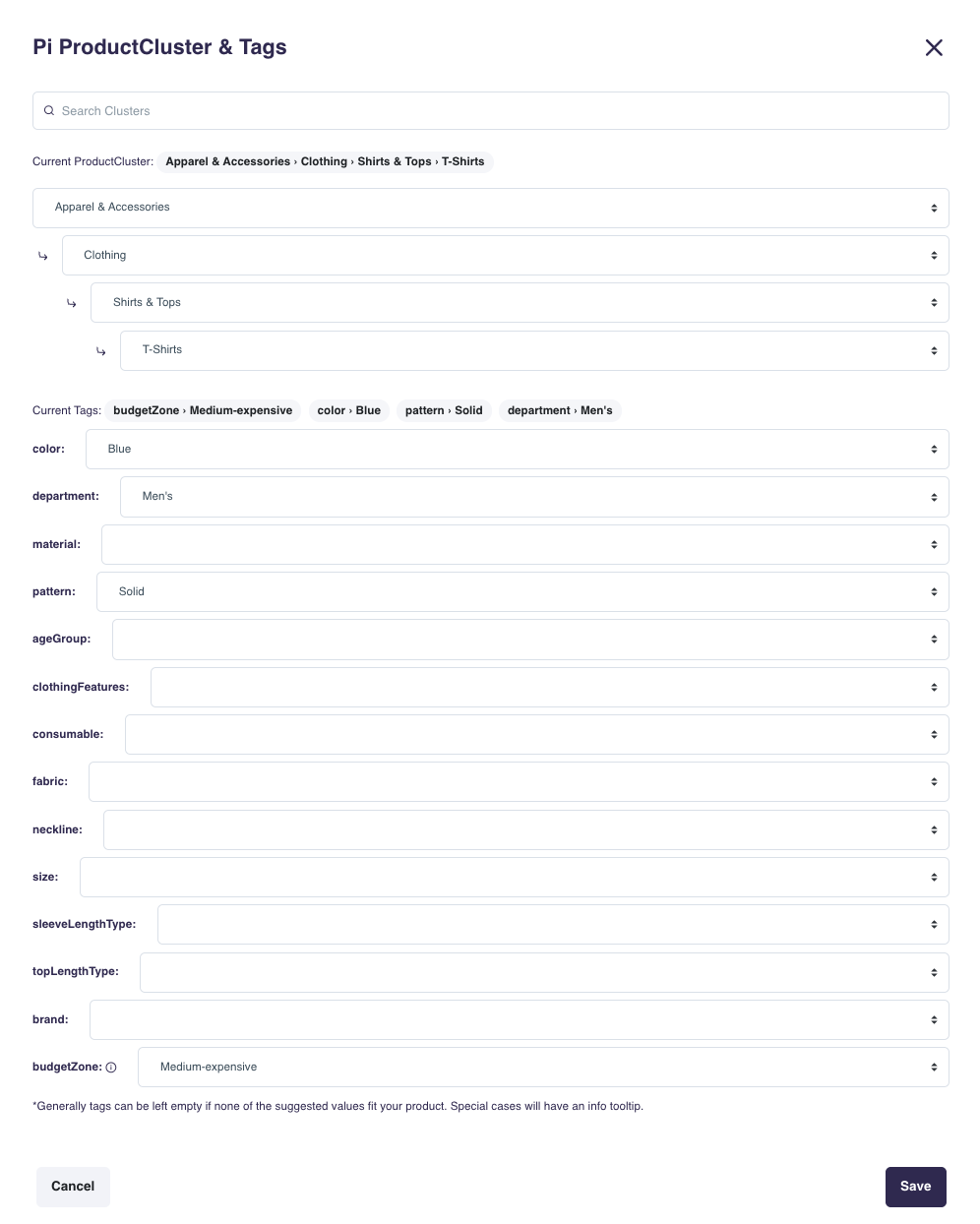
In some cases, AI models may not determine the correct values for a product. You can refine how products are categorized to improve relevance and recommendations.
- Click the edit icon in the Product Intelligence section.
- Adjust the product cluster by navigating up or down the tree.
- Edit or add tags such as color, size, fabric, fit, age group, or budget zone.
- Confirm and save your changes.
Note
Manual refinements override automatically assigned clusters and tags across all Hello Retail services until you change them.
Changelog

All updates to product data are logged.
- Access the changelog through the clock icon next to the data field.
- Review when changes were made, the previous values, and the updated values.
- Use this to track changes to stock levels, prices, or manually edited fields.
Developer Mode
If you need technical details, switch on Developer Mode.
This shows:

- Raw field names from the backend.
- Exact feed values as they were indexed.
- A quick copy-to-clipboard option for values.
- Full changelogs for debugging.
Manage Product Visibility
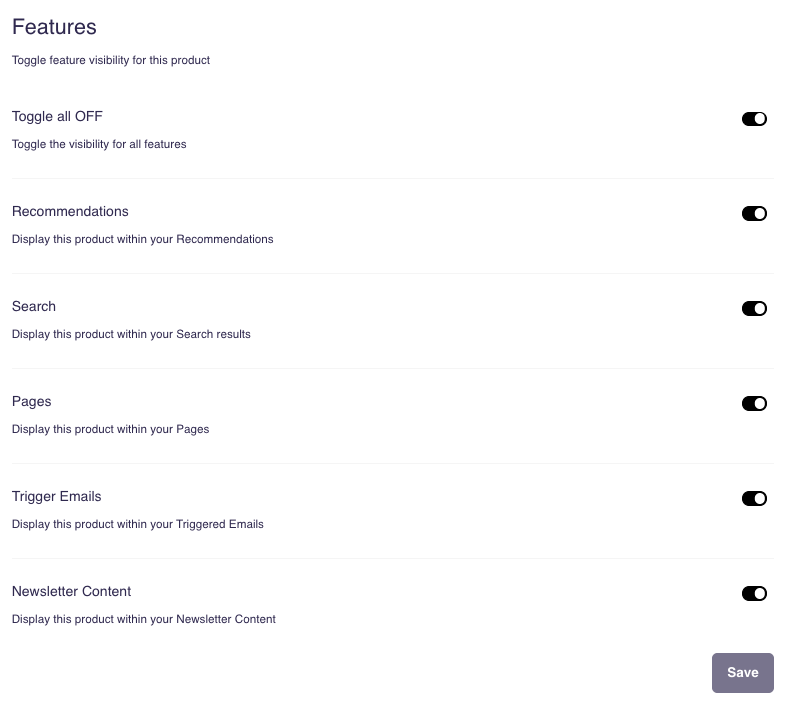
You can control where each product appears in Hello Retail services.
- Go to the Product Settings section.
- Toggle visibility on or off for:
- Recommendations
- Search
- Newsletter Content
- Trigger Emails
- Personalized Banners
- Save your changes.
Example: Exclude a return label from recommendations and newsletters, but keep it searchable for customers.
Pinned Products
As part of Product Lookup, you can pin products so they always appear with others in the Alternatives and Bought Together algorithms. Learn more about the feature here.
Common Issues
- Changes not showing → Refresh the page. If still missing, check your product feed.
- Wrong category → Manually reassign in the cluster tree.
- Missing data → Verify it exists in the product feed.
- Need backend details → Enable Developer Mode.