 Avg. 5 min read
 Product Recommendations — Filters
When you configure product recommendations on your webshop, in Triggered Emails, or in Newsletter Content, Filters let you include or exclude specific product groups based on brand, color, category, price range, and other attributes available in your product data.
Filtering the product recommendations
The product recommendation configuration consists of two concepts:
- Filters
- Strategy
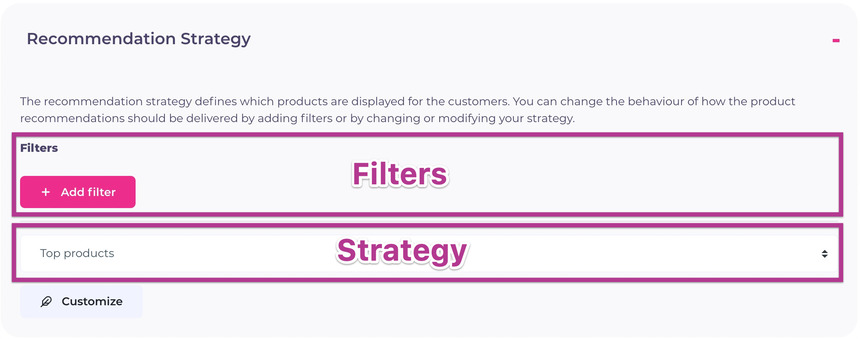 The strategy defines whether recommendations are retargeted products, top products, most bought, and so on. Based on the chosen strategy and placement (front page, product page, etc.), Hello Retail automatically selects relevant products. You can rely on strategy alone and omit filters to get relevant recommendations.
If you want more control, apply filters. The strategy still defines the overall candidate set, while filters narrow that set based on your conditions.
The concept explained. Let's take an example:
Recommendations on a product page are often configured with the Related products strategy. This strategy finds products that Hello Retail considers related based on customer interactions, such as items frequently viewed shortly before or after the current product. If a customer is viewing a shirt, related products will often be other shirts, but they can also include pants frequently viewed together with that shirt. Because the selection is driven by customer data, the strategy returns products that are relevant for browsing.
You might want to further narrow the recommendations so that related products for a shirt are only shirts, or only shirts from the same brand. Use Filters to enforce these constraints.
Filter example:
A filter is configured in three steps, as shown in the screenshot below.

In this example, we applied a filter on brand. We then set the condition so the brand must match the brand. More specifically, the brand of the recommended product must match the brand of the currently viewed product. If the customer is viewing Hugo Boss shirts, Hello Retail will recommend related products from Hugo Boss.
Let's add another filter:

Here the recommended products must match both brand and hierarchies (Hello Retail’s term for category). Using the same example of a Hugo Boss shirt, Hello Retail will recommend other Hugo Boss (matching brand) shirts (matching hierarchy).
You can apply as many filters as needed. Adding filters restricts the candidate pool the algorithm can select from. Too many constraints can limit or exhaust the available products. The default strategies are tuned to surface relevant products using aggregated customer behavior. Filters let you apply business rules on top of that data-driven selection.
Global and Source Filters
You can add Filters at two levels in Product Recommendations. You can apply an overall filter that covers all products shown in a recommendation row (a Global Filter). Or you can add a filter to a specific step, or source, within the recommendation strategy (a Source Filter).
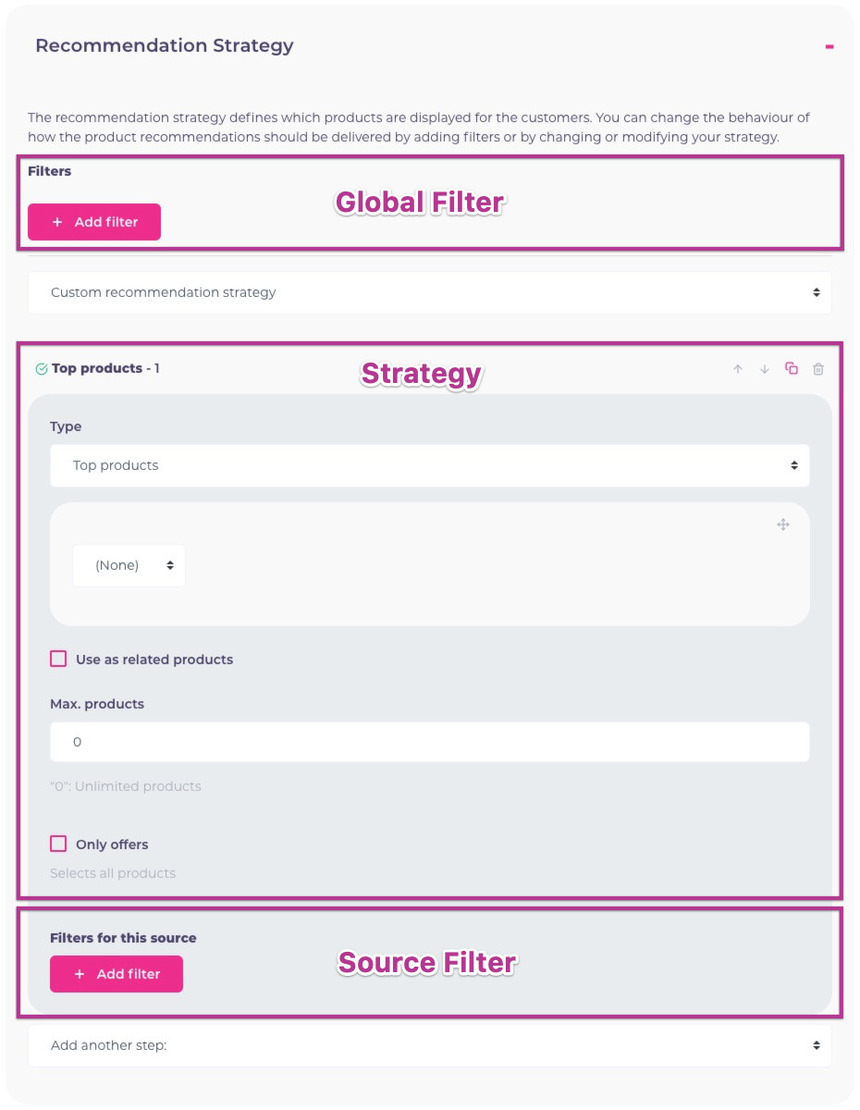
With these two filter levels, you can precisely control which products are shown. For example, you might require all recommended products to match the same brand, but only the first two products to match the same hierarchy. If a customer is viewing a Hugo Boss shirt, the first two recommended products could be other Hugo Boss shirts, and the remaining products could be any Hugo Boss items. To achieve this, set a Global Filter to match on brand, configure the first source in the strategy to match hierarchy, and set max. products to 2. Then add another source and apply a filter to not match the hierarchy.
In general, Filters are not required to get relevant product recommendations. Selecting the right strategy for the placement typically delivers relevant results immediately. Hello Retail continuously tracks customer interactions across your webshop, so recommendations are automatically based on aggregated behavior. Filters are available to tailor the output to your business rules and merchandising goals.