Avg. 3 min read
 Review Product Page Recommendations
This guide explains how to review, test, and publish product recommendations on your webshop.
Introduction
After enabling or changing recommendations, review and test them on your site to confirm they render and behave as intended. This ensures everything fits your website before visitors see it.
Note
Some browsers block cross-site tracking by default. If the Hello Retail side panel does not appear, enable cross-site tracking for your domain in the browser.
Notice
You can review and test recommendations from either the dashboard or the side panel widget.
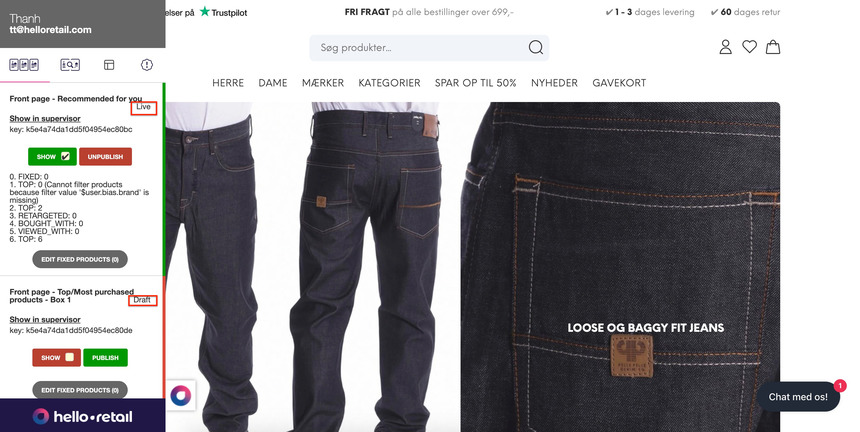
When you enable recommendation boxes on your website, they are not live for all visitors until you click Publish. All boxes remain in Draft until published.
Process - Testing
- Log in to your Hello Retail account.
- Go to your webshop and open a product page you want to review.
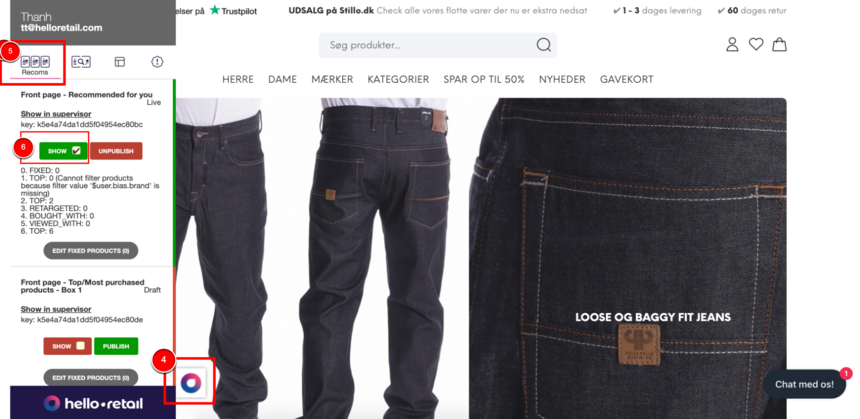
- Click the Hello Retail icon at the bottom left to open the side panel.
- Navigate to the Recoms column.
- Toggle the Show button for the recommendation box you want to display.
- Close the side panel by clicking the Hello Retail icon again.
- If the recommendation box includes a slider, test navigation by moving between items.
Process - Verification & Review
- Verify that colors and styles match your website’s visual identity.
- Verify that prices are consistent across the site, including currency and formatting.
- Verify that the placement of recommendation boxes is correct.
- Verify that badges display correctly (for example, new or on sale).
- If recommendations include a buy button, verify that it works as intended. If a product has variants, the buy button should redirect to the master product.
- Verify that recommended products are relevant to the product page you are viewing.
Process - Publish & Go Live
Side Panel
When all checks are complete and recommendations work as expected, publish them to go live.
- Open the Hello Retail side panel.
- Find the recommendation box you want to publish.
- Click Publish to make it live.
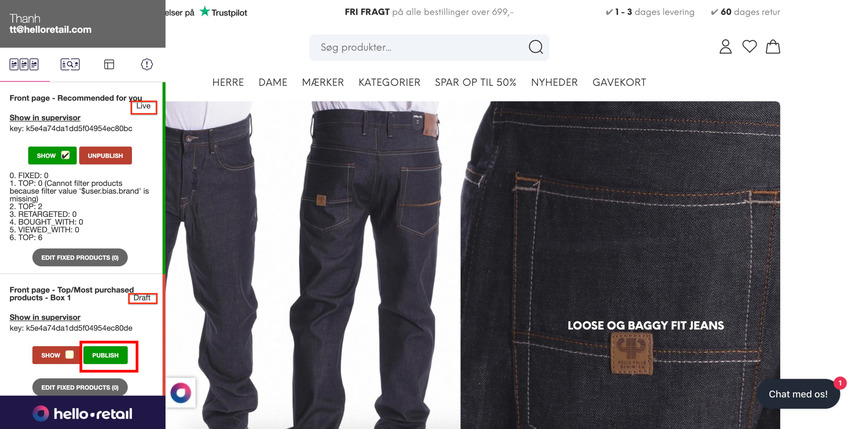
- If needed, click Unpublish to revert the box to draft.
Dashboard
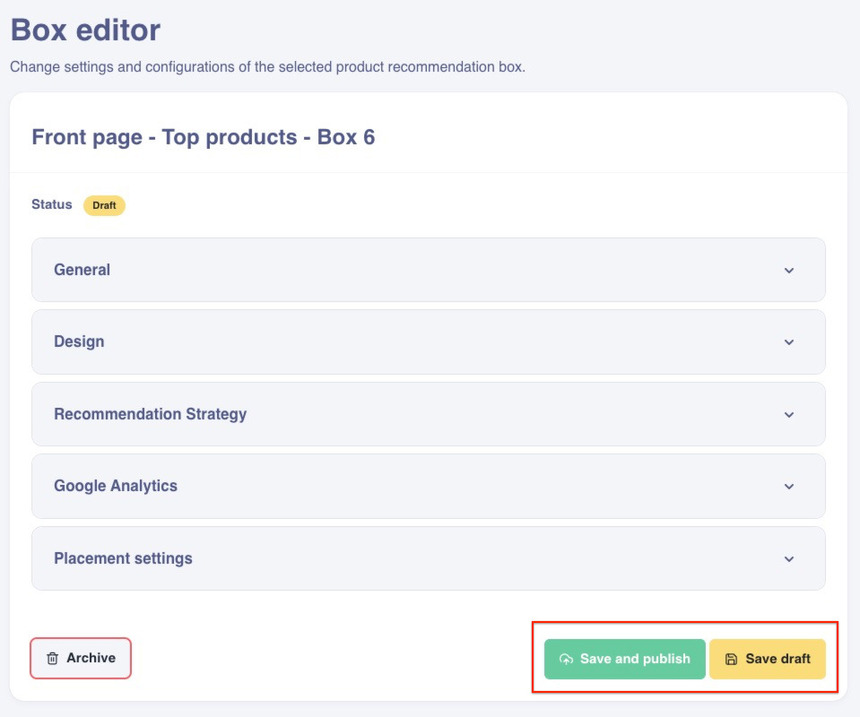
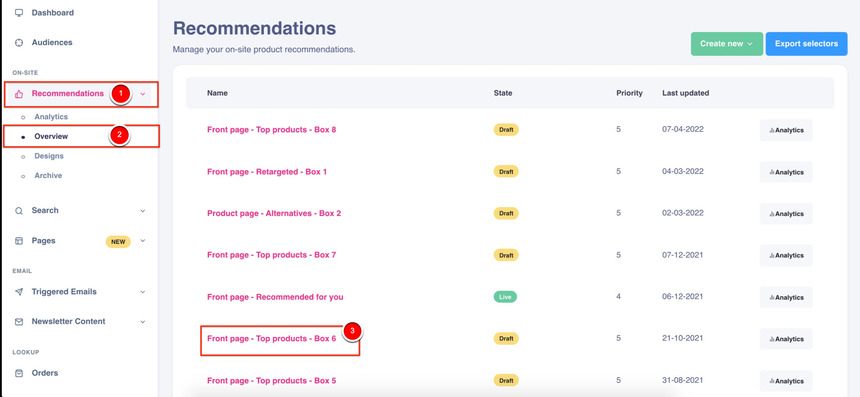
- Log in to your Hello Retail account. In the dashboard, open the left-hand menu. Under On-Site, click Recommendations to expand the menu.
- Click Overview.
- Choose the product recommendation from the list.
- In the box settings, either keep the box as Draft or Save and publish it.