 Avg. 3 min read
 Swiipe Plus-sell and Hello Retail
This guide explains how to set up Swiipe Plus-Sell using Hello Retail as the recommendation engine.
General
Swiipe retrieves products for Plus-Sell by calling the Hello Retail API with a Product Box Key. The request includes user tracking data (cookies) and the URLs of products in the order. These parameters are configured in the Hello Retail Product Box settings. The Product Box defines which product relations are returned and displayed in the Plus-Sell box.
Note
The Product Box Key is unique per domain. Hello Retail returns product relations only for the domain linked to the key. If you run multiple webshops, create a separate Product Box Key for each domain.
How to get the API Key
First, draft a new recommendation.
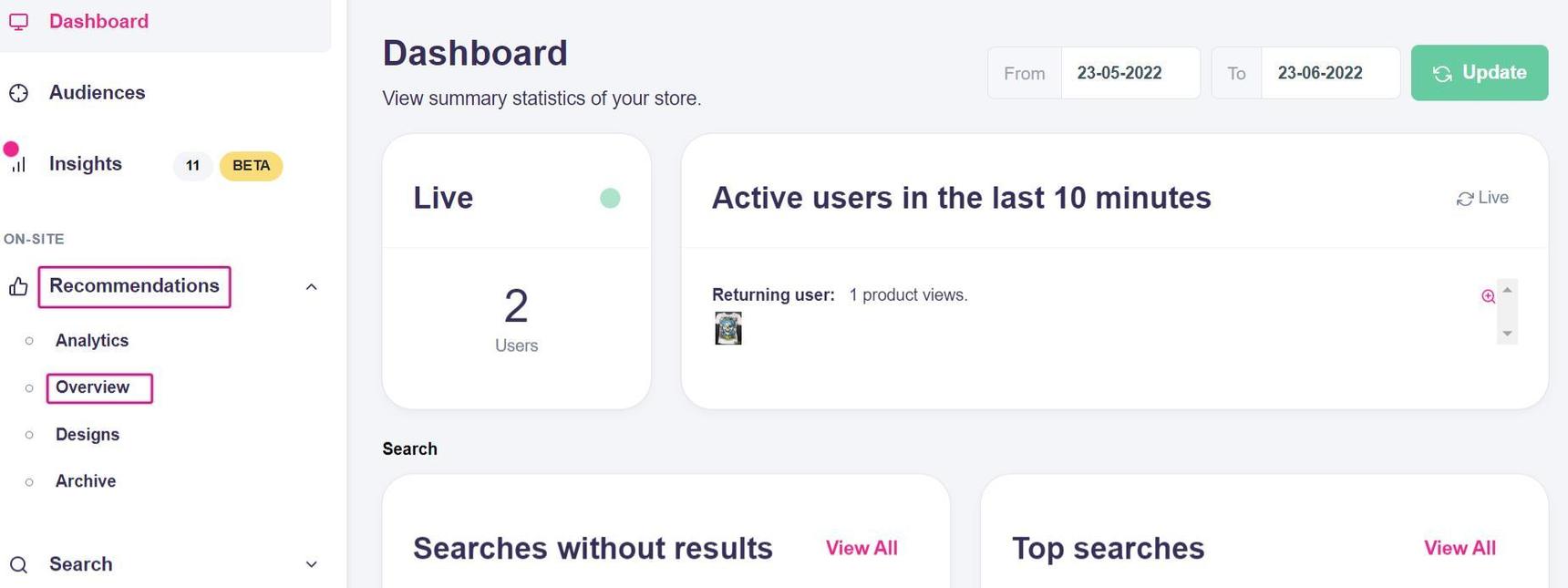
To do that, click the Recommendations section on your Dashboard and then Overview in the dropdown menu.
Click Create new, select Other in the dropdown menu, and then choose Recently purchased products in the second dropdown.
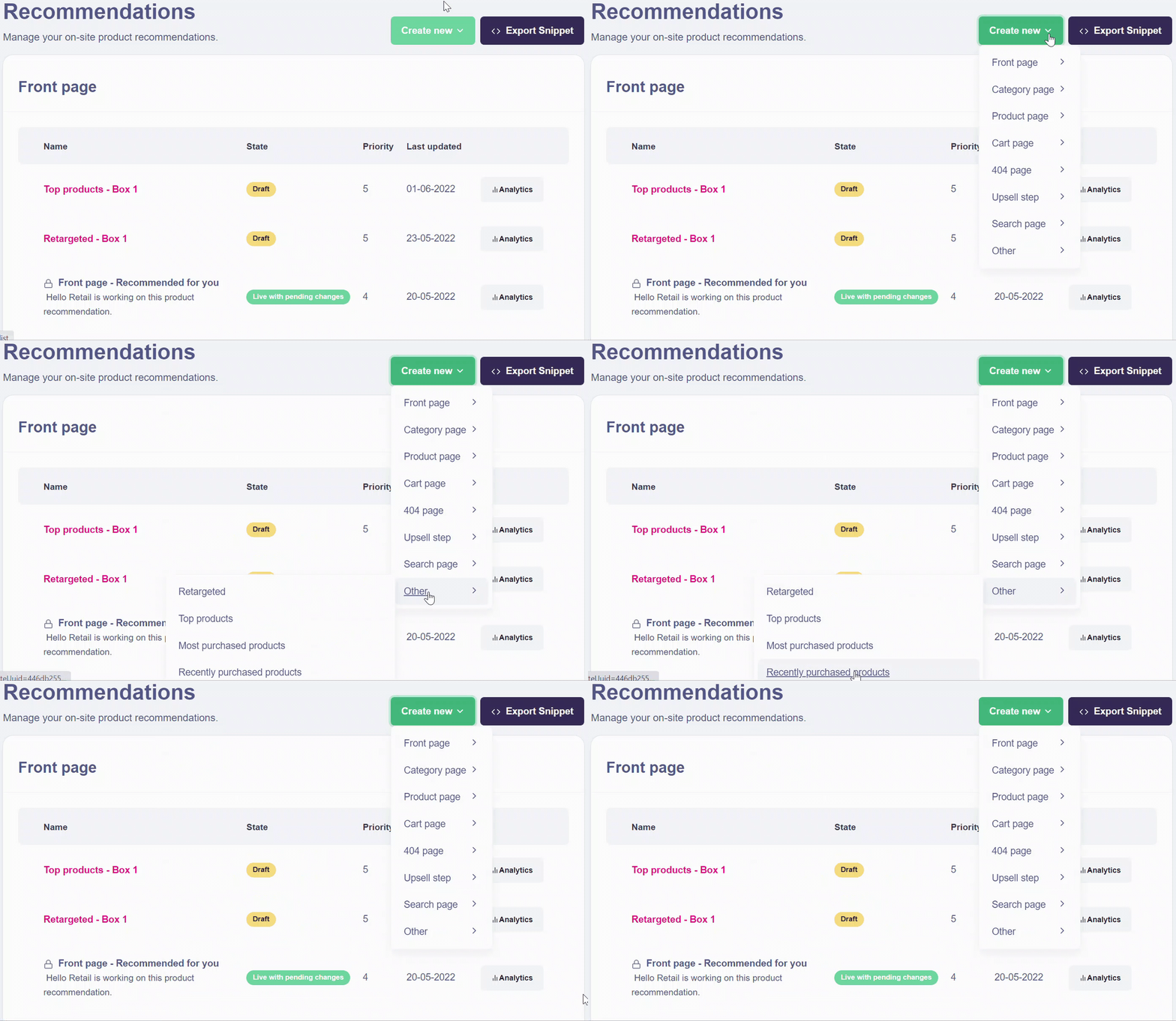
Then you will see the following page:
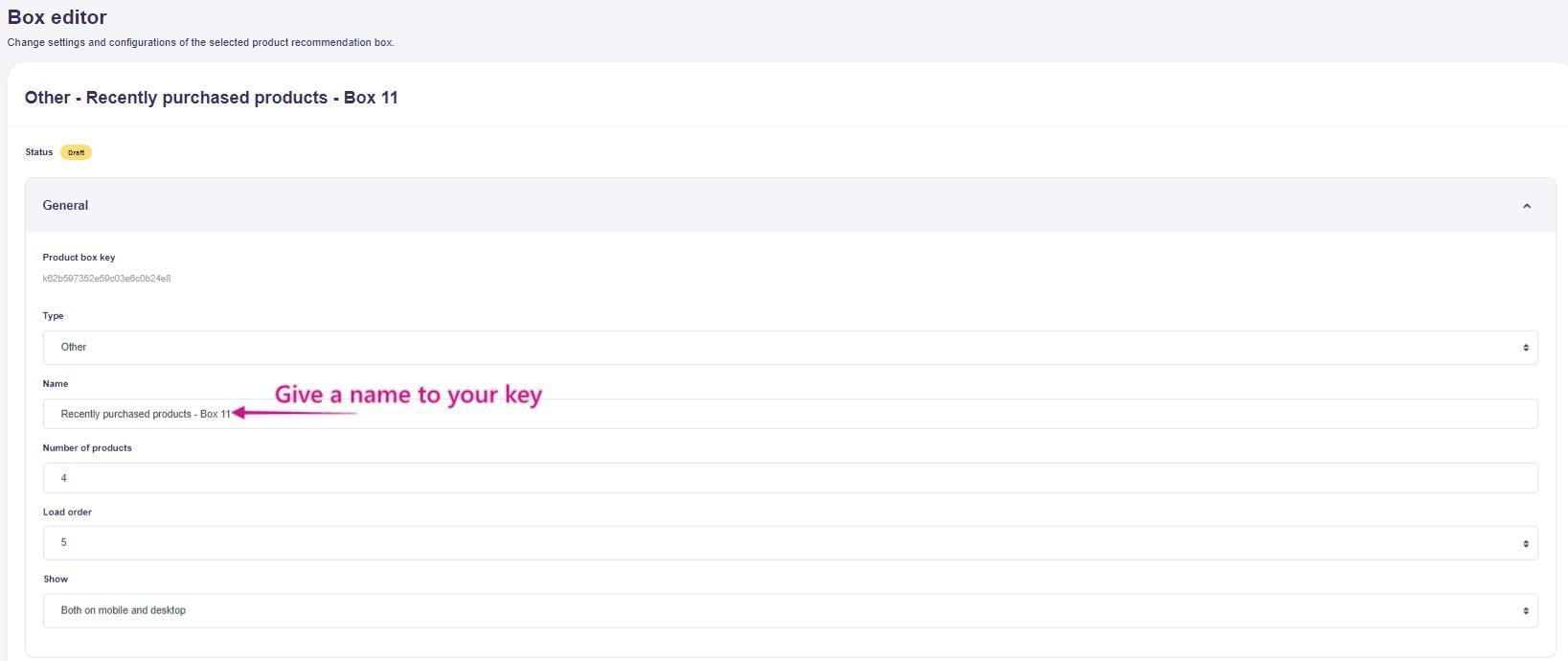
In the Name box, enter a clear name so the key is easy to find later.
In the Recommendation strategy section, define which products to show on the order confirmation page. Click Customize to adjust the product presentation and apply filters as needed.
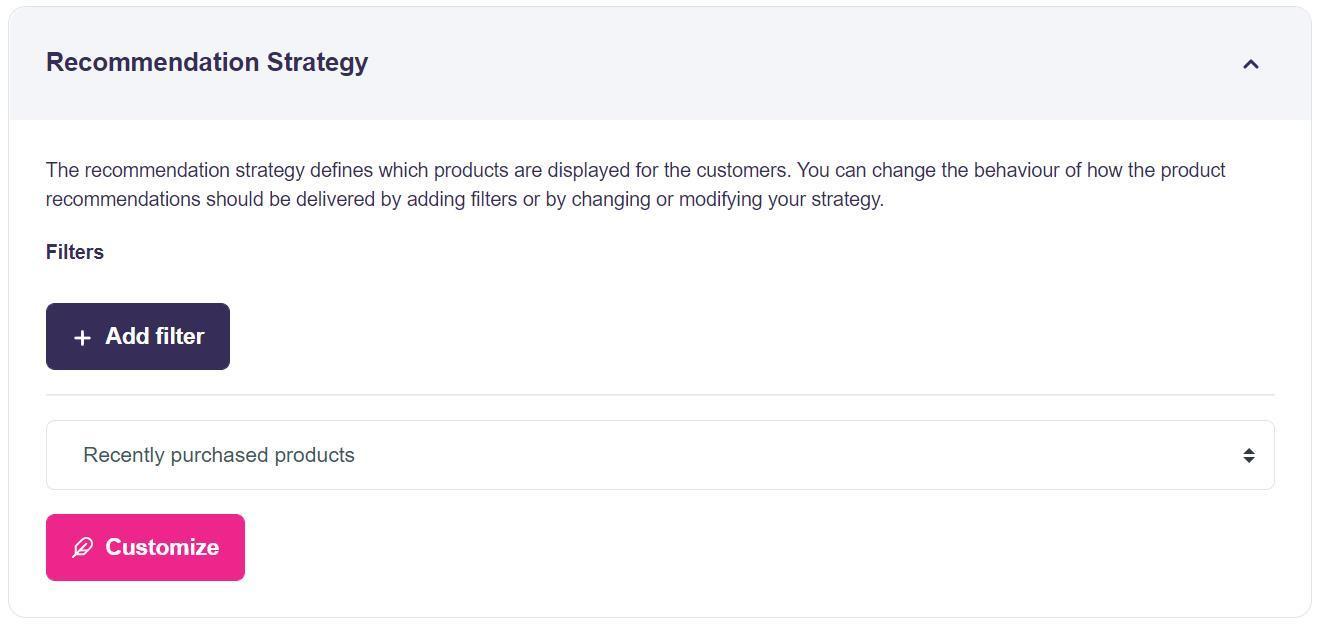
When you are done, click Save and publish to activate the recommendation.
After publishing, the Product Box Key appears at the top of the page.
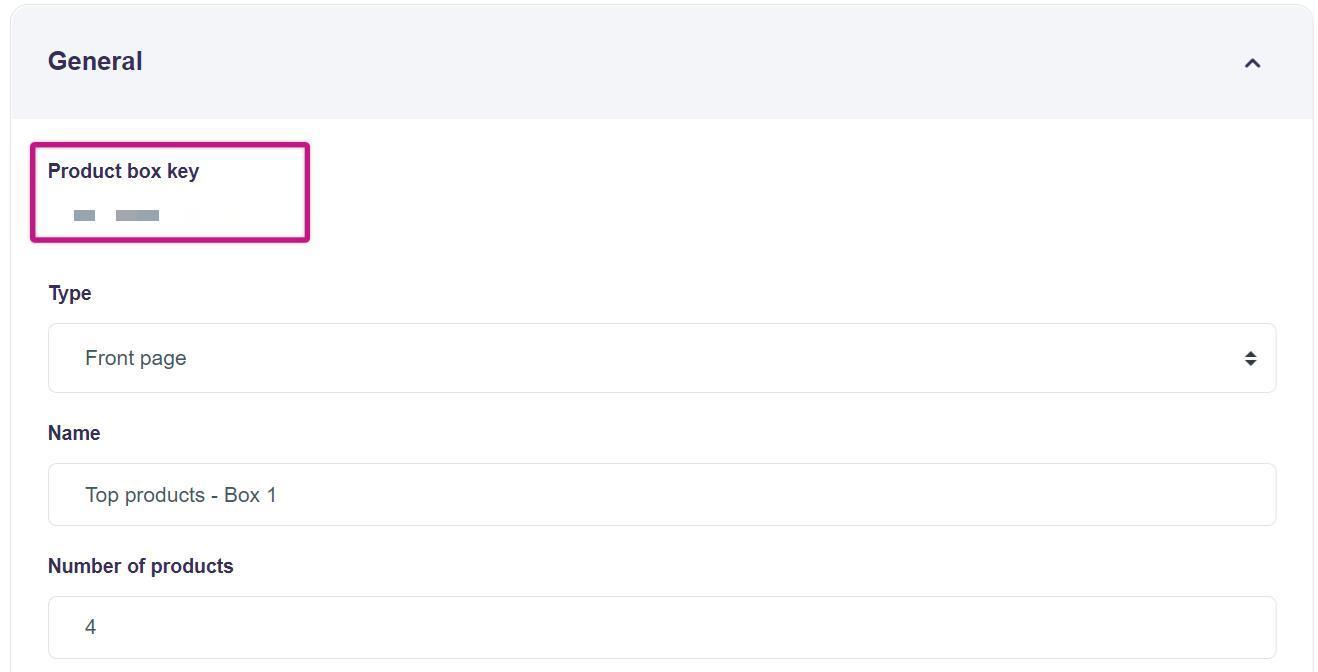
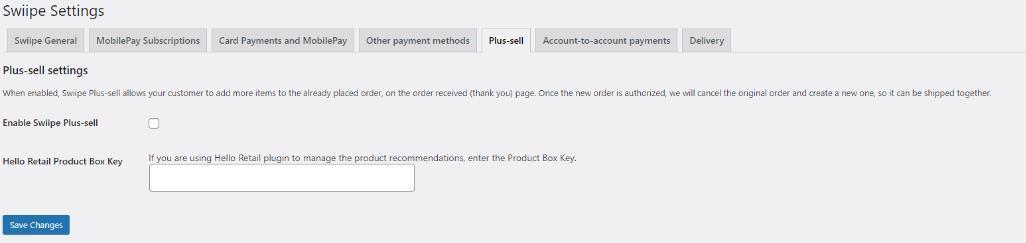
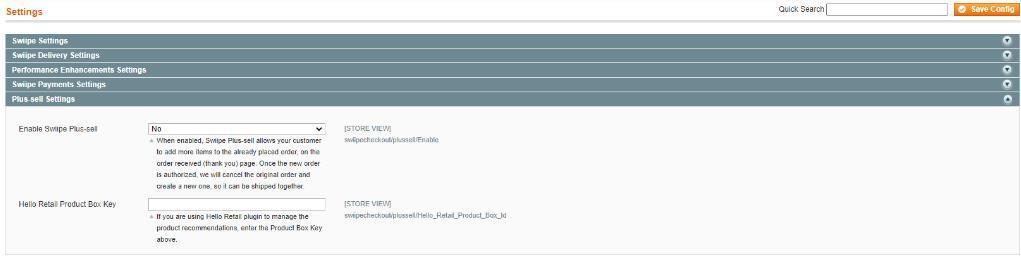
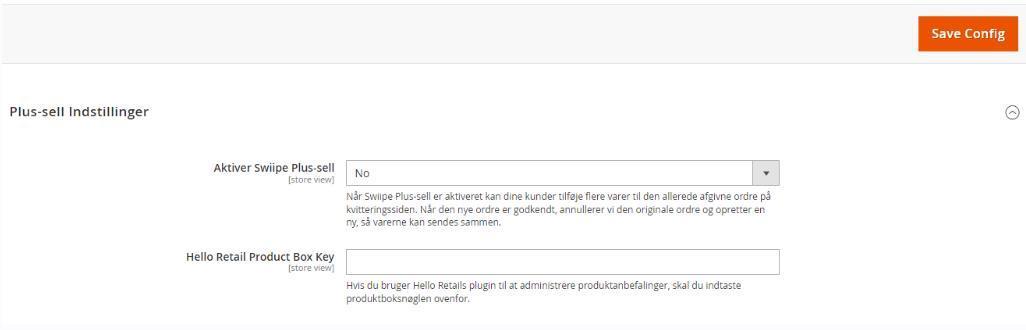
Now insert the Product Box Key into the Swiipe settings in your e-commerce platform control panel (currently available for WooCommerce, Magento 1, and Magento 2).
WooCommerce
Magento 1
Magento 2
Place a test order to confirm the Plus-Sell box renders and shows the expected recommendations.