 Avg. 1 min read
 Locate Template ID for Auto Campaigns
This guide explains how to find the Template ID for Auto Campaigns.
Some newsletter platform integrations require the Template ID.
Follow these steps to locate it:
- Start by logging into your Hello Retail account. On the dashboard, go to the left-hand menu. Under the Email section, click Newsletter Content to expand the menu.
- From the expanded menu, click Auto campaigns.
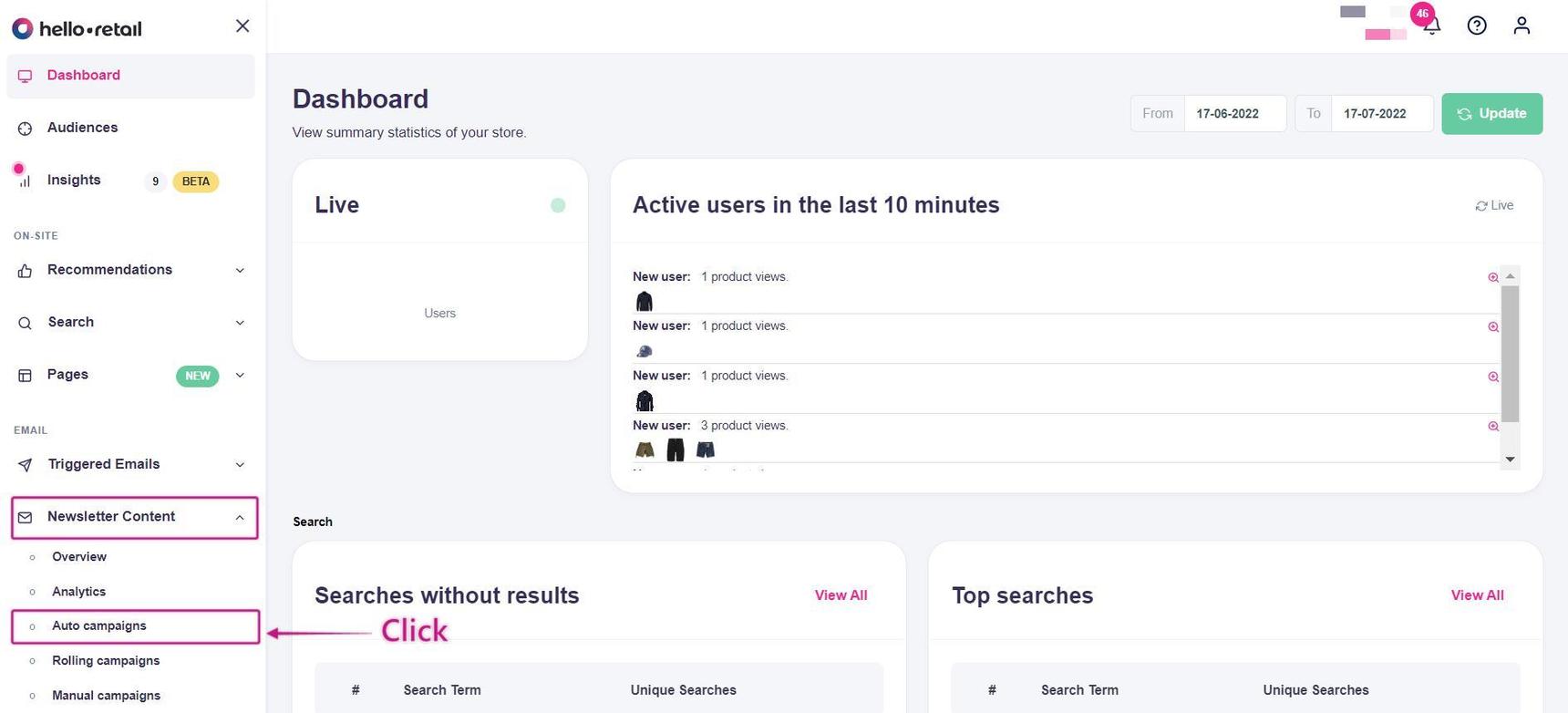
This image shows steps 1 and 2.
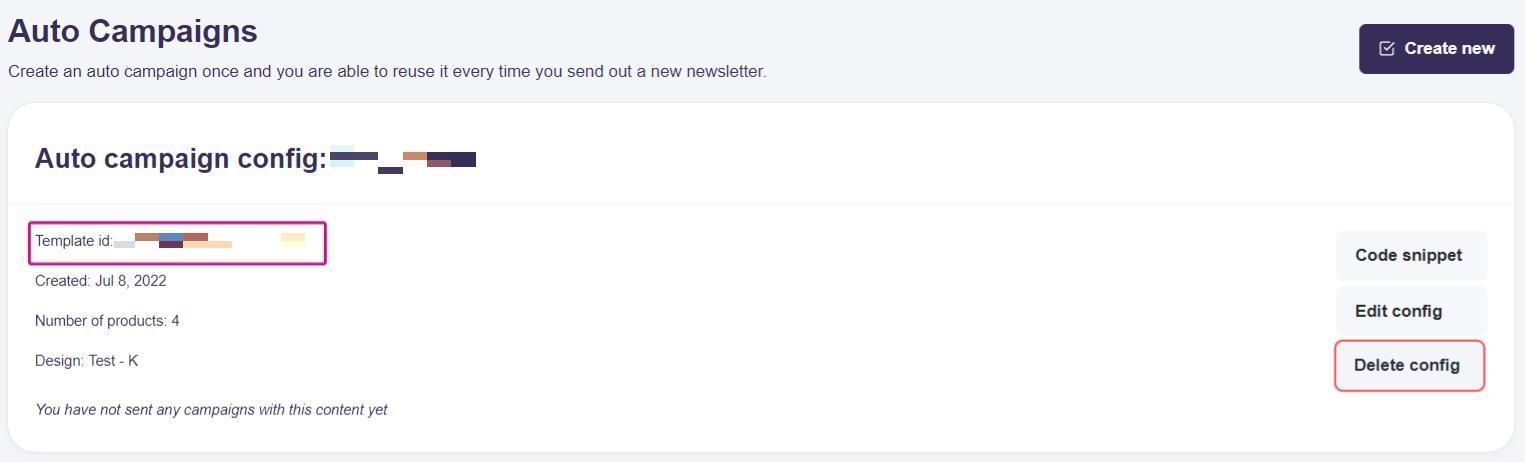
You will see an overview of your Auto Campaigns. Each campaign shows a unique Template ID in the list. Copy the ID you need for your integration.
If you have any questions about this guide, then please contact Support or your designated account manager about this.