 Avg. 2 min read
 Understanding Newsletter Content analytics
This guide explains how to access and interpret Newsletter Content analytics.
Each Newsletter Content campaign returns performance analytics. This data helps you identify what works and where to adjust.
- Log in to your Hello Retail account. In the left menu, under Emails, click Newsletter Content to expand the drop-down.
- From the drop-down, click Analytics.
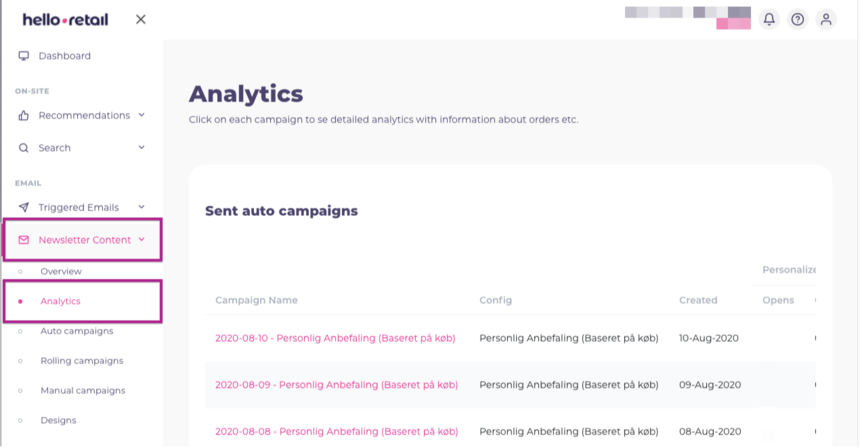 This image shows steps 1 and 2.
You first see an overview of all sent and active campaigns. Campaigns are grouped by campaign type if you use multiple types.
You can see details such as:
- campaign name
- configuration used (for Auto campaigns)
- campaign creation date
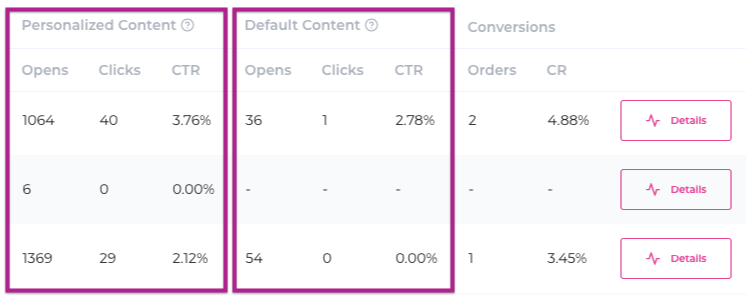
- metrics for opens, clicks, and orders
Personalized content and Default content
Opens and clicks are split across Personalized content and Default content:
- Personalized content is used when Hello Retail can identify the customer and use historical browsing and purchase data to personalize recommendations.
- Default content is used when Hello Retail cannot identify the customer, so the default content is displayed.
Specific campaign details
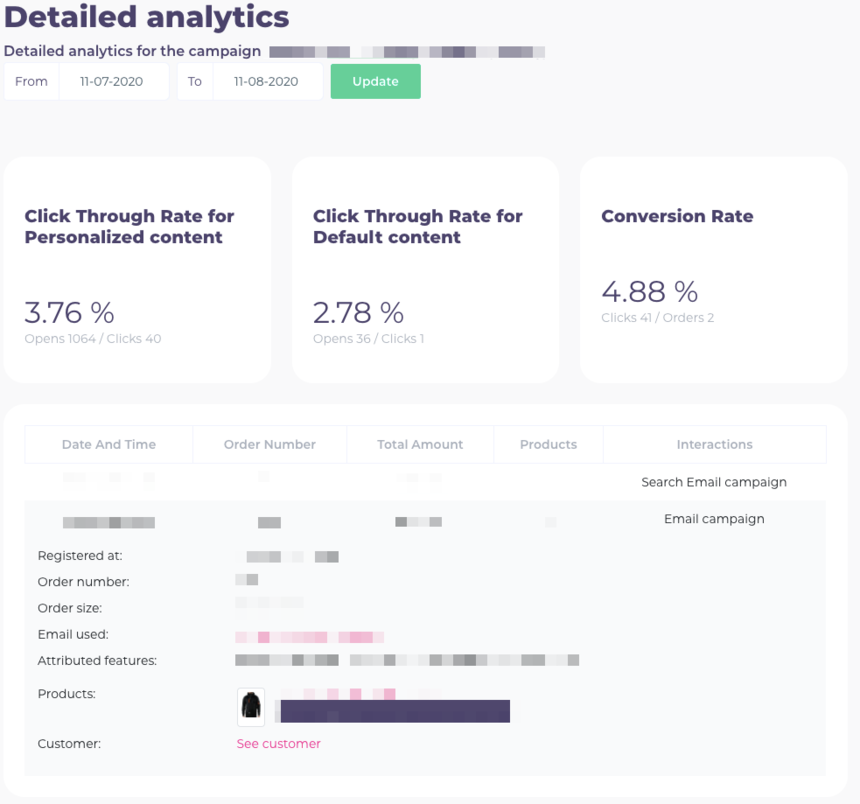
Open any campaign to view its detailed analytics.
As on the overview page, metrics are split into personalized and default content. The Detailed Analytics menu includes three sections:
1. Overall metrics: CTR for personalized content, CTR for default content, conversion rate.
2. Orders: Contains purchases that resulted from your Newsletter Content campaign. If you click an order in the list, you will see details for that purchase.
3. Products: Shows a paginated list of products shown in your Newsletter Content. The list includes performance data for each product: views, clicks, indirect conversions, and direct conversions.
If you have questions about this guide, contact Support or your account manager.