 Avg. 2 min read
 Pages Design Customizations
This guide explains how to customize the design of your Hello Retail Pages using the Simple, JavaScript, HTML, and CSS tabs. It also shows how to add custom inputs beyond the default template.
Design Customization
Pages design is configured through four tabs:
- Simple
- JavaScript
- HTML
- CSS
Simple
The Simple tab provides the core design controls for Pages. You can toggle or set values to match your use case.
This includes:
- Enable Views
- Desktop Products Per Row
- Container Max Width
- Filter Position
- Mobile Products Per Row
Inside the Simple tab, you have three sections:
- General
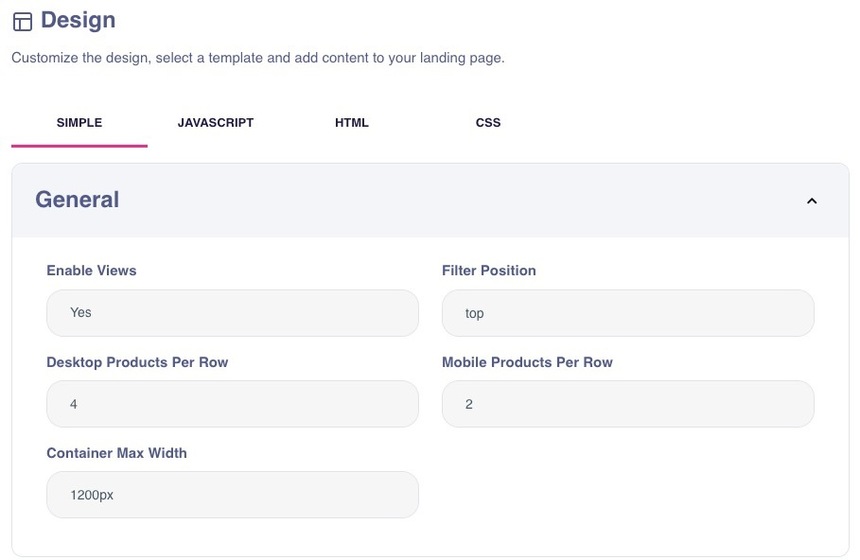
- Texts
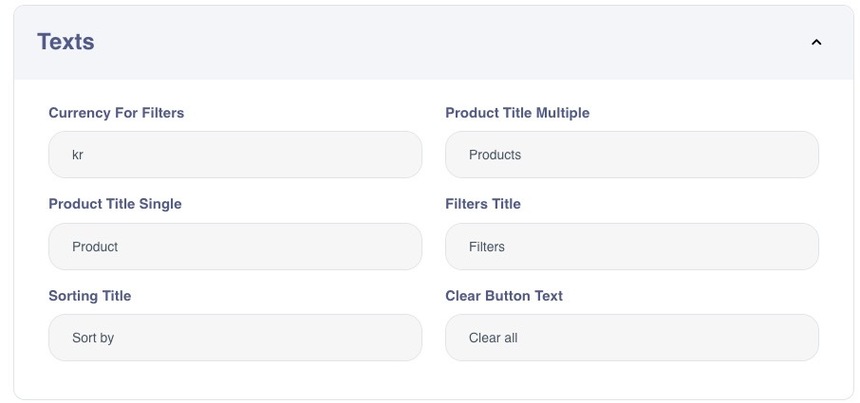
- Colors
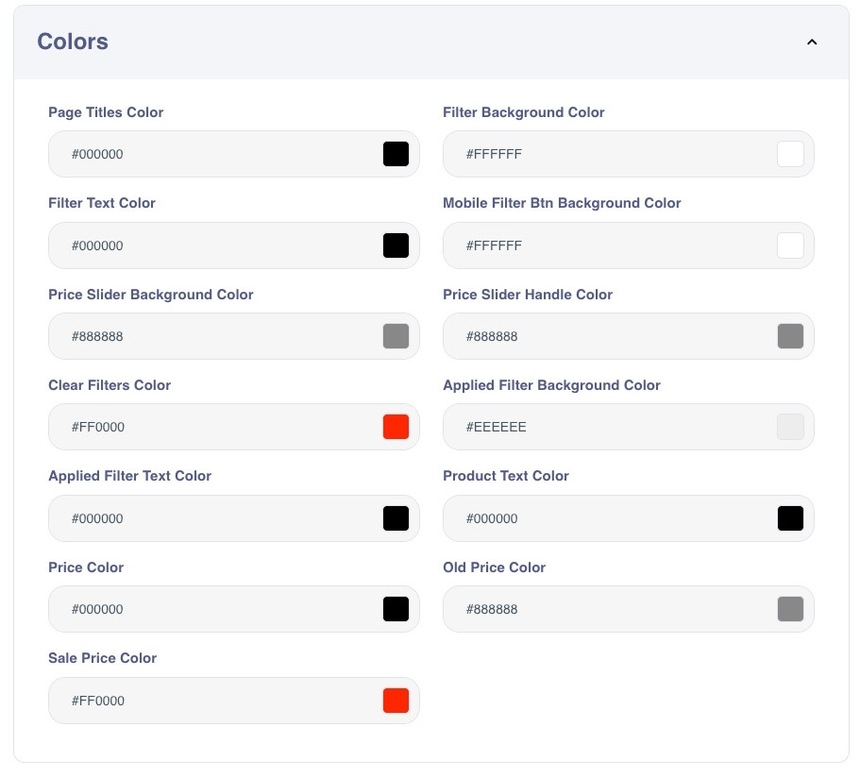
JavaScript, HTML & CSS
For advanced customization, use the JavaScript, HTML, and CSS tabs. After you modify any of these tabs, you can preview the result from the Simple tab.
In the JavaScript tab, you can add, remove, or adjust input fields to match your requirements. For example, you can define alignment options such as "left", "middle", or "right".
A choice field is a dropdown. You can configure its label, options, and default value.
The following JavaScript example generates a dropdown in the UI:
The liquid syntax for HTML is:
Note
Only supported field types can be used in HTML and JavaScript: text, number, color, and choice. Other field types are not available in these tabs.