 Avg. 2 min read
 Auto Sync of Active Campaign permissions
This guide explains how to automatically synchronise subscriber permissions from your ActiveCampaign account to Hello Retail.
Step 1: Generate or locate your API key in your ActiveCampaign account.
Log in to your ActiveCampaign account and go to: Settings > Developer > API Access.
Save your API URL and API Key. You will enter them in your Hello Retail account later.
For a text guide on finding your API URL and API Key, see: https://help.activecampaign.com/hc/en-us/articles/207317590-Getting-started-with-the-API
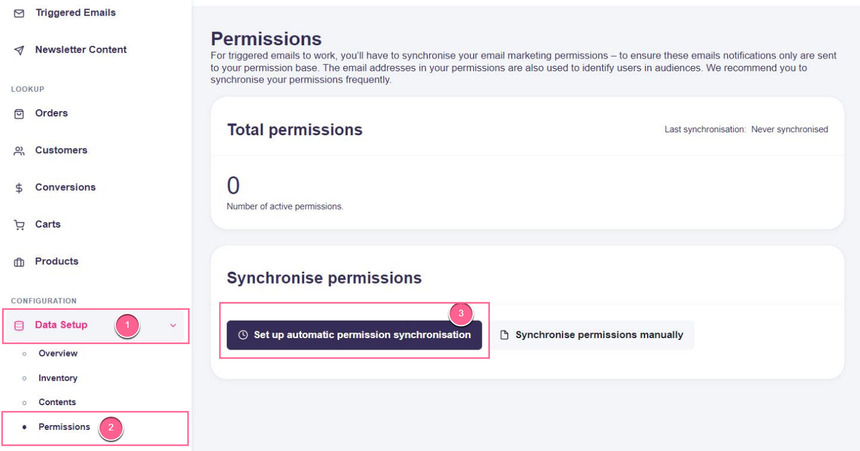
Step 2: In Hello Retail, go to Data Setup > Permissions, then click Set up automatic permission synchronisation.
Step 3: Configure the connection:
- Select ActiveCampaign in the Type drop-down.
- Paste your ActiveCampaign API-Key value into the API-Key field, and paste your API URL into the API domain field without http:// or https://.
- Select the list from your ActiveCampaign account that you want to sync in the List drop-down:
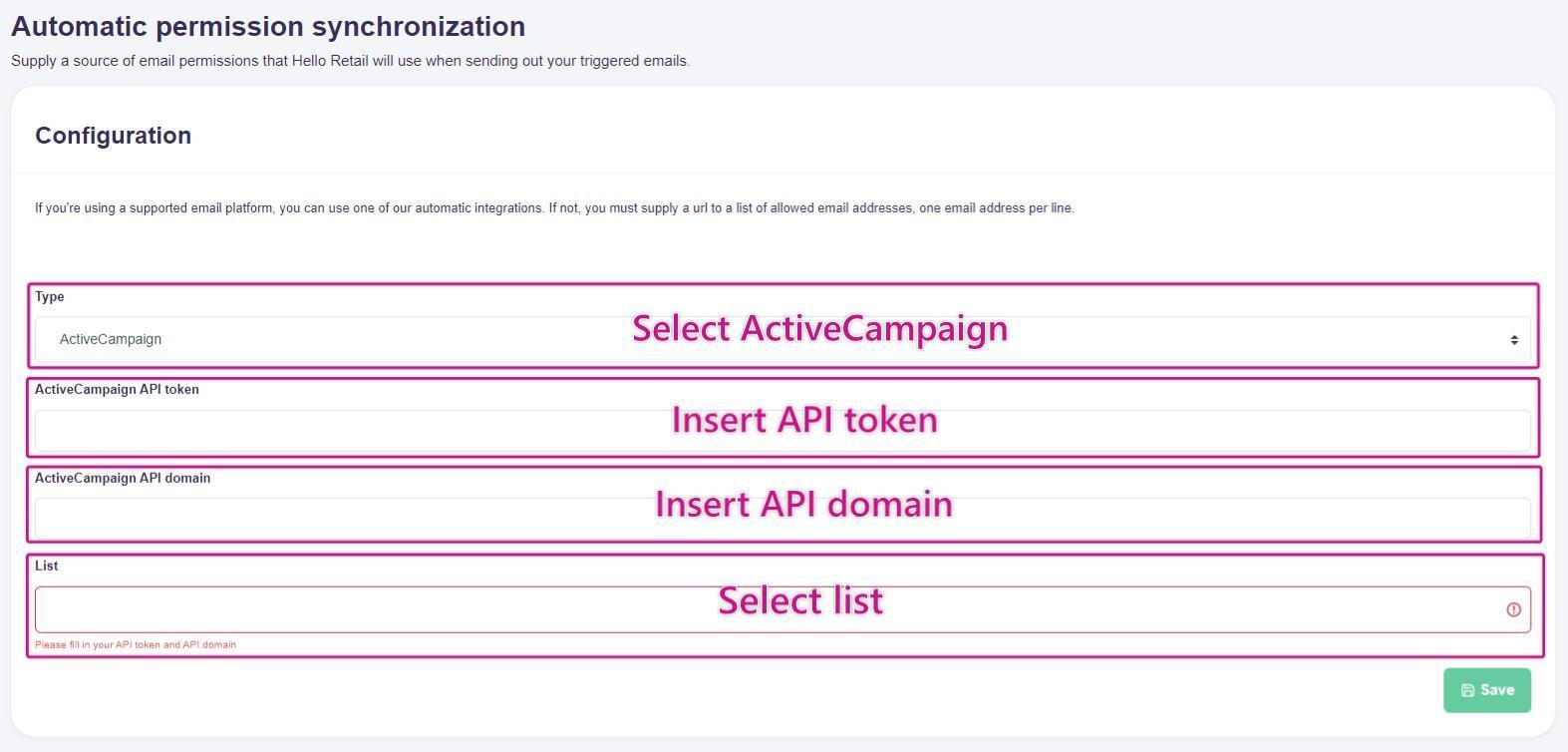
Remember to click Save.
Step 4: The setup is complete. Hello Retail will synchronise permissions from the selected ActiveCampaign list on a daily basis.