 Avg. 1 min read
 Auto Sync of Bullsender Permissions
This guide explains how to automatically synchronize your subscriber permissions between Hello Retail and Bullsender.
Steps
-
Log in to your Bullsender admin account.
-
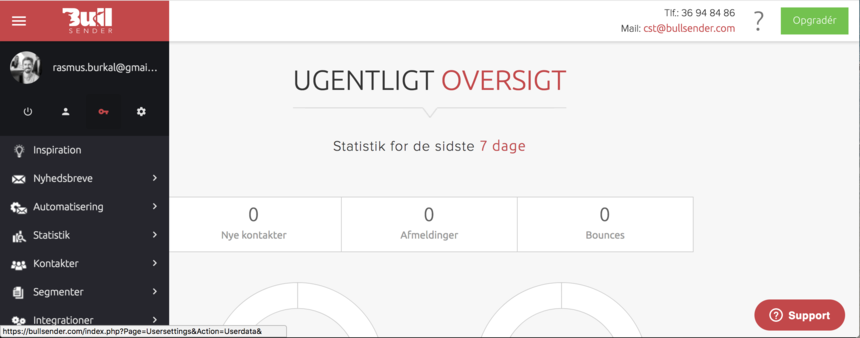
In the dashboard, open the left-hand menu and go to User Settings.
-
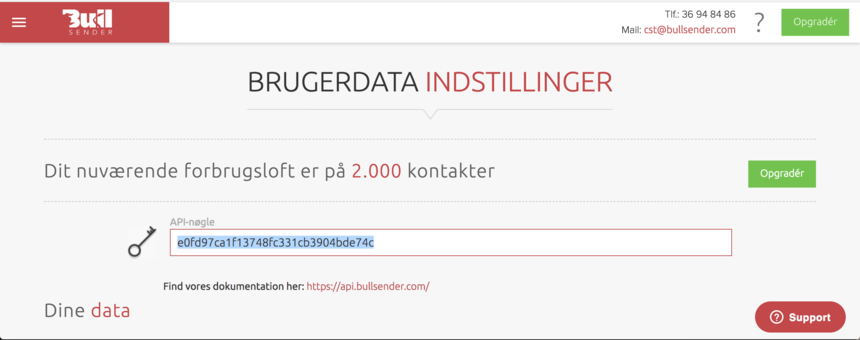
On the User Settings page, locate the API key field and copy the key.
-
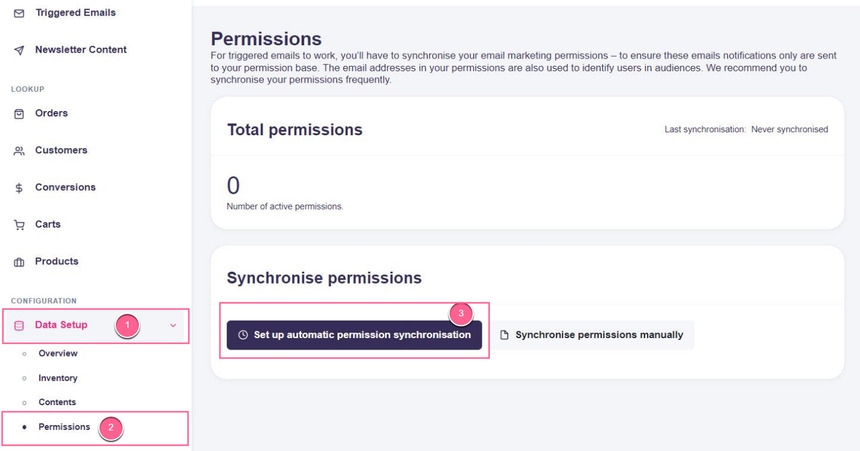
Log in to your Hello Retail account. In the left-hand menu, under the Configuration section, click Data Setup to open the drop-down.
-
From the drop-down, click Permissions and then Set up automatic permission synchronization.
-
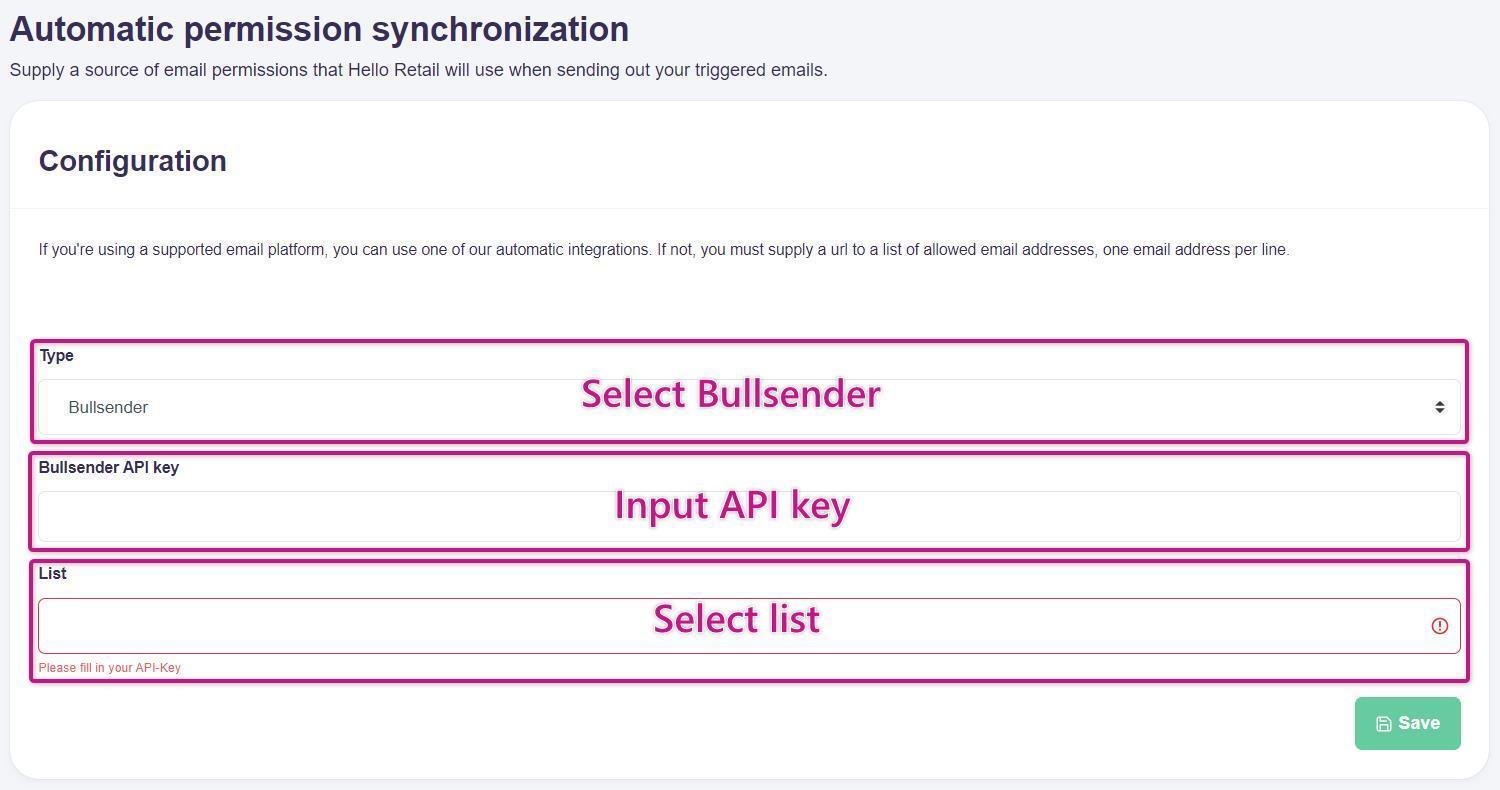
Select Bullsender as the type, paste the copied API key into the Key field, and choose the List you want to synchronize with Hello Retail.
Finally, click Save:
If you have any questions about this guide, please contact Support or your designated account manager.