 Avg. 2 min read
 Auto Sync of Drip permissions
This guide explains how to automatically synchronise email permissions from your Drip account to Hello Retail.
Step 1: First, find or generate an API token in your Drip account. Please follow the guide to do so:
Log in to your Drip account here: https://www.getdrip.com/signin and navigate to: Click the ··· (right next to your account name) > User Settings
Inside the User Settings, copy the API Key at the bottom of the page.
Now save the API Key you just copied, so you can enter it into your Hello Retail account later.
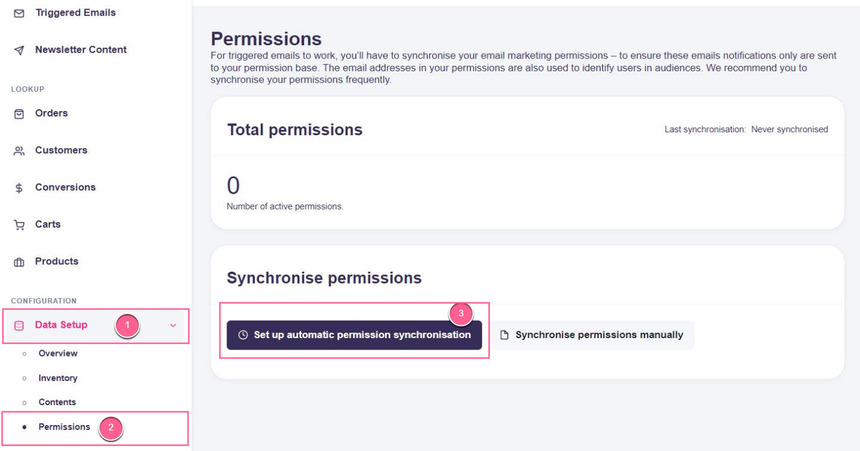
Step 2: Once you have your Drip API Key, navigate to Data Setup > Permissions, then click the Set up automatic permission synchronisation button within your Hello Retail account:
Step 3: As the next step, you'll have to:
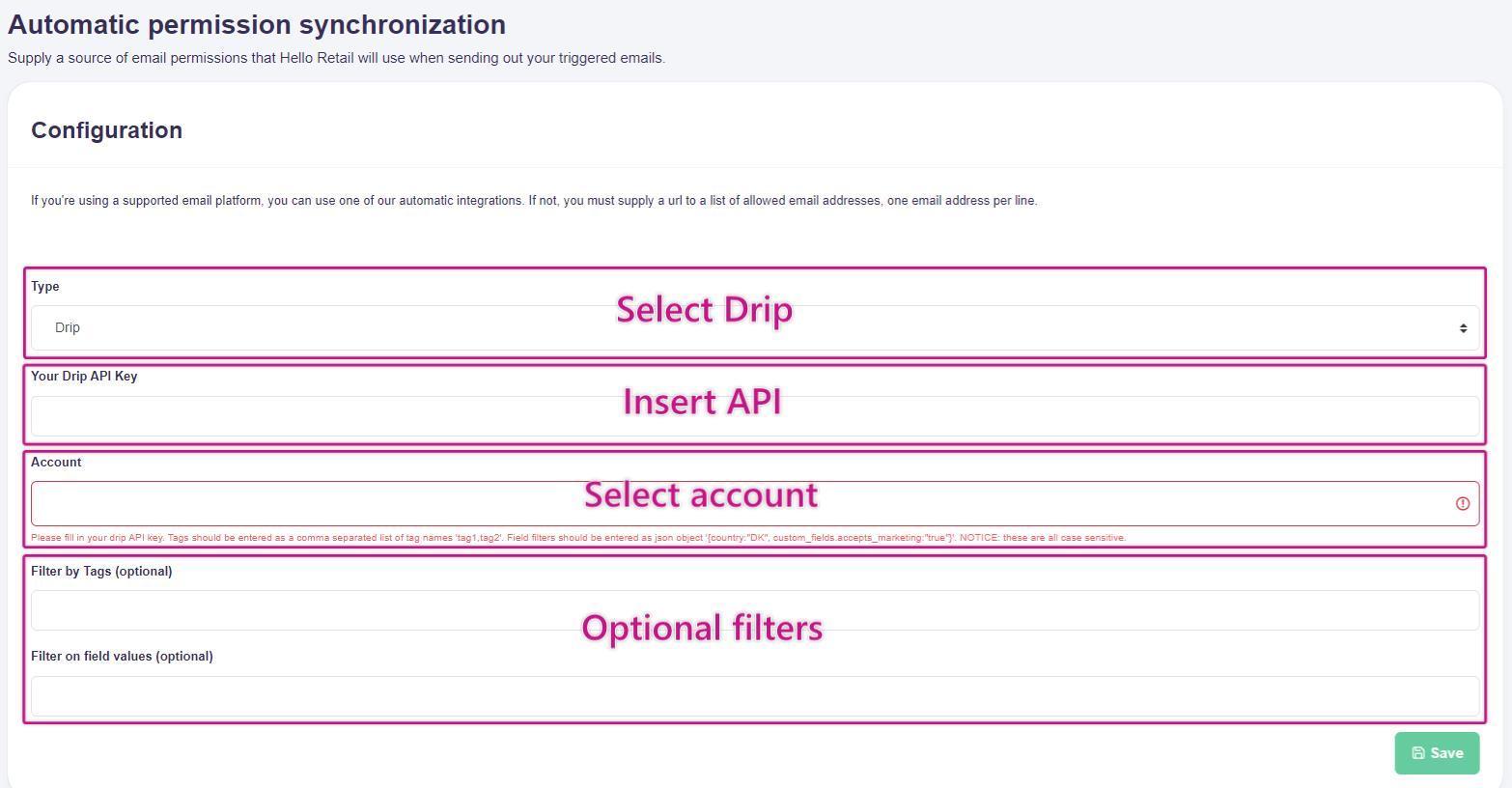
- Select Drip in the Type drop-down.
- Paste your Drip API Key into the API Key field.
- A list of Drip accounts accessible with that key will be generated. Select the Drip account you would like to synchronise permissions from.
- If you want to filter which of your email addresses to synchronise as permissions, you can optionally do this by entering tags and/or custom fields. By default, ALL email addresses within the selected Drip account are synchronised as permissions.
Optional Filters
These filters are case sensitive. Enter tags and custom fields exactly as they are written in your Drip account.
E.g. you might have a Tag in Drip called "first_name". Then it should be entered as "first_name" and not as "First_Name". If this is not taken into consideration, the filter will not work properly.
Filter by Tags
For the tag filter, an email has to be associated with at least one tag to pass the filter.
Tags are entered in the field as a comma separated list (no space between):
tag1,tag2,tag3
Filter by custom fields
For the custom fields, an email has to have all fields with the correct value to pass the filter.
Custom fields are entered in the field as a comma separated list of key/value pairs (no space between):
field1=value1,field2=value2,field3=value3
Remember to click Save.
You are now done, and moving forward your Drip list permissions will automatically be synchronised on a daily basis.