 Avg. 2 min read
Auto Sync of HeyLoyalty Permissions
This guide shows how to automatically synchronise permissions from your HeyLoyalty account to Hello Retail.
Generating an API Key
Step 1: Log in to your HeyLoyalty account at https://app.heyloyalty.com/login.
When you are logged in to HeyLoyalty, follow this video guide or continue reading below.
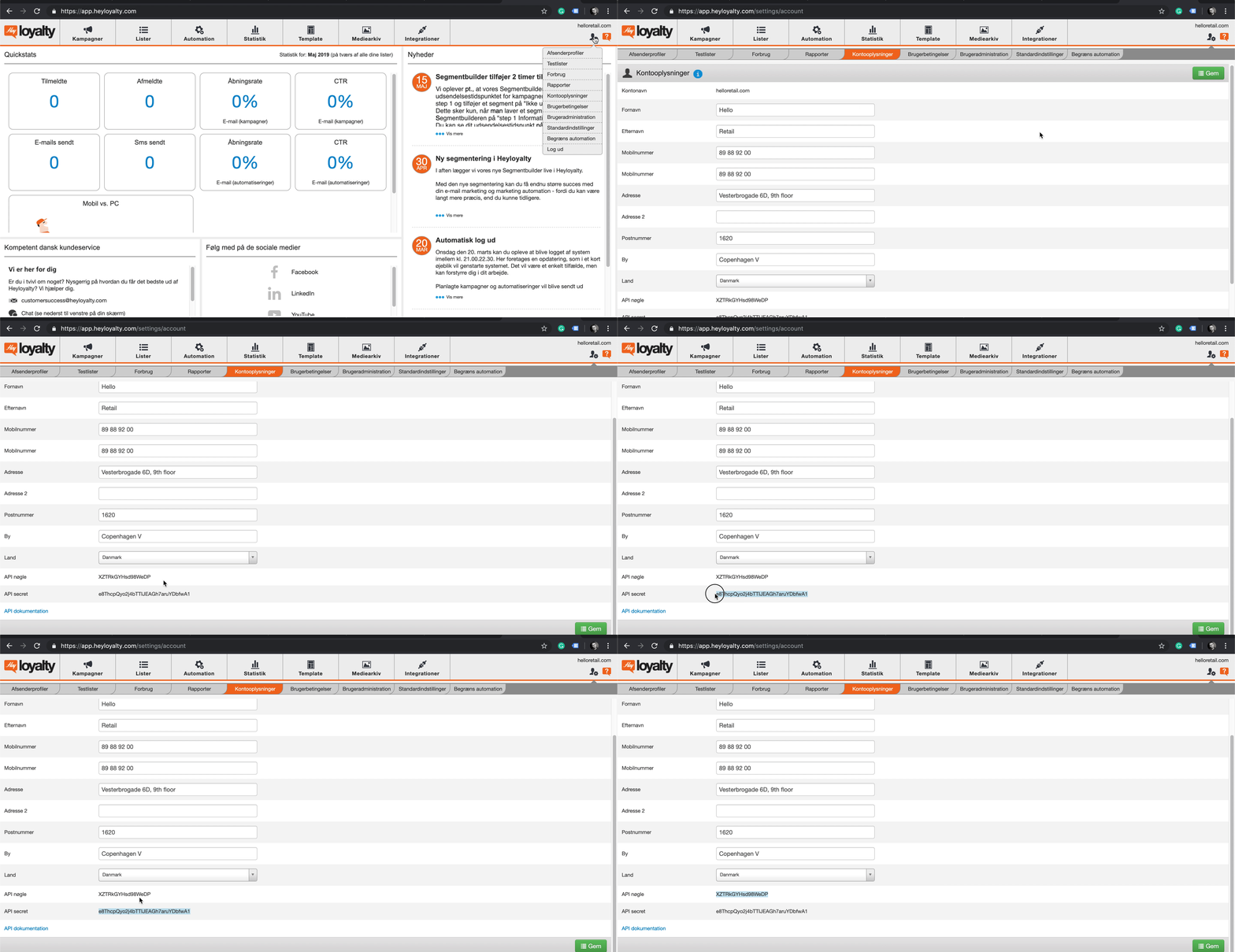
Step 2: Navigate to: Konto (Avatar with drop-down in the top right corner) > Kontooplysninger > Scroll down to API Key/API Secret.
Step 3: Copy and save both the API Key and API Secret for later use.
Inserting the API Key into Hello Retail
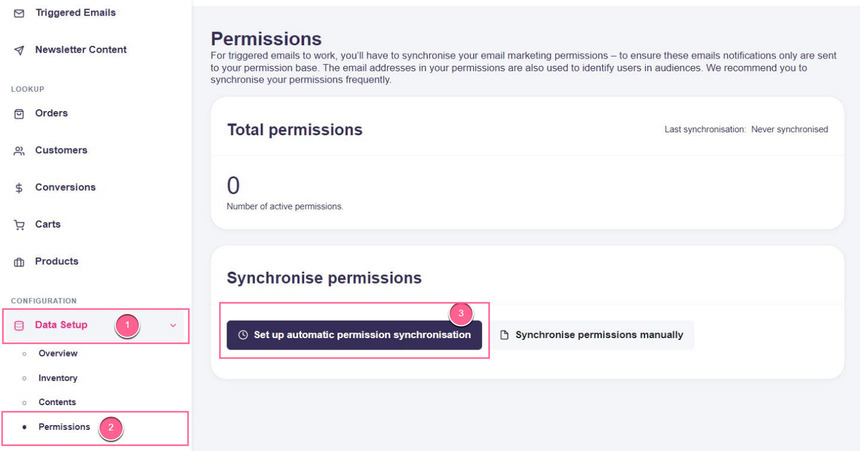
Step 1: In Hello Retail, go to Data Setup > Permissions, then click Set up automatic permission synchronisation:
Step 2: In the setup dialog:
- Select HeyLoyalty in the Type drop-down.
- Paste your HeyLoyalty API-Key and API Secret into their respective fields.
- Select the list from your HeyLoyalty account to sync in the List drop-down:
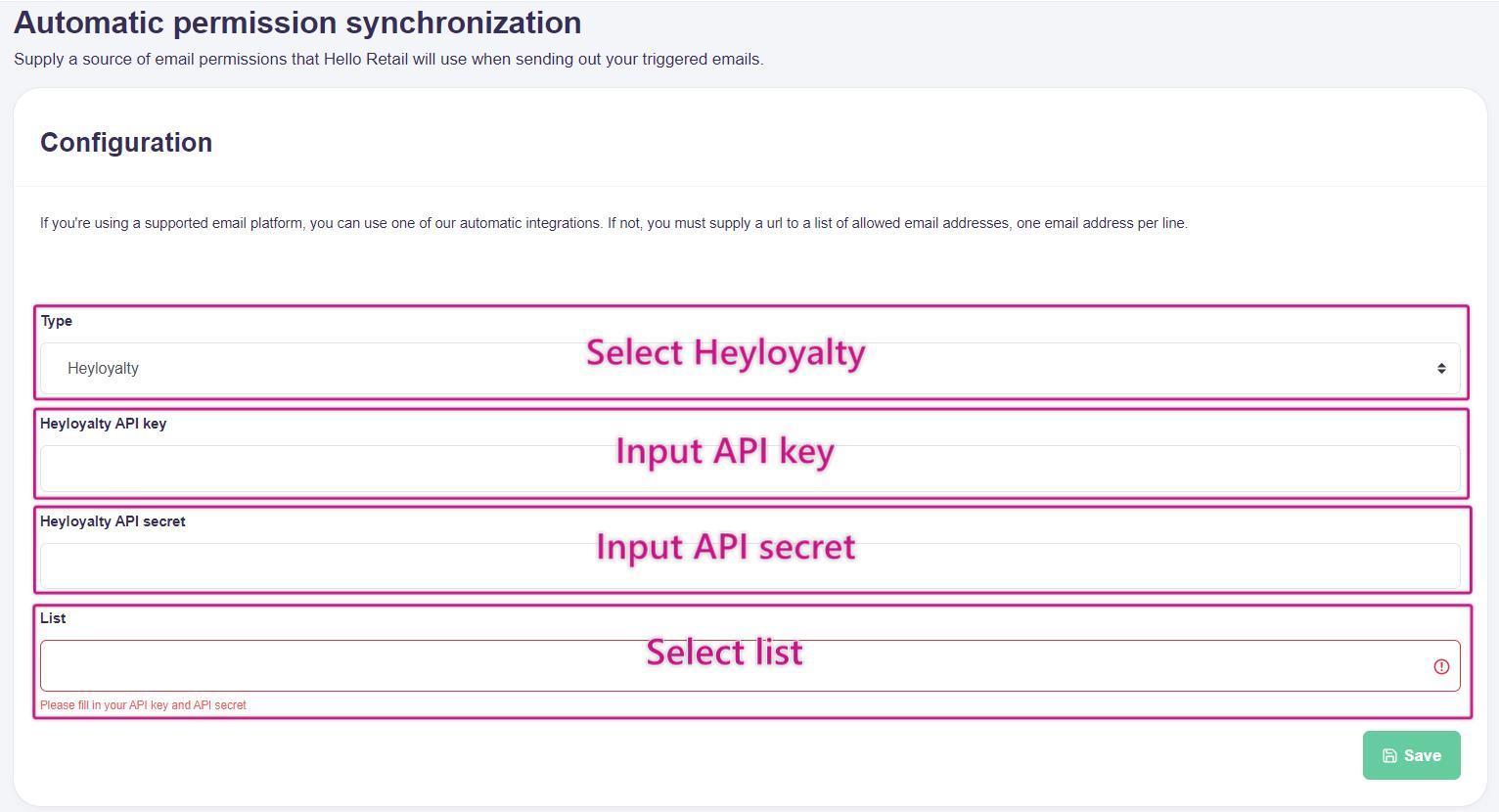
Remember to click Save.
Step 3: Your setup is complete. Hello Retail will automatically synchronise HeyLoyalty list permissions once per day.