 Avg. 1 min read
 Auto Sync of Klaviyo permissions
Here's a simple guide, taking you through the process of automatically synchronising the permissions from your Klaviyo account:
Step 1: Generate an API key in your Klaviyo account. Log in to Klaviyo and create an API key to use with Hello Retail. Be sure that the key has 'Read Access' to List and Profiles
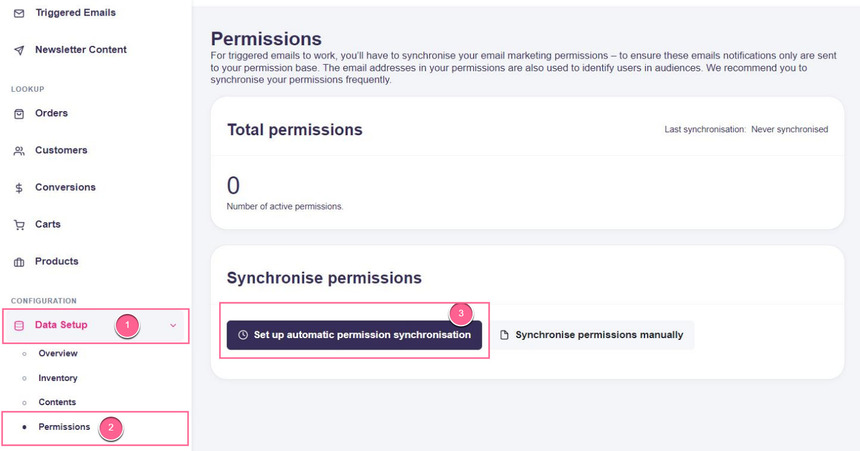
Step 2: Once you have your Klaviyo API key, in Hello Retail navigate to Data Setup > Permissions, then click the Set up automatic permission synchronisation button:
Step 3: As the next step, you'll have to:
- select Klaviyo in the Type drop-down
- paste your Klaviyo API key into the API-Key field
- and finally, select the list from your Klaviyo account you would like to sync in the List drop-down:
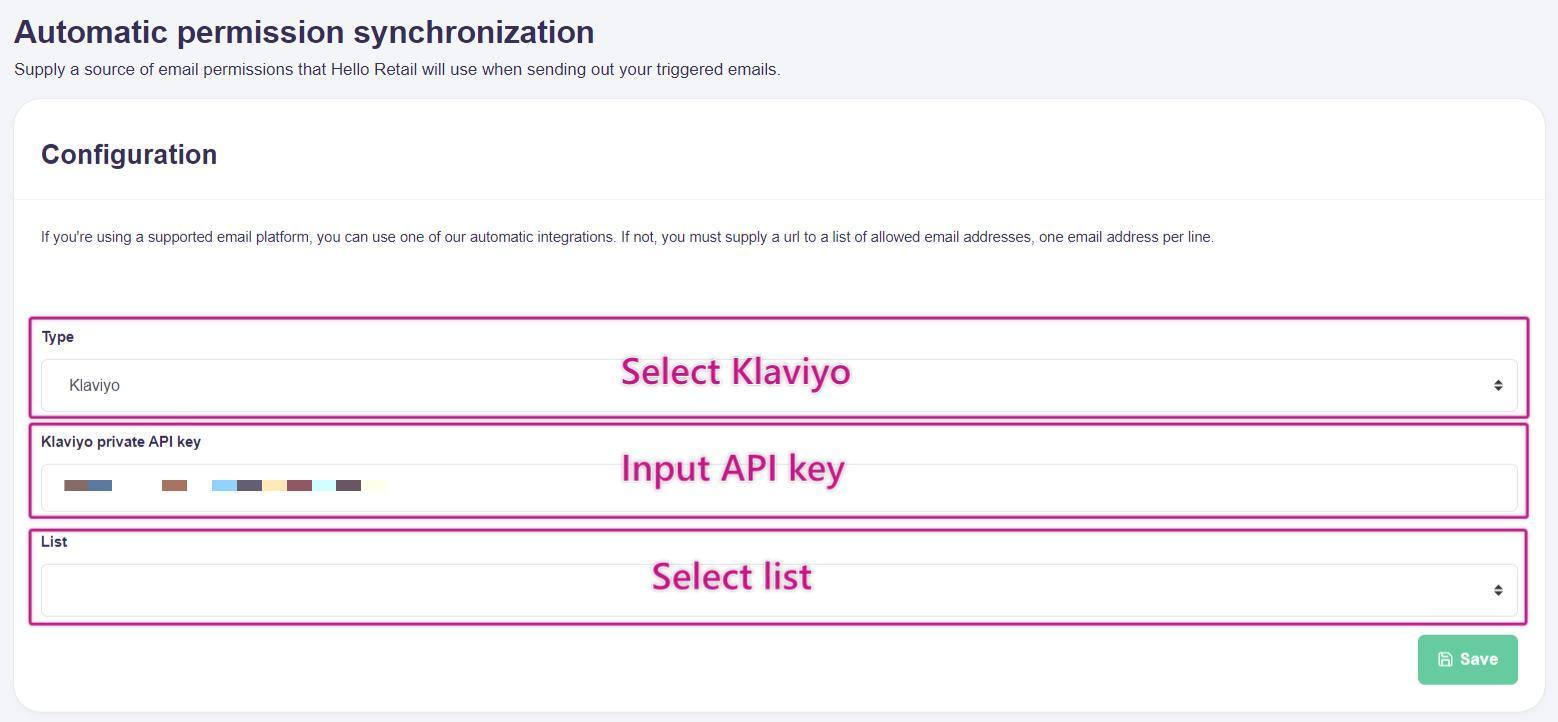
Remember to click Save.
Step 4: Setup is complete. Going forward, your Klaviyo list permissions will automatically be synchronised daily.