 Avg. 2 min read
 Auto sync of MarketingPlatform permissions
Use this guide to configure automatic synchronisation of permissions from your MarketingPlatform account.
- Get API access to your MarketingPlatform account. Create an API key and token by logging in to your MarketingPlatform account. After creating the credentials, contact MarketingPlatform support and ask them to mark the API key as a trusted token. Hello Retail can only use tokens that are marked as trusted. You can contact MarketingPlatform support at support@marketingplatform.com
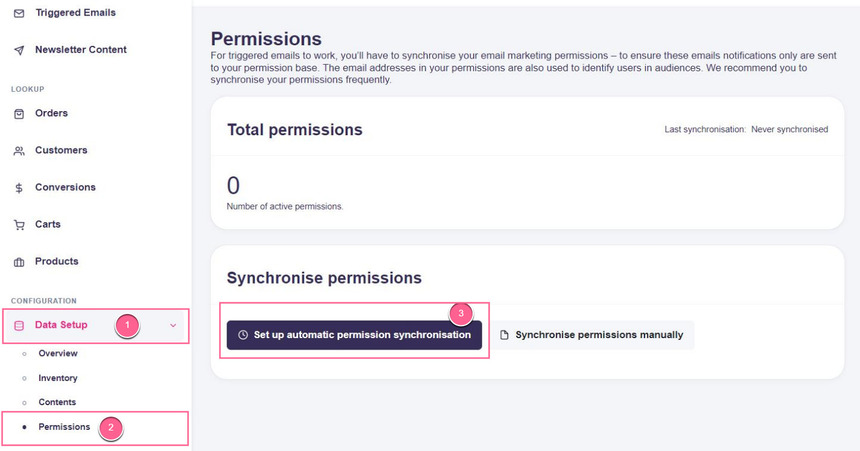
Remember to tell them it is for Hello Retail, as we require a unique access token. - Once you have API access (API username and access token), navigate to Data Setup > Permissions, then click the Set up automatic permission synchronisation button:
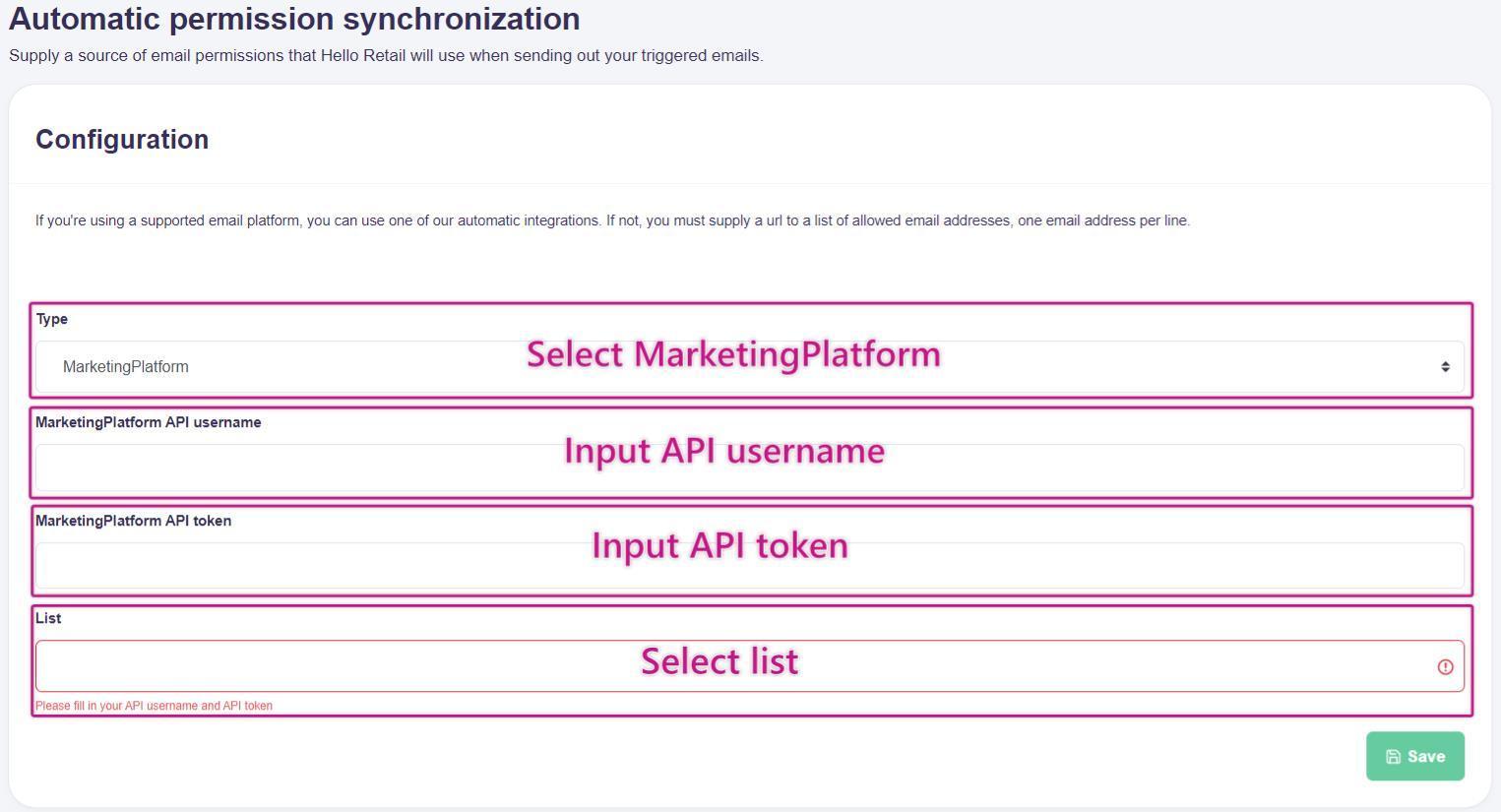
- On the setup page, complete the fields:
- In the Type drop-down, select MarketingPlatform.
- Paste your API username and access token in their respective fields.
- The list field loads your mailing/contact lists from your MarketingPlatform account. When loaded, select the list you want to synchronise.
- Press Save
- Setup is complete. Permissions from the selected MarketingPlatform list will be synchronised automatically once per day.