 Avg. 2 min read
 Auto Sync of Rule Permissions
This guide explains how to automatically synchronise permissions from your Rule account to Hello Retail. For Rule API details, read the API documentation here.
- Start by logging into your Rule account. In Rule, generate an API key.
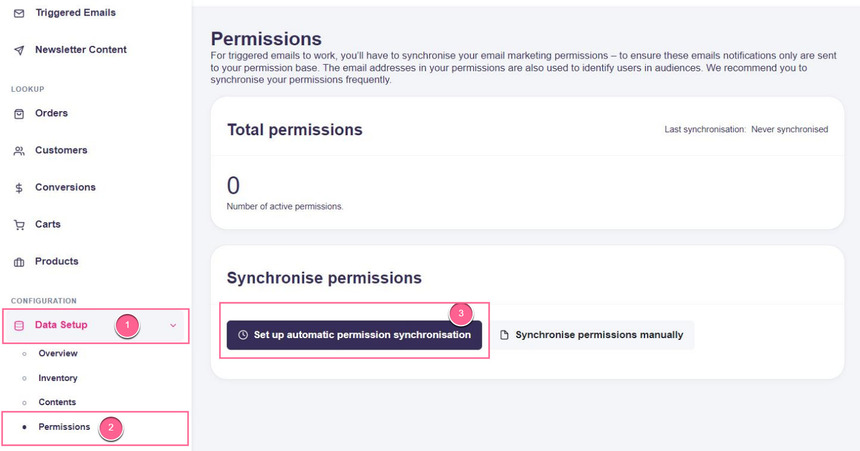
2. Once you have your Rule API key, log into your Hello Retail account. On the dashboard, go to the left-hand menu under Configuration. Click Data Setup to expand the menu, then click Permissions.
3. On the Permissions page, click Set up automatic permission synchronisation.
4. Next, choose the following inputs for the configuration:
- Select Rule in the Type drop-down menu
- Paste your Rule API key into the API-Key field
- Select the list from your Rule account you want to sync in the List drop-down menu:
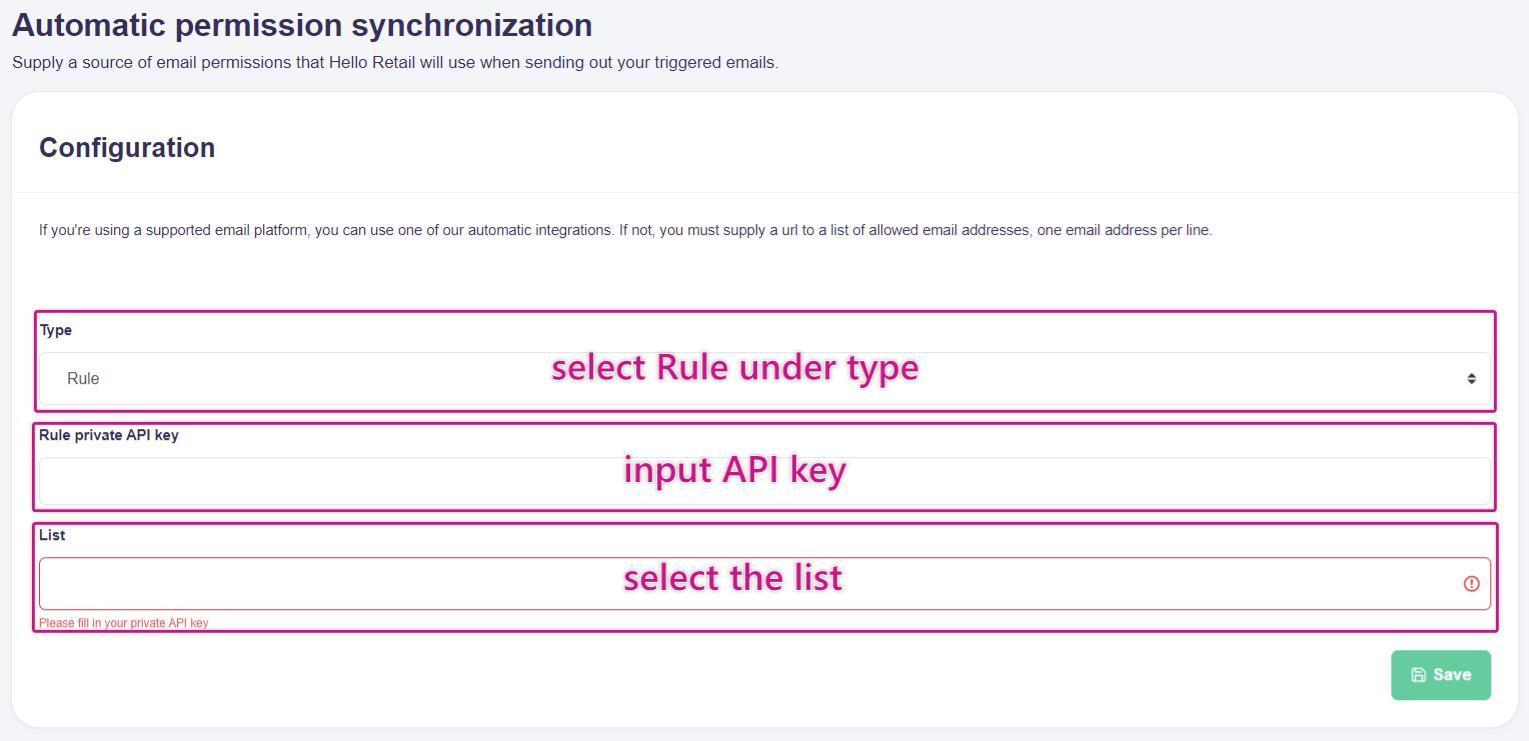
This picture shows step 4: choosing the type, list and inputting the API key under Configuration.
- Lastly, click Save.
5. Finally, the setup is complete. Going forward, your Rule list permissions will be automatically synchronised daily.
If you want it to be synced more often or if you have any questions, please contact support at support@helloretail.com.