 Avg. 2 min read
 Auto Sync of Ubivox permissions
This guide shows how to automatically synchronise permissions from your Ubivox account in Hello Retail.
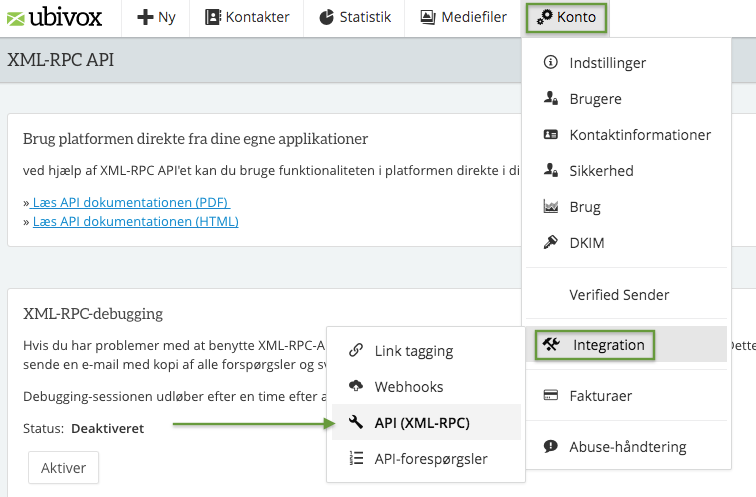
Step 1: Log in to your Ubivox account, then navigate to Account/Konto > Integration > API (XML-RPC):
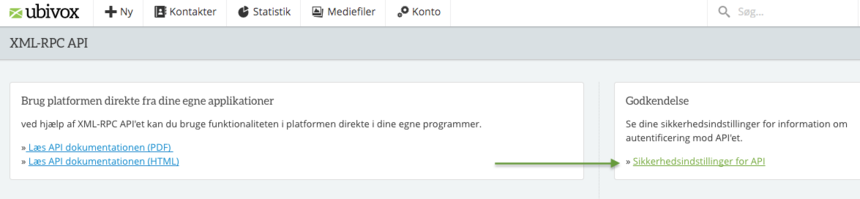
Step 2: Choose Security settings for API/Sikkerhedsindstillinger for API:
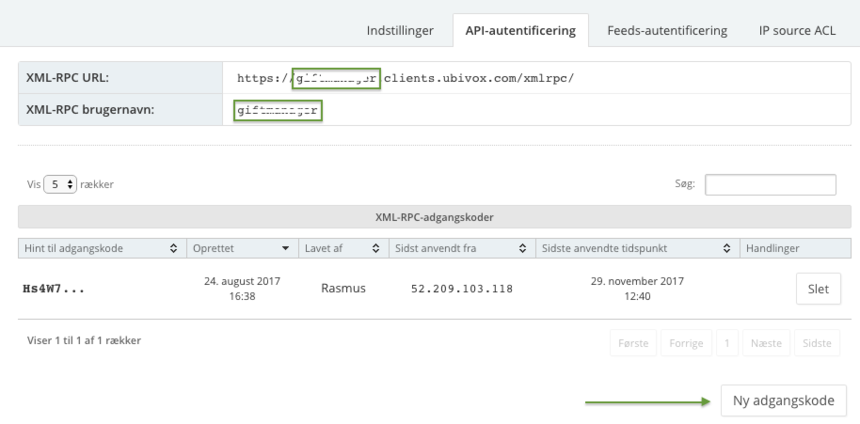
Step 3: Generate a New password/Ny adgangskode. Note your Account name/Konto navn and XML-RPC username/brugernavn. The account name is included in the XML-RPC URL shown at the top (highlighted in the red box):
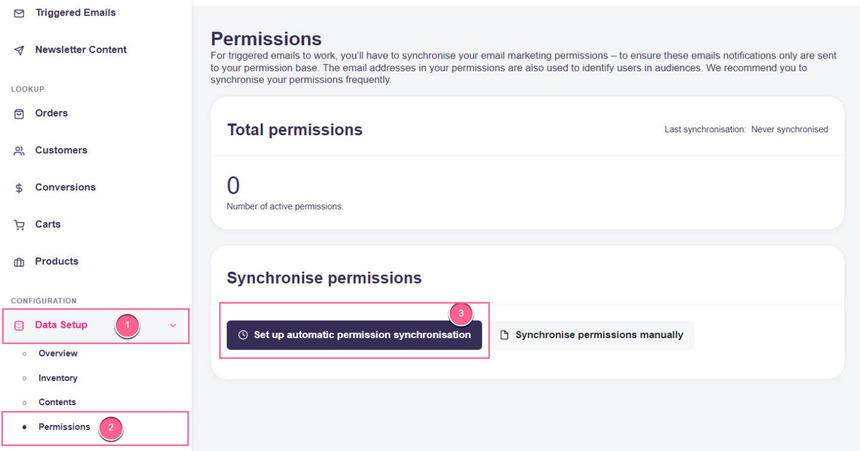
Step 4: When you have the Ubivox account name, username, and password, go to Data Setup > Permissions, then click Set up automatic permission synchronisation:
Step 5: Complete the setup:
- Select Ubivox in the Type drop-down.
- Enter your Ubivox account name in Account name, the XML-RPC username in XML-RPC username, and the generated API password in Password.
- After authentication, the List field becomes a drop-down. Select the Ubivox list you want to synchronise:
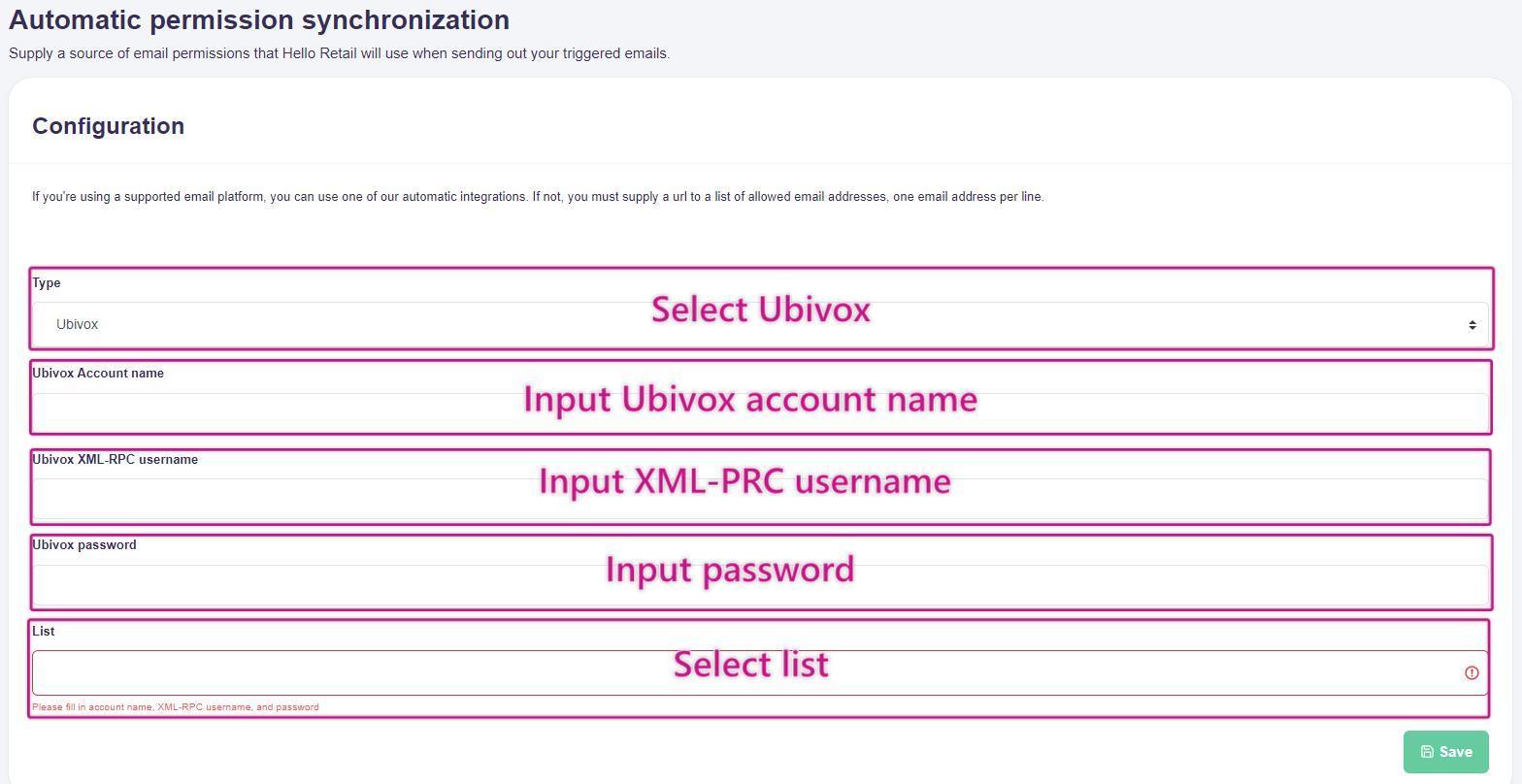
Remember to click Save.
Step 6: Setup is complete. Hello Retail will synchronise permissions from the selected Ubivox list daily.