 Avg. 2 min read
 Create SmartWeb/hosted Dandomain/Hostedshop API User for Category & Order Feed
Give Hello Retail access to categories and order feed via the SmartWeb, hosted DanDomain, or Hostedshop SOAP API.
This guide also relates to the SmartWeb Installation Guide.
Creating the API user:
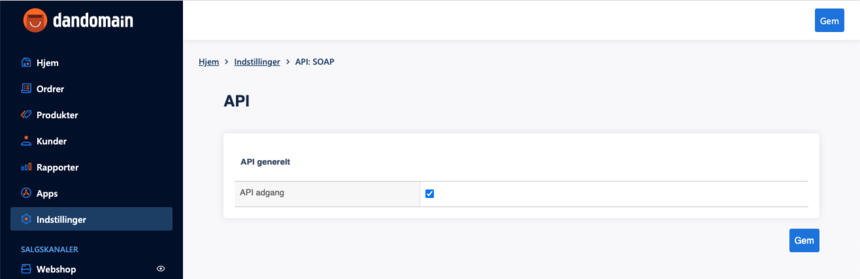
Log in to your shop backend. Go to Indstillinger > API:SOAP, enable the API by checking API adgang, then click Gem to save.
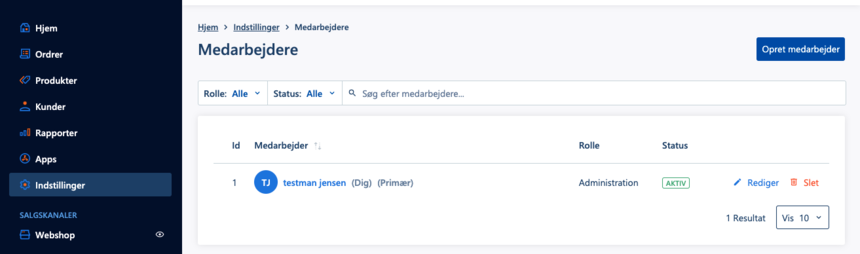
Next, go to Indstillinger > Medarbejdere and click Opret medarbejder:
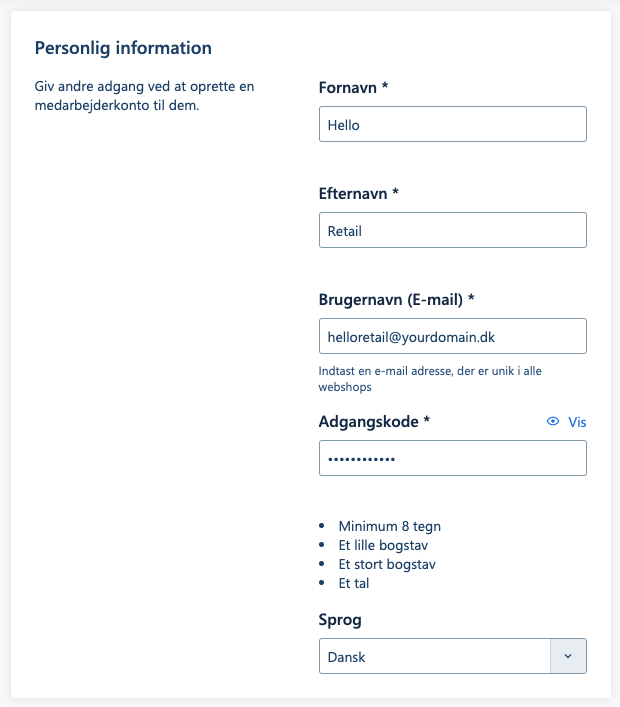
Enter a firstname, lastname, a password, and a unique email that is not used by another user. The email is used as the username and does not need to be a working mailbox.
Hello Retail support staff will see this password during setup. Do not reuse a personal password; create a new one for this purpose.
Note
The password cannot contain the characters exclamation mark (!), comma (,), or euro sign (€).
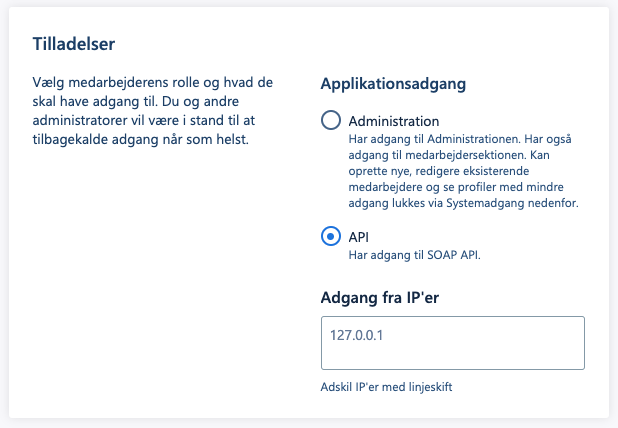
Next, change Applikationsadgang from Administration to API.
Finally, create the user by clicking Gem.
Sending api user credentials to Hello Retail:
Contact support@helloretail.com and request setup of a SmartWeb, hosted DanDomain, or Hostedshop category and order feed. Include the username and password for the new API user.
Also provide the shop languageISO. For Danish, use DK.