 Avg. 3 min read
 How to Integrate with Rule
This guide explains how to integrate Hello Retail Newsletter Content with Rule and how product recommendations work in Rule auto campaigns.
Rule is a platform for email marketing, advanced marketing automation, and personalized SMS.
How to Set It Up in Hello Retail
Connect your Hello Retail auto campaigns to Rule using the campaign ID. First, enable an auto campaign. Read how to set up an auto campaign configuration here. For an overview of campaign types, see here.
Prerequisite
Before you can create an auto campaign, you must create a Newsletter Content design. To learn how, click here. When your design is ready, proceed with this guide to integrate with Rule.
- Start by logging into your Hello Retail account. On the dashboard view, go to the left-hand menu. Under the Emails section, click Newsletter Content to unfold the drop-down menu.
- Next, from the drop-down menu, click Auto campaigns.
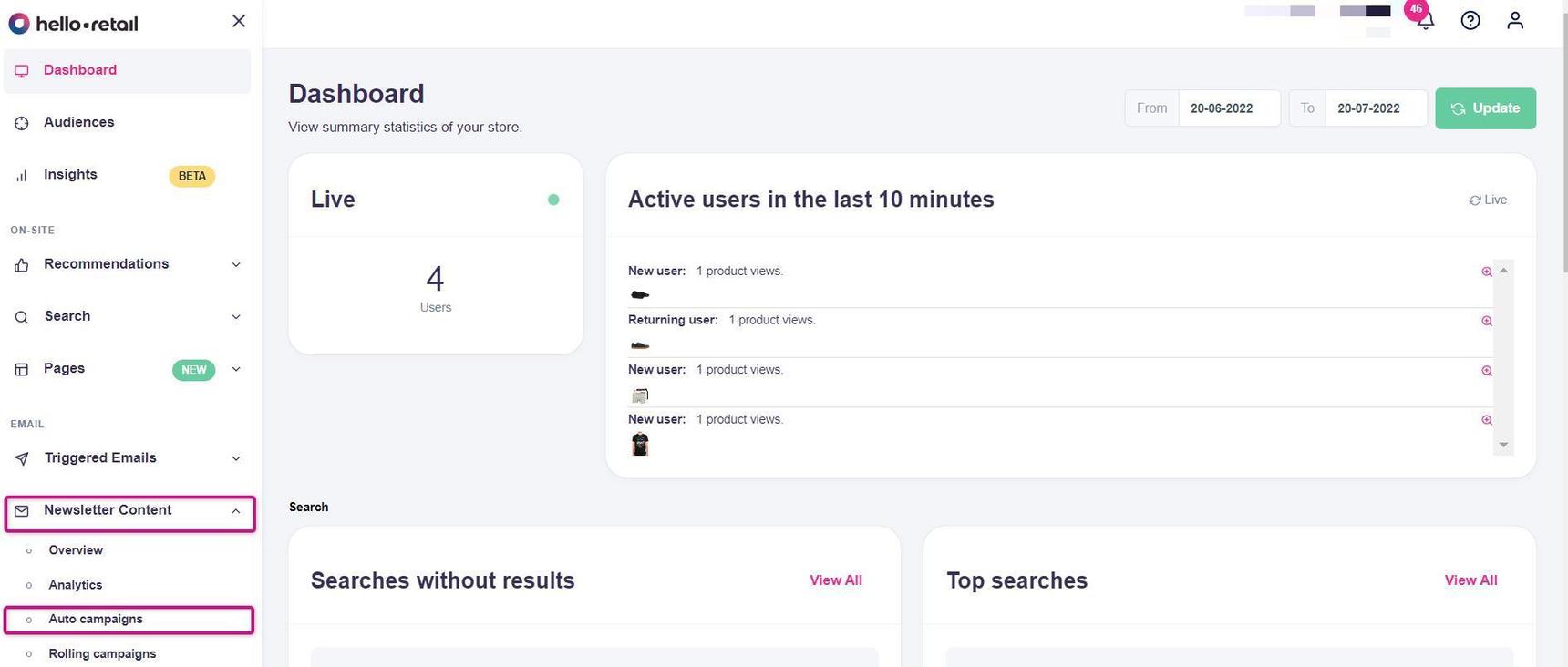
This image shows steps 1 and 2. 3. Under Auto campaign config, copy the Template ID for the desired auto campaign. It is typically a 24-character alphanumeric string. 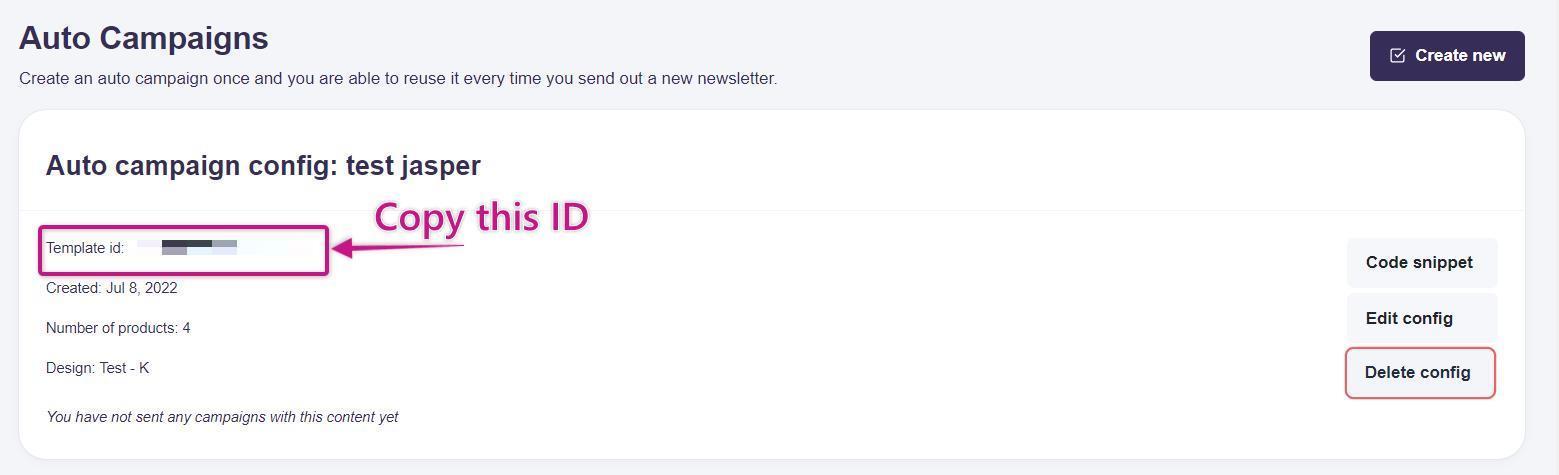
This image shows step 3. 4. Contact Rule to complete the remaining setup. You will provide your Rule account name and the Template ID from Hello Retail. See the next section for adding the Campaign ID.
This includes sending an email to support@rule.se with your account name. The Template ID you copied will be added to your account.
Read Rule's own guide here on how to set it up in Rule.
How to Set it Up in Rule
To complete setup in Rule, send Rule your account name, the Template ID, and the Campaign ID.
- If you have completed the steps in How to set it up in Hello Retail, keep the copied Template ID.
- Next, scroll down on the same page and copy the Campaign ID for the template. It is typically a 15-character string with letters, numbers, and hyphens.
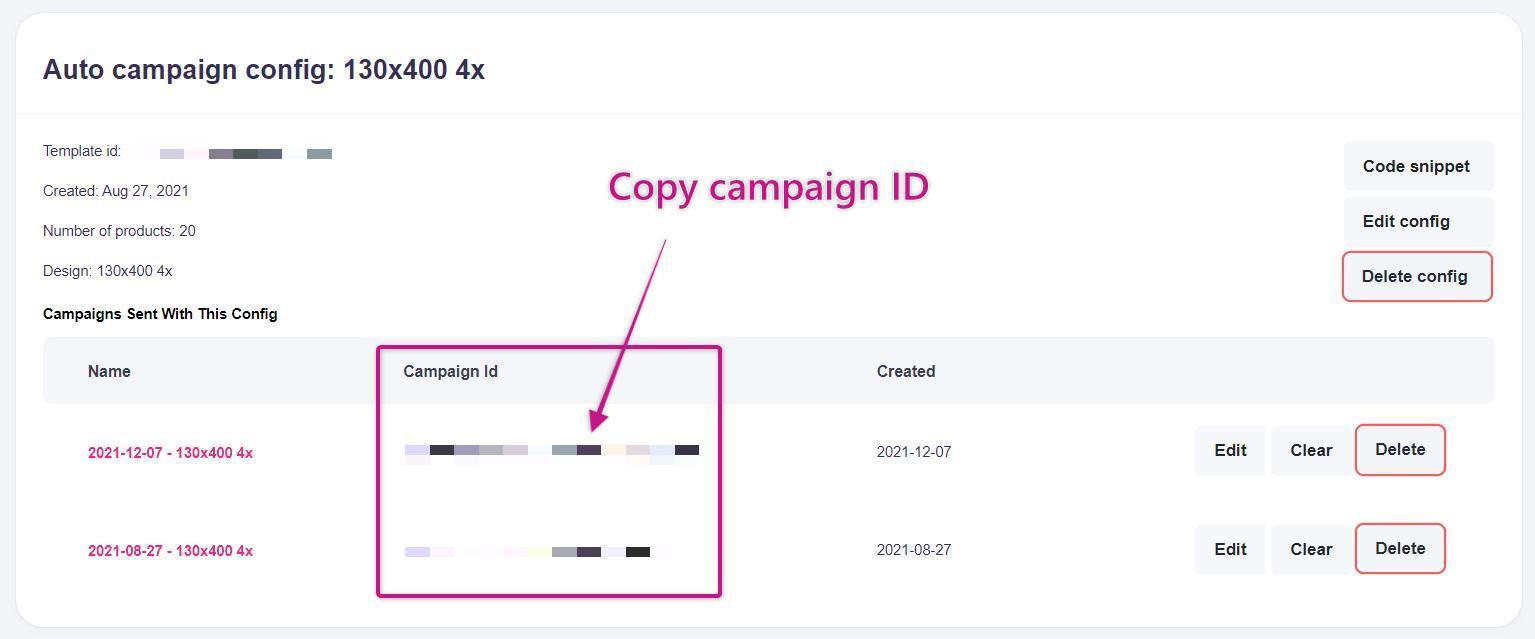
- Email support@rule.se with your Rule account name, the Template ID, and the Campaign ID. Rule will add the Hello Retail template to your Rule account.
- You will see the template in your list in Rule's Journey Builder.
- You can add more templates by pressing the
 button.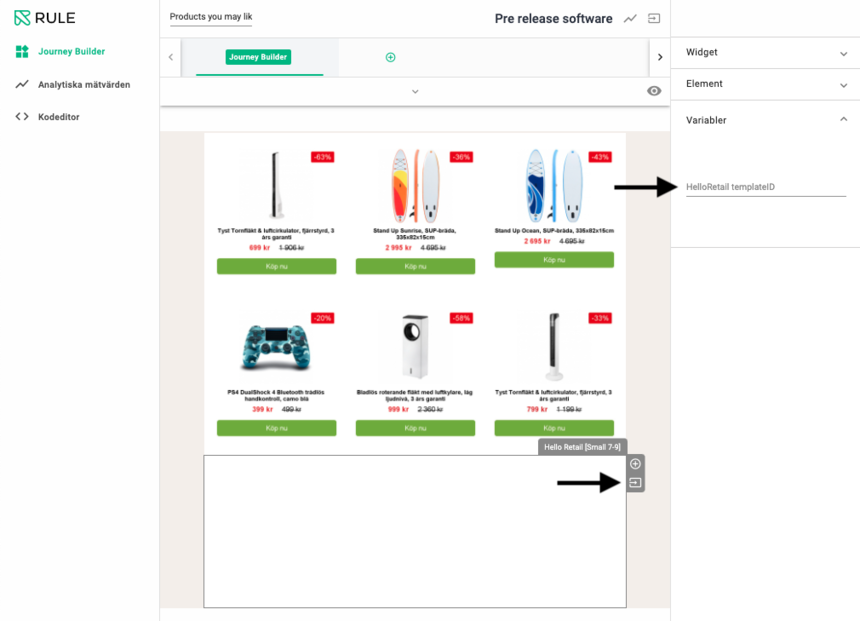
- If needed, follow Rule's guide here.
In this guide, you learned how to integrate and set up our Rule partner connection for auto campaigns and newsletters.
If you have any questions about this guide, contact Hello Retail Support or your account manager.