 Avg. 2 min read
 Integrate Newsletter Content into MailCamp
This guide explains how to integrate Hello Retail Newsletter Content with MailCamp.
Before you start:
- You need a design for your newsletter content. If you do not already have a design for your newsletter, you can follow this guide.
- If you already have a design, create an Auto Campaign configuration by following this guide.
You are now ready to integrate your newsletter content into MailCamp.
How to integrate newsletter content into MailCamp
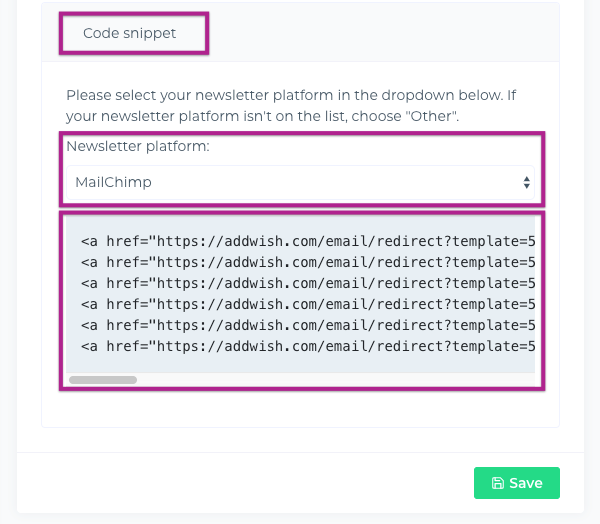
Step 1: Log in to your Hello Retail account and copy the code snippet from your Auto Campaign configuration.
Step 2: Log in to your MailCamp account and open the campaign where you want to display Hello Retail Newsletter Content.
Note
Images can appear broken in the MailCamp preview. Send a test email to verify that images render correctly.
Step 3: Insert the code snippet from Hello Retail into your newsletter template, as shown in the video guide.
Remember to click "Save".
Congratulations!
You have now successfully integrated Hello Retail Newsletter Content into your newsletters.