 Avg. 1 min read
 Redirecting to your Mailchimp Unsubscribe form
Here's a guide on how to redirect unsubscribers directly to your Mailchimp unsubscribe form:
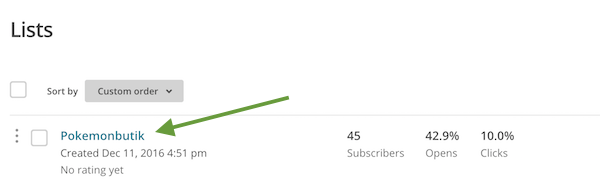
Step 1: Start by logging in to Mailchimp and navigate to Lists

Step 2: Choose your subscriber list
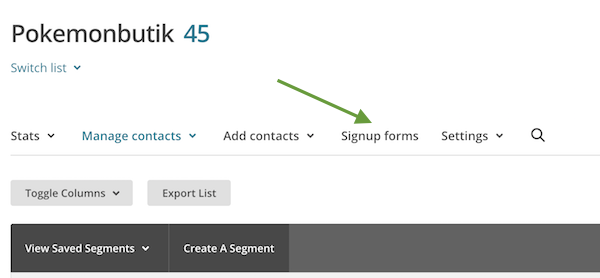
Step 3: Navigate to Signup forms.
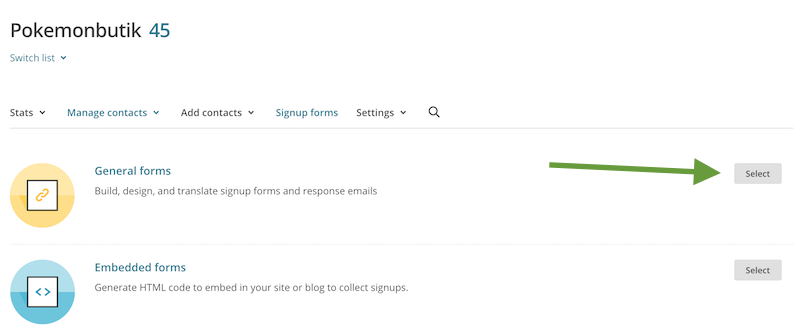
Step 4: Select General forms.
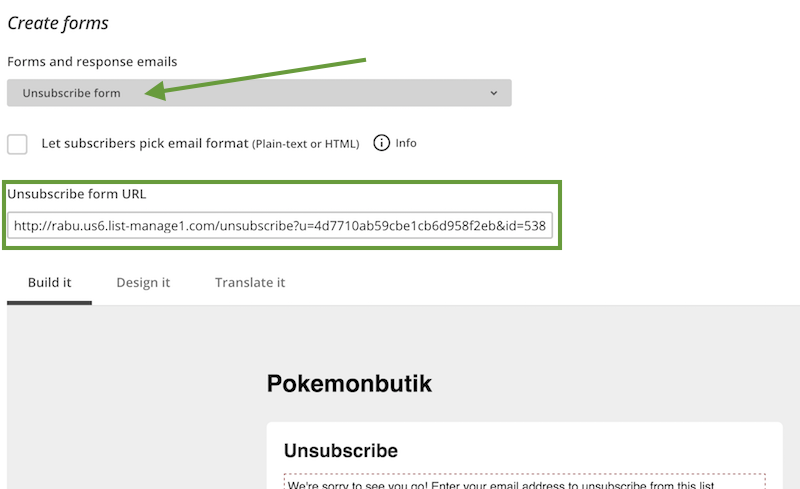
Step 5: From the form drop-down, select Unsubscribe form to access your list-specific forms.
Copy the Unsubscribe form URL.
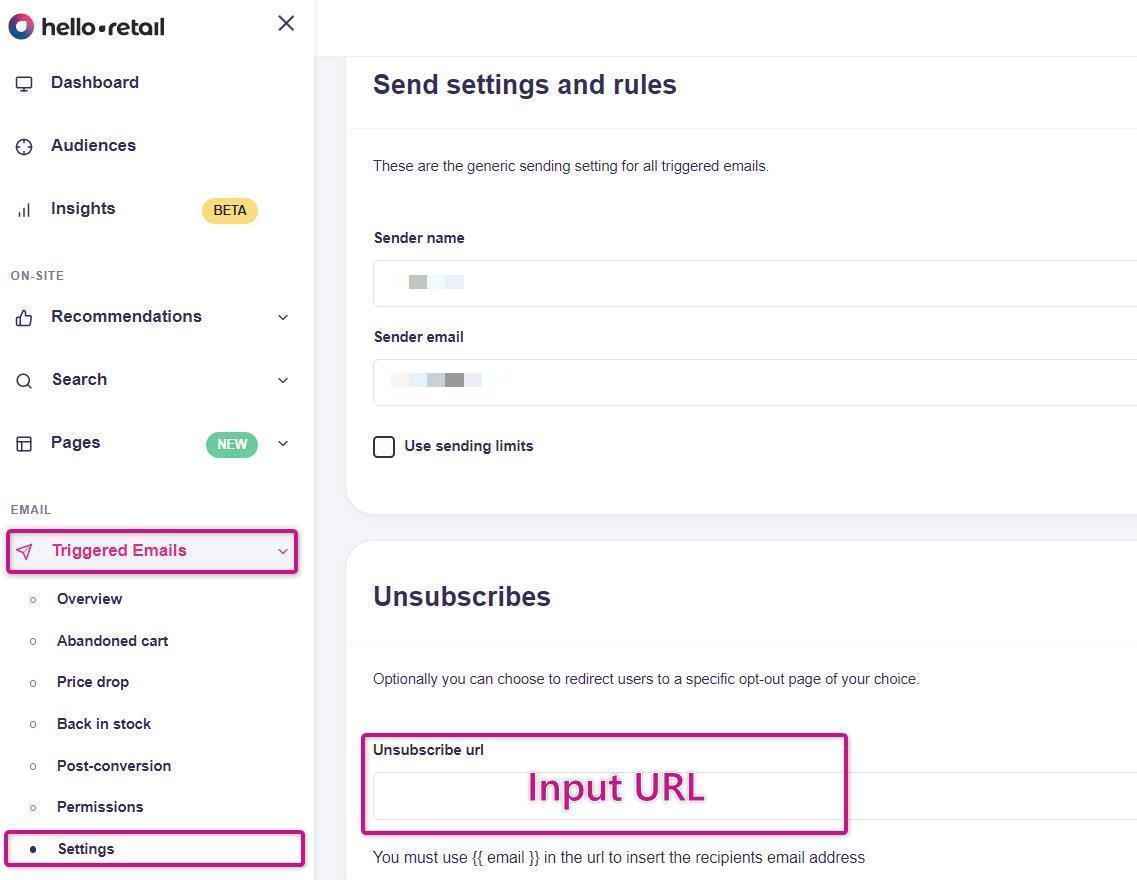
Step 6: In your Hello Retail account, go to Triggered Emails > Settings > Unsubscribes and paste the Unsubscribe form URL from Mailchimp.
Then append the following to the end of the URL: &EMAIL={{ email }}. This is required and automatically inserts the email address of the recipient who clicks the link.
Step 7: Remember to Save your changes for this to take effect.