 Avg. 4 min read
 Setup your Search Page in Magento 2
This guide shows how to set up your search in Magento 2 by creating a blank page and configuring the page layout and header.
It also covers how to enable and configure the search in the Hello Retail backend.
Create a Blank Page for Magento 2
The following section is only relevant for setups for a full search.
Follow these steps to install your search results on a blank page in Magento 2:
- Log in to your Magento Admin. In the left-hand menu, go to Content.
- From Content, go to Elements > Pages.
- Click Add New Page.
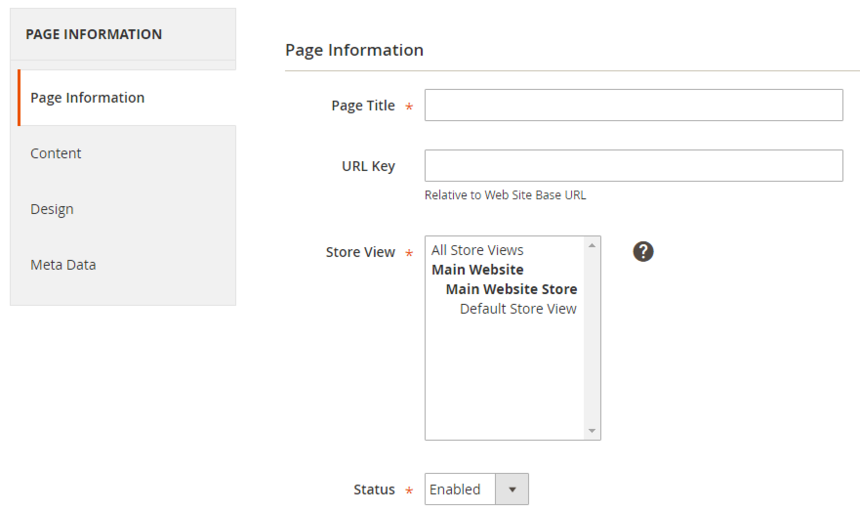
Under the Page Information section:
- Set the Page Title to “Search Results”.
- Set the URL Key to “search-results”.
- In Store View, select the store view where search results should be displayed.
-
Set Status to Enabled.
-
Copy the URL Key. You will need it later for the steps described here.
- Click Save and Continue Edit.
Choose the Page Layout
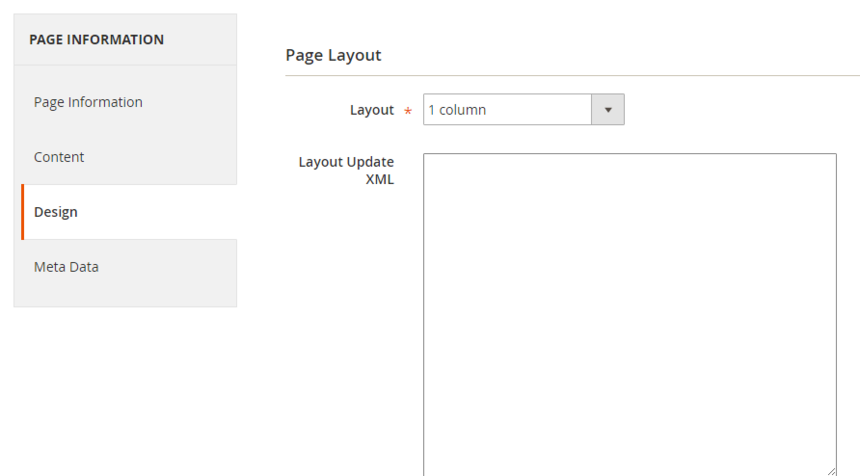
- In the page editor, open the Design tab.
- In Page Layout, select “1 Column” from the drop-down menu.
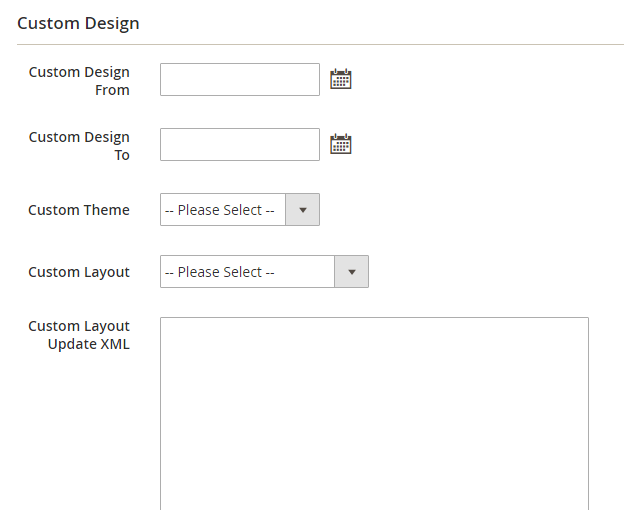
- Scroll to Custom Design and select the Theme and Layout used on your site.
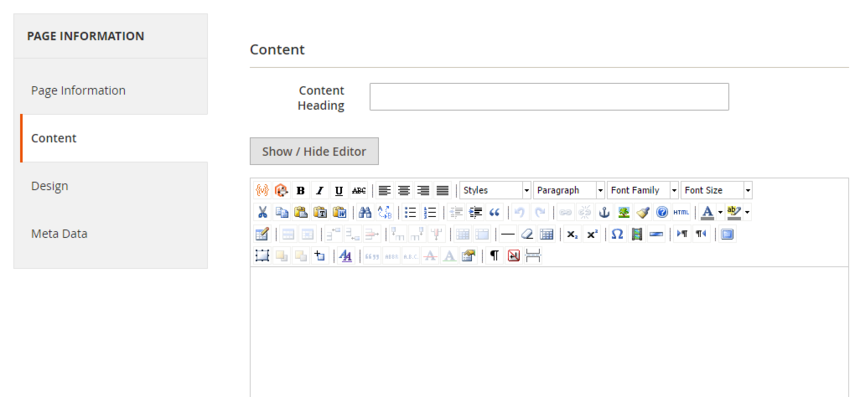
Enter a Heading for the Content (e.g Search Results)
- In the page editor, open the Content tab.
-
In the Content Heading field, enter the main heading for the page, for example Search Results.
-
Click Save and Continue Edit.
The Magento 2 page is now ready. Next, enable and configure the search in the Hello Retail backend.
Enabling the Search Page in the Hello Retail Backend
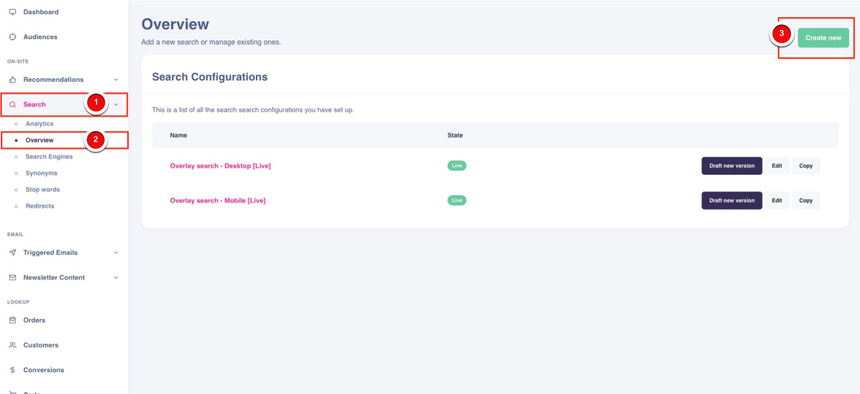
- Log in to your Hello Retail account. In the left-hand menu, under On-Site, click Search to expand the menu.
- Click Overview.
- On the Overview page, click Create New.
- In the creation flow, select your search type: overlay, instant, or full search.
- In the URL for your full search page field, enter the URL Key you created in Magento (from the steps here).
- Save and activate the configuration. This publishes the search from draft to live, and it will render on the Magento 2 page you created.
Configure Webshop
After installing your platform and completing the onboarding flow, make sure your webshop is configured. Read this guide to proceed: