 Avg. 5 min read
Available Agents and Use Cases
Product Agents are designed to cover the most common and highest-impact retention and conversion scenarios without requiring you to build complex flows.
This article explains the available Product Agents, how they are grouped, and when it makes sense to use each one.
You do not need to enable all agents. Most stores start with one or two and expand over time.
Post-purchase agents
Post-purchase agents are triggered after a customer has completed a purchase. They focus on follow-ups that are meaningful, as the message and suggestions are based on knowledge about products that your customers already own. 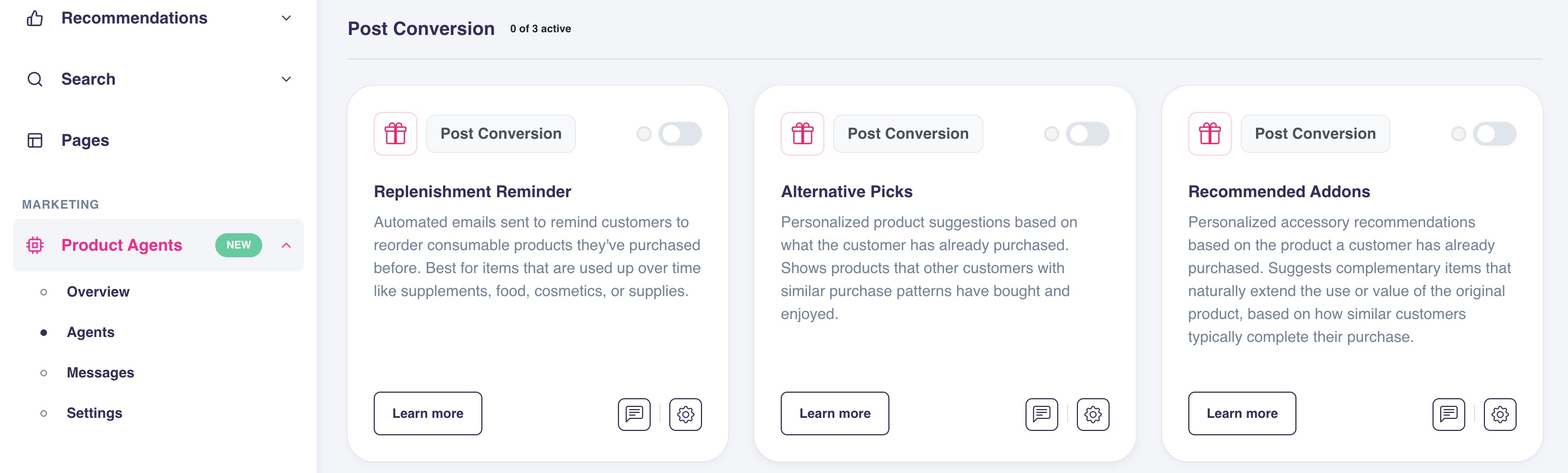
Replenishment Reminder
What this agent does
The Replenishment Reminder sends an email when a customer is likely running low on a product they previously purchased.
Instead of using a fixed delay, the agent estimates when a reorder makes sense based on real purchase behavior.
When it sends messages
- Triggered by a product purchase
- Timing is based on expected repurchase behavior
- Messages are skipped automatically if the customer repurchases before the email is sent
When to use this agent
This agent works best if you sell:
- Consumable products
- Products with repeat purchase behavior
- Products where convenience matters more than promotion
Common examples include food, supplements, beauty products, and pet products.
Alternative Picks
What this agent does
Alternative Picks recommends similar or comparable products based on what a customer purchased or viewed.
The goal is to help customers explore other relevant options without repeating products they already own.
When it sends messages
- Triggered by a product purchase or view
- Previously purchased products are excluded
- Focuses on discovery and comparison rather than urgency
When to use this agent
This agent works well if:
- Customers compare multiple products before deciding
- Your assortment includes many similar items
- Discovery and inspiration are part of the buying journey
It is especially effective for fashion, electronics, and home products.
Recommended Add-ons
What this agent does
Recommended Add-ons suggests compatible accessories or complementary products after a customer has made a purchase.
The message is sent after checkout, separate from the transaction itself.
When it sends messages
- Triggered by a product purchase
- Timing is detached from checkout
- Focuses on extending the value of the original product
When to use this agent
This agent is a good fit if:
- Products have clear accessories or add-ons
- Customers often buy accessories later
- Upsell opportunities are frequently missed at checkout
Common examples include electronics, furniture, and modular products.
Price-driven agents
Price-driven agents are triggered when the price of a product changes. They focus on capturing demand when price becomes the deciding factor.
Price Drop Agents
Price Drop Agents notify customers when products they are interested in become cheaper.
There are multiple Price Drop variants, but they all share the same goal: re-engage customers when improved pricing increases buying intent.
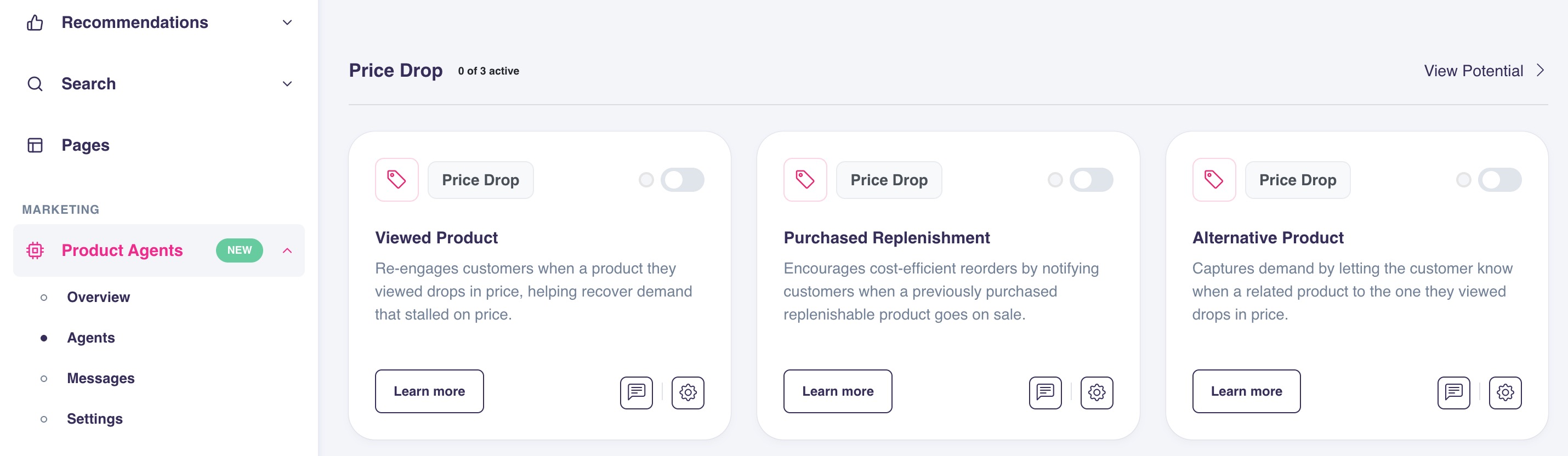
Price Drop on a Viewed Product
What it does
Notifies customers when a product they viewed drops in price.
When to use it
- Consideration-heavy products
- Products where customers wait for discounts
- Longer decision cycles
Price Drop on a Purchased Replenishment
What it does
Notifies customers when a replenishable product they previously bought drops in price.
When to use it
- Repeat purchase products
- Products where savings affect reorder timing
- Price-sensitive but loyal customers
Price Drop on an Alternative Product
What it does
Notifies customers when a similar product drops in price, even if they never viewed that exact product.
When to use it
- Category browsing behavior
- Customers comparing alternatives
- Assortments with close substitutes
Price Drop on a Complementary Product
What it does
Drives accessory revenue by notifying customers when a complementary product to one they previously purchased drops in price.
When to use it
- Products with natural add-ons or accessories
- Increasing attach rate after the initial purchase
- Re-engaging past buyers with relevant savings
When to use Price Drop Agents in general
Price Drop Agents are a good fit if:
- Price is a common conversion blocker
- Customers browse without purchasing immediately
If price changes are rare or tightly controlled, these agents may have limited impact.
Price Drop Sensitivity Controls
Each Price Drop agent has two controls that determine which price drops are significant enough to trigger an email. You can find them in the Settings tab of each agent.
- Minimum % — the smallest percentage reduction that qualifies as a trigger. The default is 10%. Raising it means only larger discounts generate emails.
- Minimum Amount (optional) — a minimum absolute discount in your shop's currency. When set, both the percentage and the amount must be met before an email is triggered.
When both controls are set, a price drop only triggers if it clears both thresholds at the same time.
Why use Minimum Amount?
A percentage threshold alone can produce poor results on low-priced products. A 10% drop on a €5 product is only €0.50 — unlikely to change buying intent. Setting a Minimum Amount of €2 on that agent means the email only goes out when the discount is both proportionally and financially meaningful.
| Product | Price | 10% drop | % only triggers? | % + €2 minimum triggers? |
|---|---|---|---|---|
| Shampoo | €5 | €0.50 | Yes | No |
| Face cream | €20 | €2.00 | Yes | Yes |
| Serum | €45 | €4.50 | Yes | Yes |
Example: mixed price range catalogue
If your shop sells products ranging from €15 to €200, a single percentage threshold treats a €1.50 drop on a €15 product the same as a €20 drop on a €200 product. Combining 15% with a €10 Minimum Amount filters out small drops on cheaper items while still catching significant discounts on higher-priced ones.
Explore the thresholds interactively
Configuring per agent
Each Price Drop agent can be configured independently. You might apply a tighter threshold on a Viewed Product agent (high intent, high bar) and a looser one on an Alternative Product agent (lower intent, worth casting a wider net).
Changes apply to future price drops only. Messages already scheduled are not affected.
How to decide which agents to enable
If you are getting started, a simple approach is:
- Start with Replenishment Reminder if you sell consumables
- Add Recommended Add-ons if accessories are often purchased later
- Add Alternative Picks if customers browse and compare
- Add Price Drop Agents if price sensitivity is common
You can enable and disable agents at any time. Changes only affect future messages.
Next step
Once agents are enabled, messages are scheduled automatically.
To understand why messages are sent, delayed, or skipped, continue with:
Message Scheduling and Prioritisation