 Avg. 2 min read
 How To Add/Remove Global Hierarchies Filters For Recommendations
This guide explains how to add or remove hierarchies in the Global Filters for your Recommendations.
To do that, perform the following steps:
- In your Dashboard, go to Recommendations and click Overview;
- Click the Recommendation you want to configure;
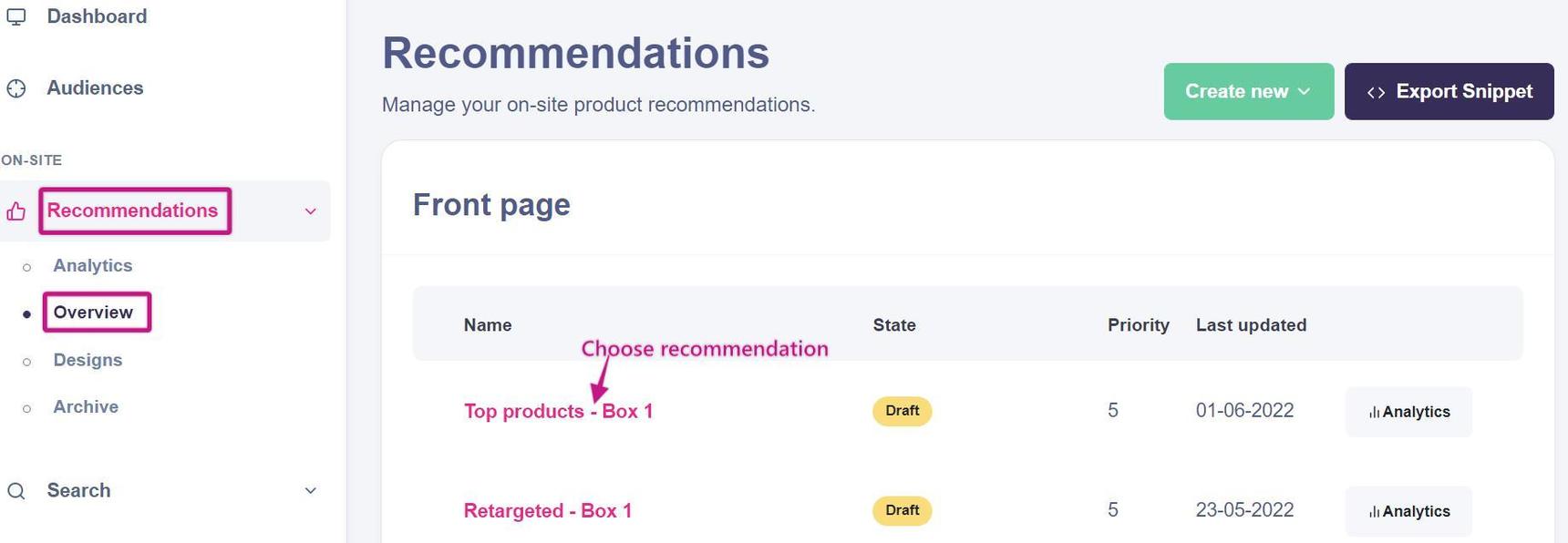 This image shows steps 1 and 2: navigating to Recommendations in the left menu under ON-SITE and opening the Recommendations overview.
 - On that page, scroll down to Recommendation Strategy and expand the section;
-
Click Add filter. In the first input, select "hierarchies". In the second input, choose the operator. In the third input, select the hierarchies to include. To add more hierarchies, click Add filter again and repeat the selections;
This video shows steps 3 and 4: expanding Recommendation Strategy to access Filters and configure them.
To remove some hierarchies from your global filters, perform the same steps as above, but set the second input to "matches none of" in the Recommendation Strategy section;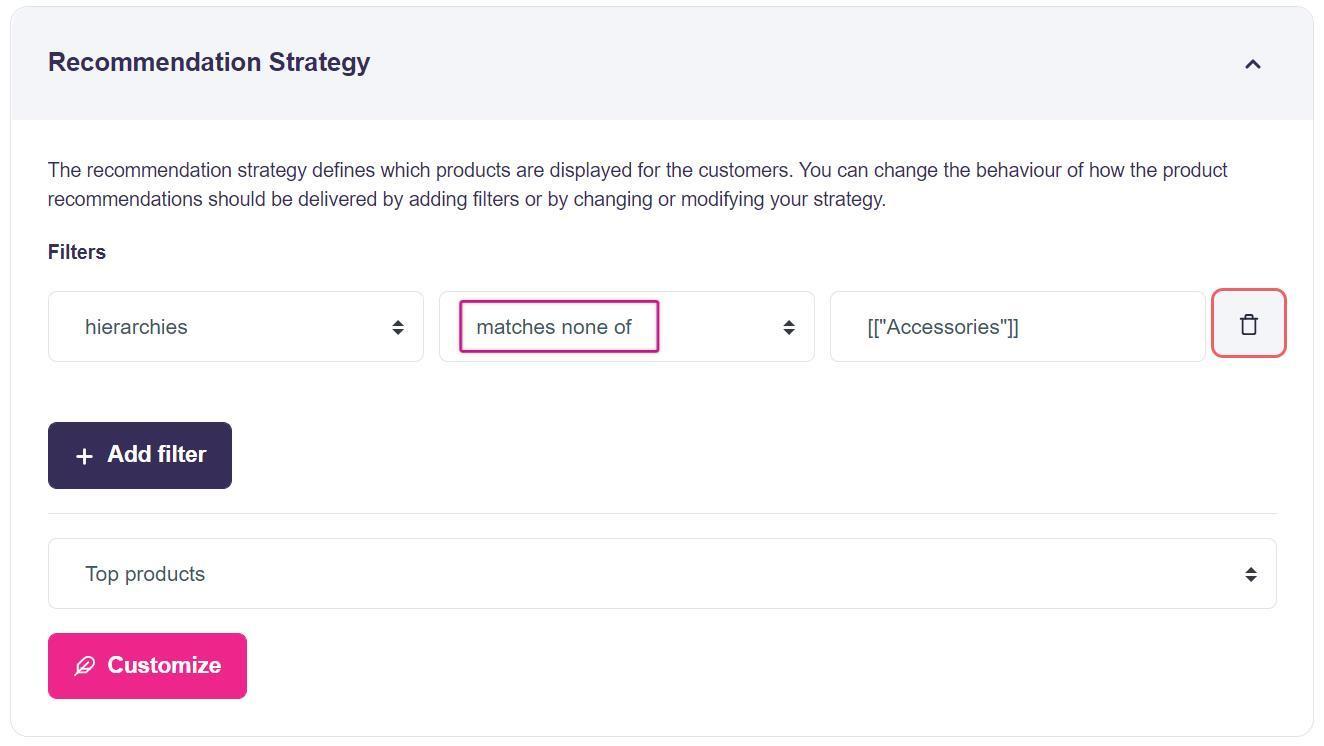 Once the filter is created, click Save and publish to activate your changes.