 Avg. 1 min read
 How to Edit Titles on Product Recommendations
This guide explains how to change the headline of a Product Recommendation box and update any visible labels inside the box.
Step 1: Log in to your Hello Retail Business account.
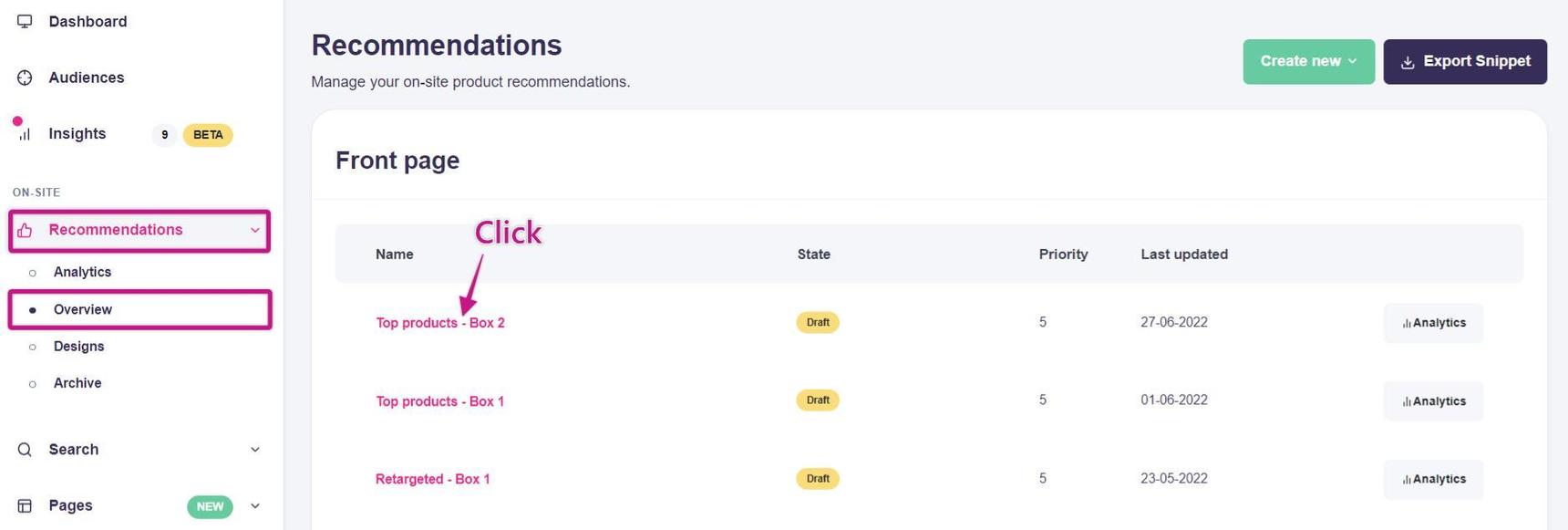
Step 2: Go to Recommendations > Overview, then click the Product Recommendation box you want to edit.
Step 3: In the editor for that Product Recommendation box, open Design. Update the headline and any label text as needed.
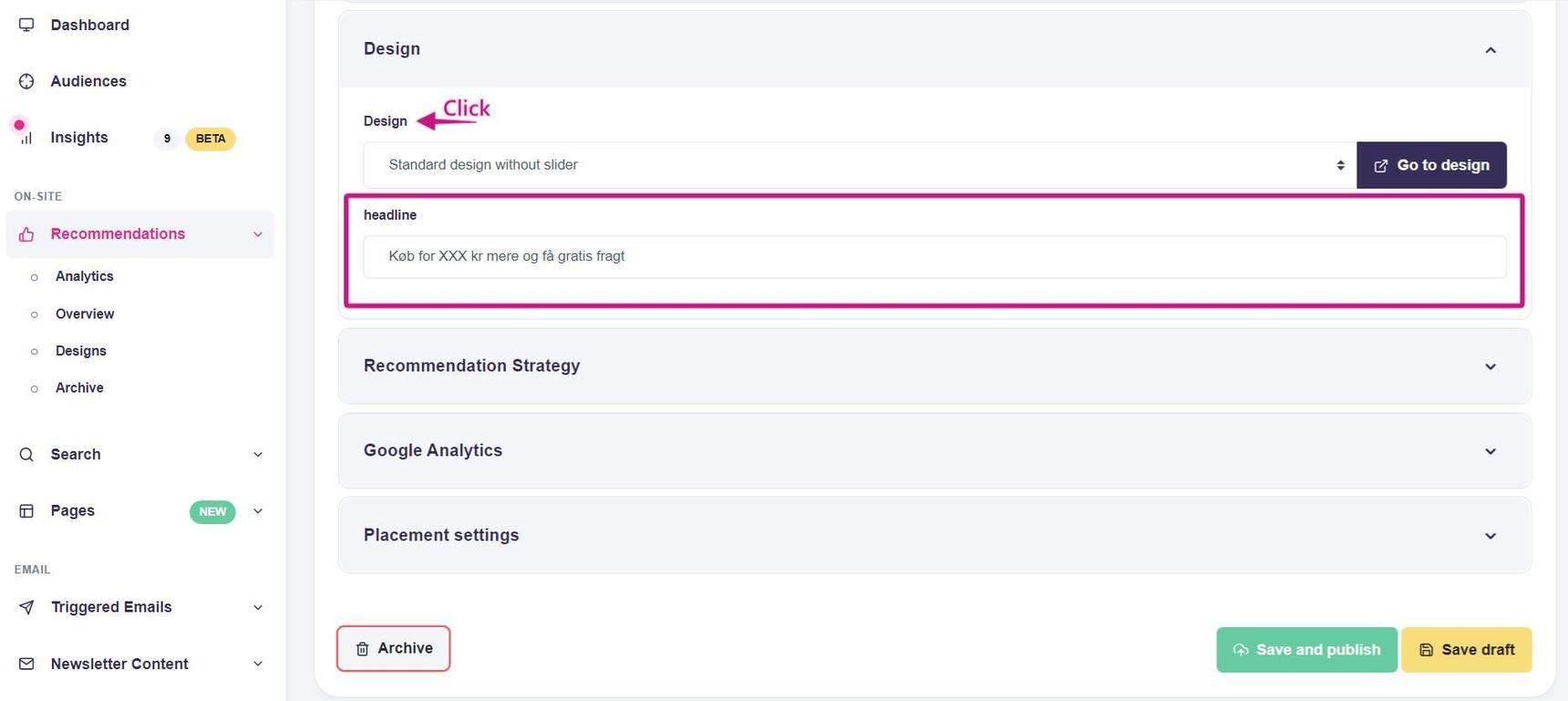
When you are done, click Save to apply the changes.