 Avg. 4 min read
 Introduction to Product Recommendations
This guide explains Hello Retail Product Recommendations and how they work.
Why should I use personalized product recommendations?
Hello Retail personalizes recommendations per visitor using behavioral data. This yields higher relevance than static, manually curated lists. You can target messaging at the individual level and surface the most likely next products to view or buy.
Each visitor sees a unique set of products based on their preferences and browsing behavior. Personalized recommendations typically improve conversion rate, average order value, and repeat purchase rate.
How do they work?
When visitors browse your site, Hello Retail collects behavioral signals such as product views, clicks, add-to-cart events, and purchases. We also ingest your product catalog. We continuously map these signals to build relationships between products.
The more frequently products occur together (viewed, considered, or purchased), the stronger their relationship. Each relationship is assigned a relevancy score. Higher scores indicate stronger affinity.
For example, if customers often add batteries with a digital camera, then future camera viewers are likely to see those batteries recommended. Predictions improve over time as more data is collected.
Recommendations are delivered to your site as recommendation tiles via our JavaScript snippet or API. You control where they appear and how they render.
Here’s how Coolshop.dk uses our product recommendations on their product pages:
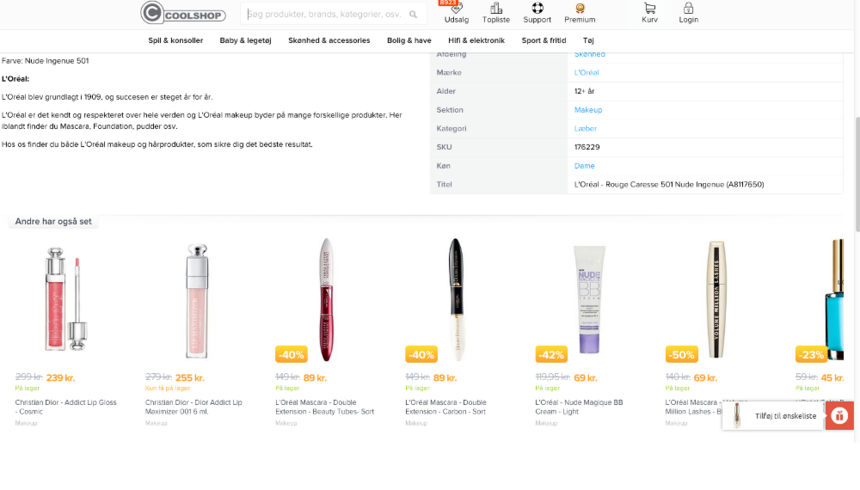
Recommendation strategies
There are different recommendation strategies available for Hello Retail customers. Strategies can be configured per placement and combined with business rules and filters.
You can read more about them here.
Can I choose how the recommendations look on my site?
Yes. You have full control over layout, styling, and placement. Hello Retail provides the product list; you implement the UI so it fits your brand and storefront. There are no design constraints imposed by Hello Retail.
You can use recommendations across different pages and choose which product data to display, for example:
- Product image
- Product name
- Buttons such as "add to cart" or "see more"
- Information about whether the product is in stock or not
- Product rating
- How long it will take to deliver the product
- A product description
- Original and discounted price
You can also choose how to label and position them on the site, such as "Recommended for you", "Related products", or "Popular items".
Here’s how Miinto uses our recommendations on their site:
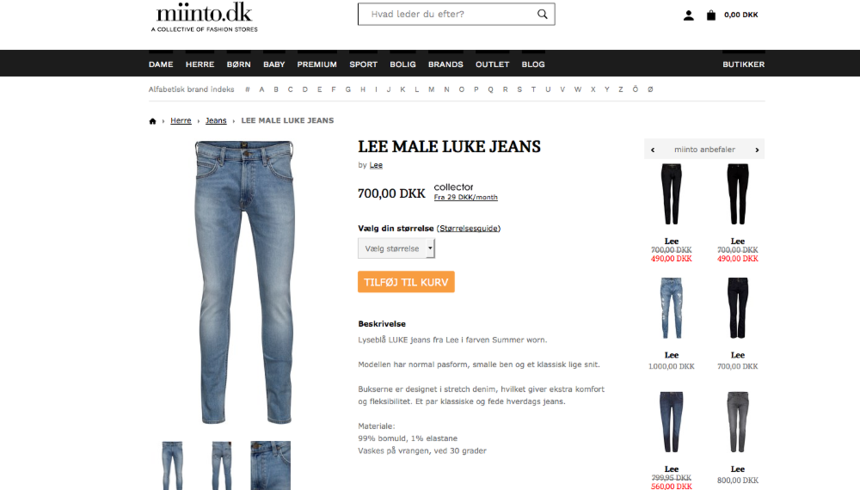
Can I choose which products are relevant?
Recommendations can be computed based on: - All users’ behavior on your webshop (site-wide trends) - A specific customer’s behavior (personalized) - A specific product context (e.g., product detail page)
After selecting a base, you can apply filters and rules. Examples include category or brand constraints, price range, stock availability, gender or audience attributes (from your feed), and country or store view. This makes it straightforward to align recommendations with your segments and marketing objectives.
Some of the most popular strategies are: - Upselling – displaying similar products with a higher price - Cross-selling – displaying complementary products - Trending products or recently bought – displaying products or brands that have just been purchased on your shop - Bestsellers or popular products – displaying your best-selling products
Whichever strategy you choose, products are selected based on their relevancy scores.
Here’s how Legeakademiet.dk uses our recommendations on their site:
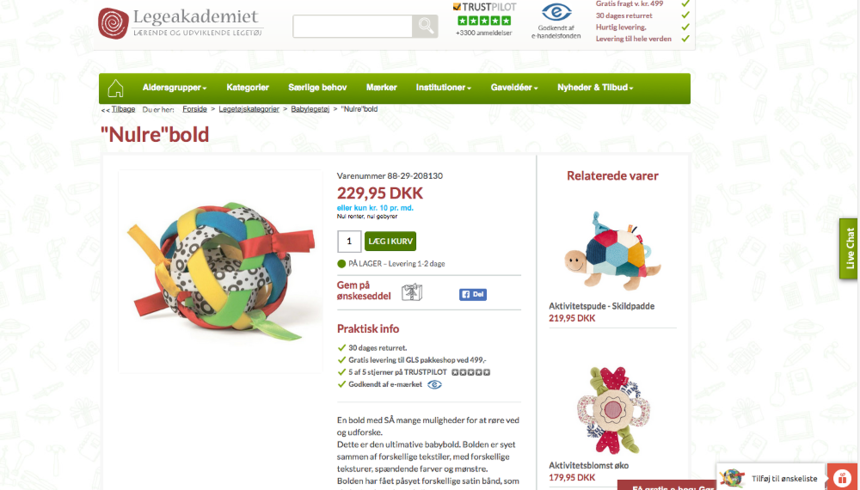
Can I use these recommendations off-site too?
Yes. You can include product recommendations in newsletters, retargeting or display banners, and notifications such as abandoned cart or price drop messages.