 Avg. 2 min read
 Sleeknote integration
With the integration to our partner, Sleeknote, you can use Hello Retail's personalization engine to promote your products in their popup boxes.
To add Hello Retail product recommendations to Sleeknote, follow these steps:
-
In Sleeknote, open the campaign where you want to display Hello Retail product recommendations.
-
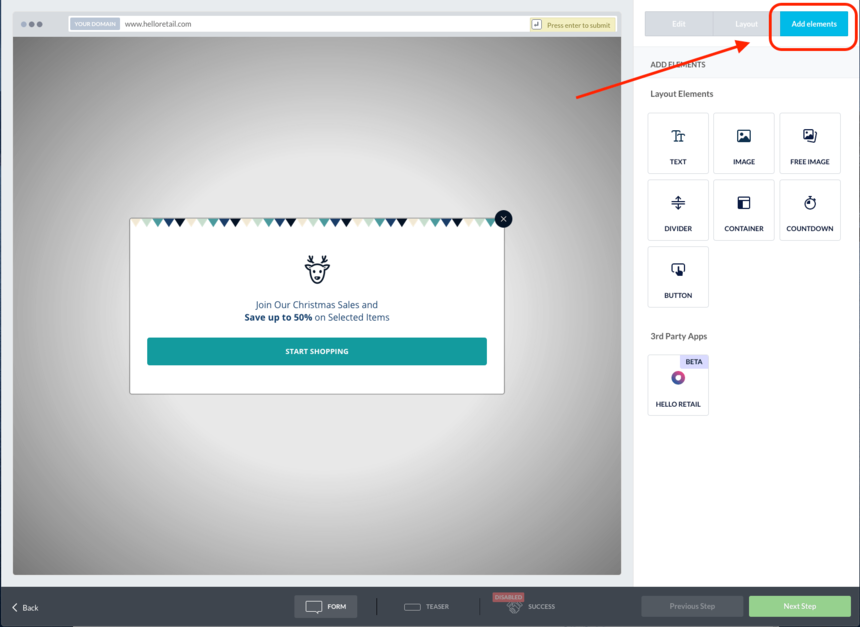
Click Add Elements in the tab in the upper right corner.
-
Drag and drop the Hello Retail plugin to the area where you want product recommendations placed in the popup.
-
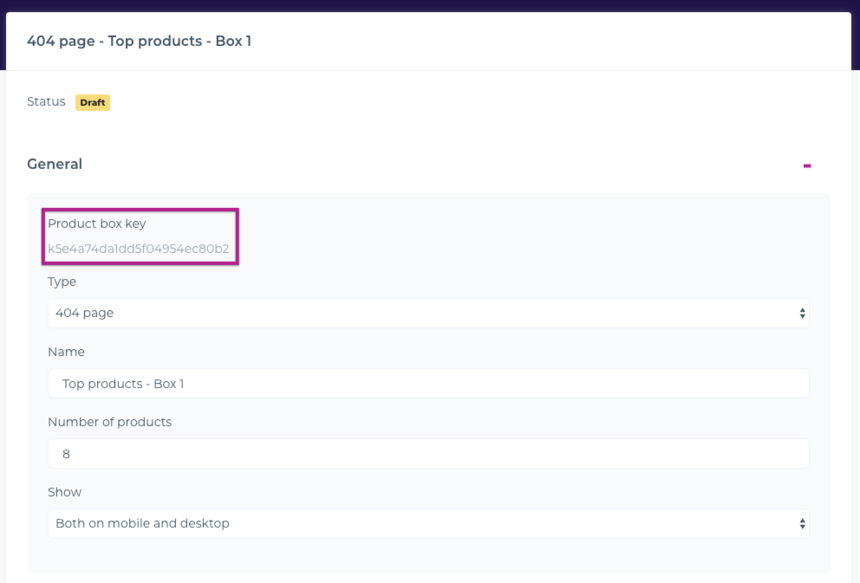
Log in to your dashboard, open the recommendation box you want to use, and copy the Product Box Key.
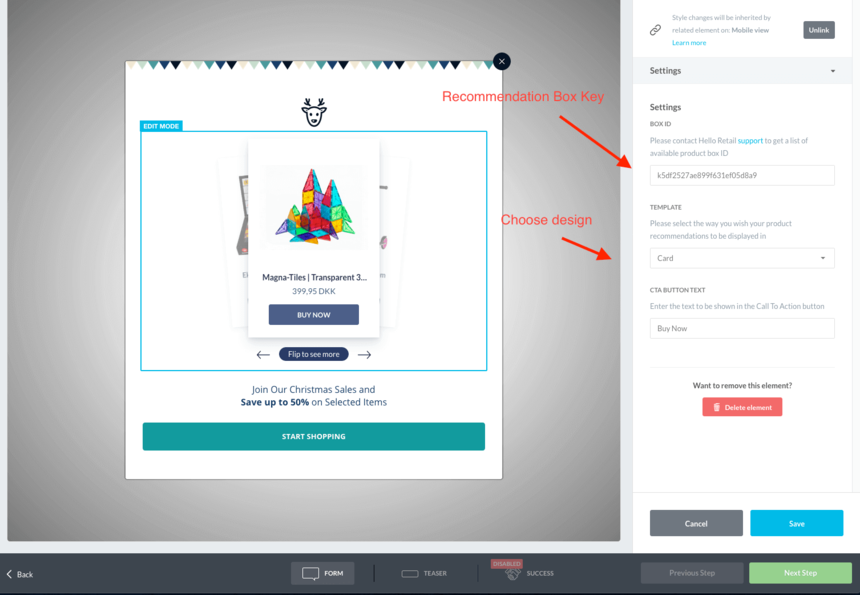
- Paste the Product Box Key into the Sleeknote ID field as shown below. If needed, change the default layout of the product tiles and update the CTA text.
- Save your campaign to go live with personalized product recommendations.
FAQ:
How do I update an algorithm in Sleeknote?
After the integration is live, manage algorithms and design in your Hello Retail dashboard. Changes are applied instantly in the Sleeknote popup. If a recommendation box is used only in a Sleeknote popup, name it accordingly for easy identification.