 Avg. 2 min read
 Upsell recommendations
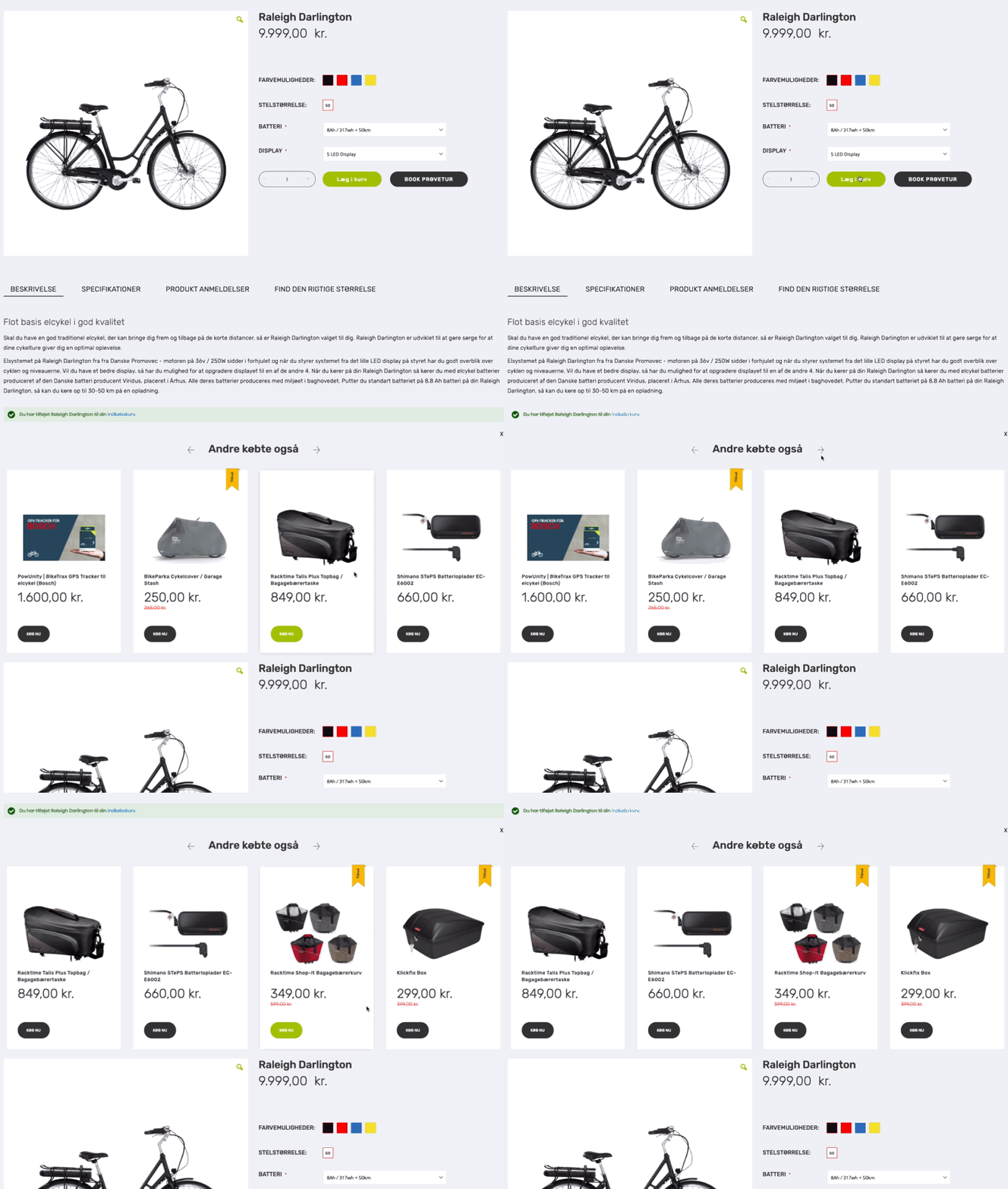
Upsell recommendations are one of the product recommendation types offered by Hello Retail. When a customer adds a product to the cart, recommendations related to that product appear, including Buy buttons (if supported by your shop platform). Customers can add these products to the cart directly.
Recommended products can be generated by any Hello Retail algorithm. A common choice is “products other customers bought” for the product just added to the cart. You can also pin specific products, for example a battery for an electronic device. You can read more about that here.
Setup
Setup is similar to other product recommendation types. The key difference is timing: other recommendations load with the page, while upsell recommendations load when the customer clicks the add-to-cart button. Hello Retail detects this by monitoring the add-to-cart button action. To enable this, provide the add-to-cart button ID for the system to monitor.
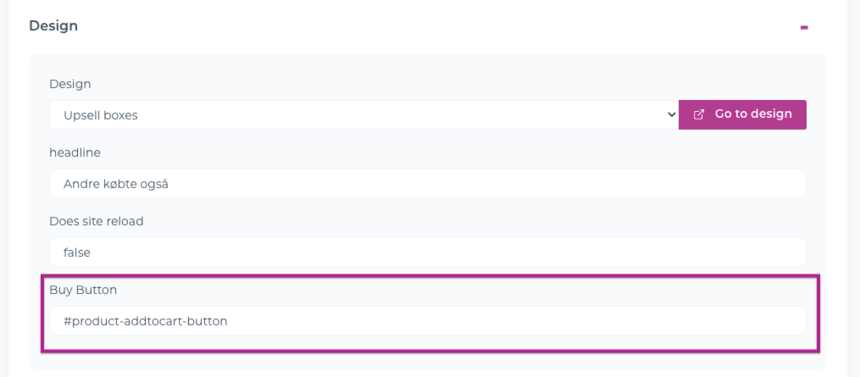
Log in to Hello Retail and go to Recommendations -> Overview, then select the relevant upsell recommendation to open its settings. Under Design, find the Buy Button field and enter the ID used by your shop’s add-to-cart button.
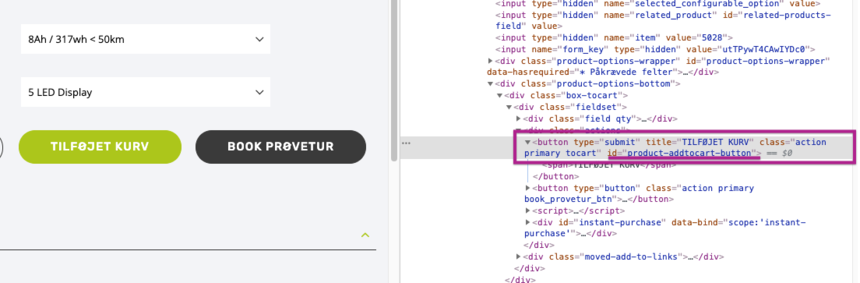
The ID varies by shop. Here is an example:
Note
Prefix the value in the Buy Button field with a hash symbol (#) to indicate an HTML ID selector. If you cannot identify the correct selector, please contact us.