 Avg. 5 min read
 AI-Synonyms
By default, Hello Retail Search finds matches within your product data, such as in the title, brand, description, and keywords, and ranks results based on similarity to the query. In some cases, users search for terms that do not closely match product names or category labels.
To reduce zero-result searches, you can either add synonyms manually for specific queries or enable our AI-based tool to handle this automatically by turning on the feature "Use AI-Synonyms," as shown below.
Note
Some searches will still return no results with AI-Synonyms. Examples include product serial numbers or queries with no valid alternatives. AI-Synonyms supplements manual synonyms and does not replace them. Use search insights to identify where manual synonyms are needed to improve relevance.
Enabling the feature
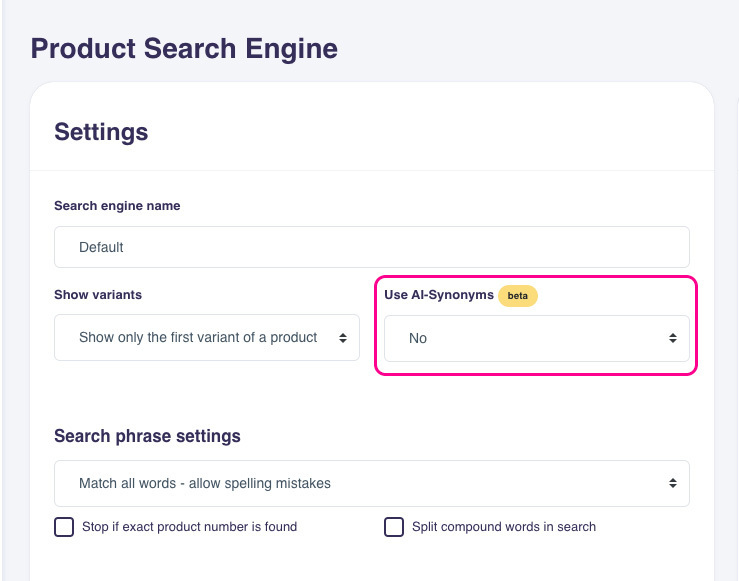
The feature can be found under Search > Search Engines > Edit search settings
Once enabled, Hello Retail continuously evaluates on-site searches that do not return products. This runs in a background queue, so improvements for newly observed zero-result queries will not appear immediately.
Using AI, Hello Retail generates alternative search terms for each zero-result query and tests them against your product data. For products that match any alternative, the original zero-result query is added to those products in the Hello Retail product database as an AI synonym. Over time, subsequent searches for the original query can return those products.
It is not possible to configure how the AI interprets terms, which fields it uses, or how they are weighted. If "Use AI-Synonyms" is set to "Yes" but does not produce the desired results over time, you can disable it by toggling the setting to "No." When disabled, previously added AI synonyms are disregarded in search.
Styling the results
Contact Hello Retail technical support if you need the output from this feature to be styled differently than normal search results. For example, you can add a headline for AI-based results or a badge on products matched via AI. To make this clear to customers, update your search template to indicate when products are shown due to AI-Synonyms.
Performance
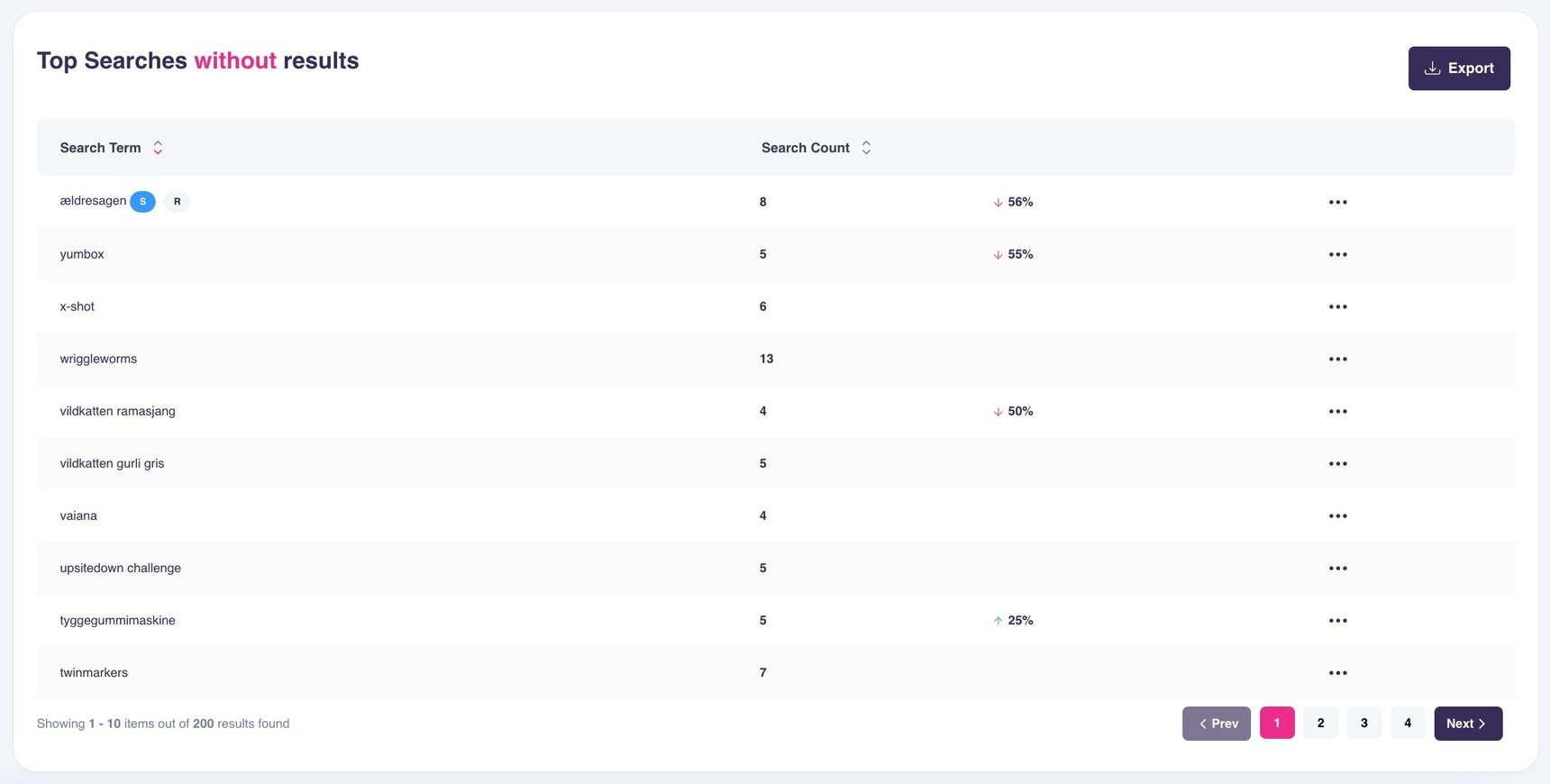
While adding manual synonyms typically starts by reviewing search statistics for frequent zero-result queries and creating synonyms from those, enabling AI-Synonyms changes this process. Because the goal is to avoid zero-result searches, the view below should become less populated over time:
To evaluate how the automation helps visitors find items, navigate to the section called Total Searches:
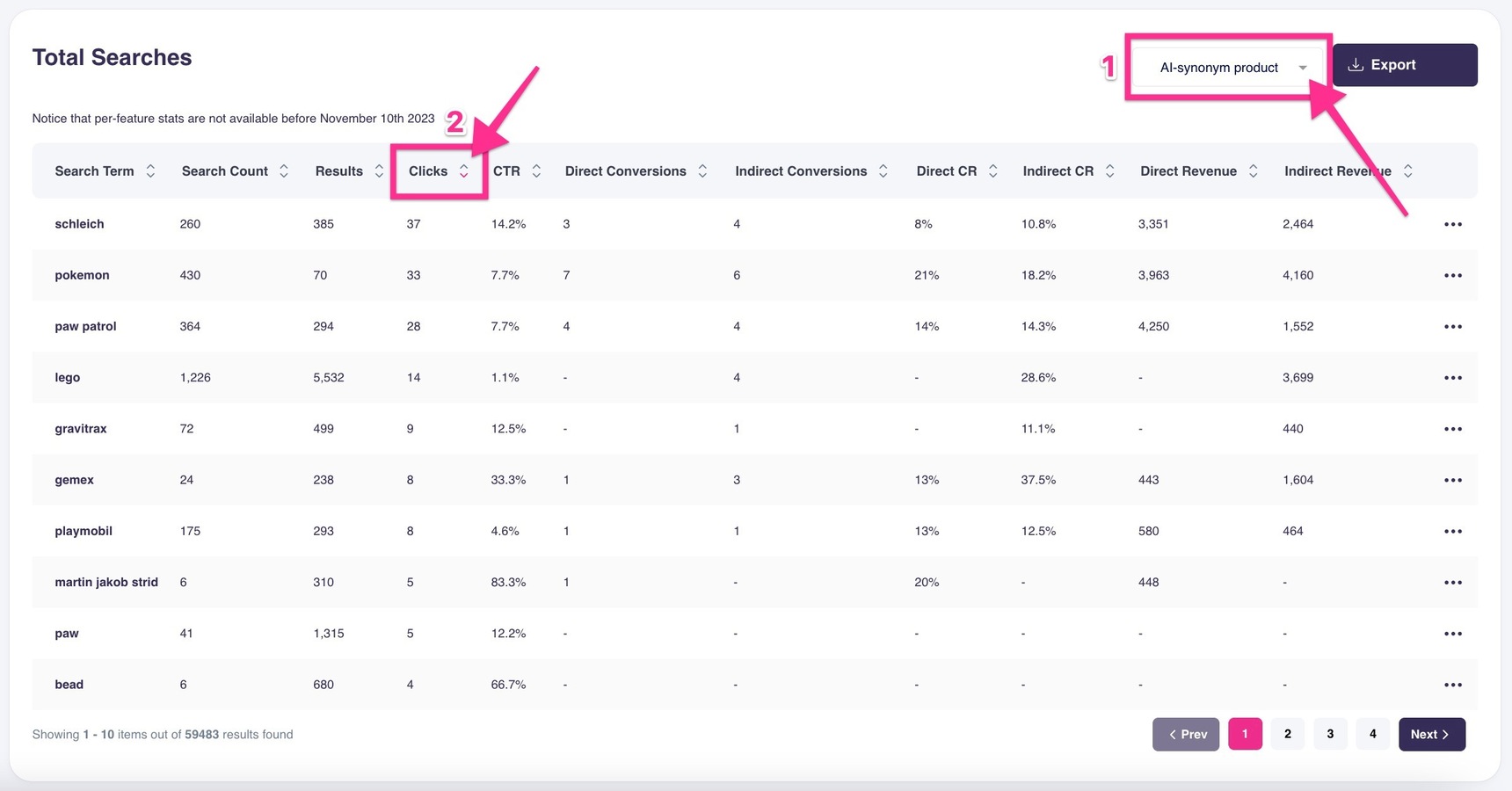
In this view, you can then:
1. Filter the results on 'AI-synonym product'.
2. Sort the searches made on 'Clicks' in descending order.
This shows queries that returned no results the first time they were searched and where an AI synonym was inserted. The statistics show how subsequent visitors performed using the same query. Use this insight to add manual synonyms where AI-Synonyms does not perform satisfactorily.