 Avg. 6 min read
 Boosts & Personalized Search
This guide explains how to use Hello Retail Search with boosts and Personalized Search.
Hello Retail Search returns instant results ranked by relevance and popularity, enriched with aggregated behavioral data from your shop. Clicks and purchases are continuously tracked, so rankings adjust as new data arrives.
Please be conservative with the boost values you apply - a boost of 1 or 2 typically achieves the desired effect, while higher boosts can degrade relevance. This applies to both boosts and personalized boosts.
Boosts
Boosts let you adjust how results are ranked for queries on your webshop.
You can, for example, boost a brand due to margin or other business rules. Available fields and values depend on what your product feed provides to Hello Retail, so a complete and well-structured feed gives you the most options.
How to Set Up Boosts
- Start by logging into your Hello Retail account. On the dashboard, go to the left-hand menu. Under the On-site section, click Search to unfold the drop-down menu.
- From the drop-down menu, click Search Engines.
- In this view, you can see the list of search engines. Click the one you want to Edit.
- Click Edit search settings.
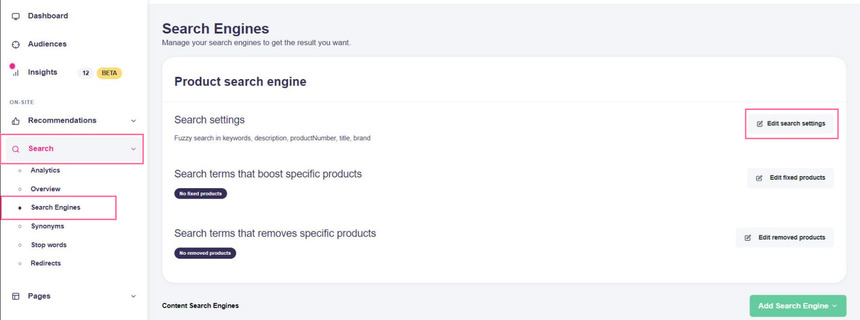
- Scroll down to Boosted Products.
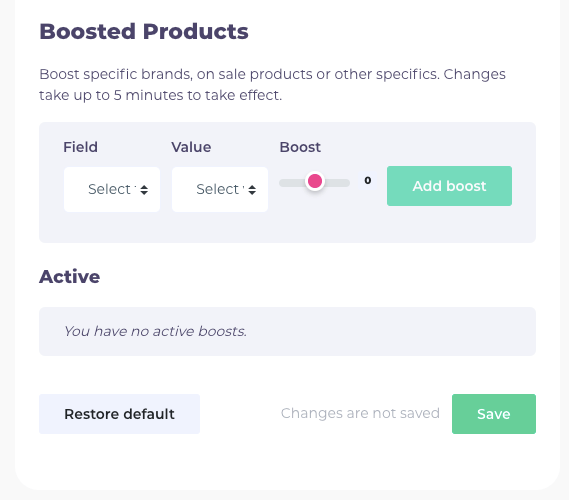
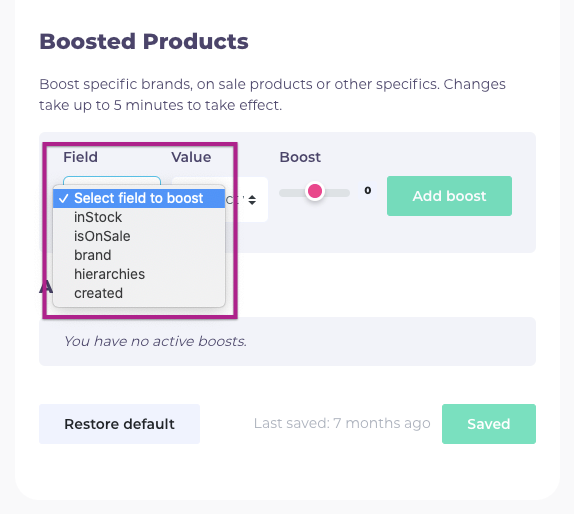
- In Boosted Products, select a Field to boost a group of products, then choose the value and set the boost strength.
- Click Save when you are done.
The boosted value will now be prioritized in search. Allow up to 5 minutes for the settings to propagate before testing.
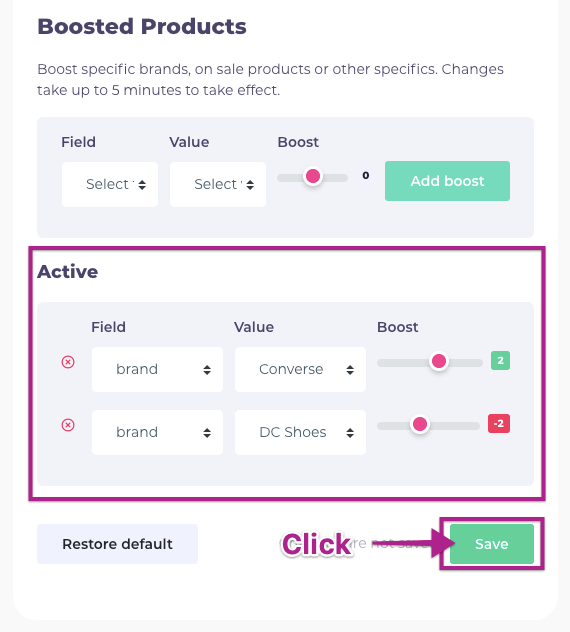
In the example above, brand is selected. When choosing brand, a list of available brands appears under Value. Select the brand you want to boost.
Note
You can apply a negative boost to de-prioritize a value, for example to suppress selected brands.
More Examples & Use Cases
Another field you can boost is isOnSale, where the value is either true or false. Setting it to true boosts products on sale.
You can also boost Hierarchies (Hello Retail’s term for categories). Available values depend on the hierarchies present in your feed.
All available fields and values come from your product feed. Options vary per shop based on the data you provide.
Personalized Search
Personalized Search tunes results per visitor using their recent behavior (views, clicks, purchases) to increase individual relevance.
How to Use Personalized Search
When activated, Personalized Search takes effect immediately and adjusts results to each visitor’s preferences based on the behavioral data available to Hello Retail.
You can control which parameters are most important and how they contribute to personalization for your webshop.
How to Set Up User Personalized Settings
- Start by logging into your Hello Retail account. On the dashboard, go to the left-hand menu. Under the On-site section, click Search to unfold the drop-down menu.
- From the drop-down menu, click Search Engines.
- In this view, you can see the list of search engines. Click the one you want to Edit.
- Click Edit search settings.
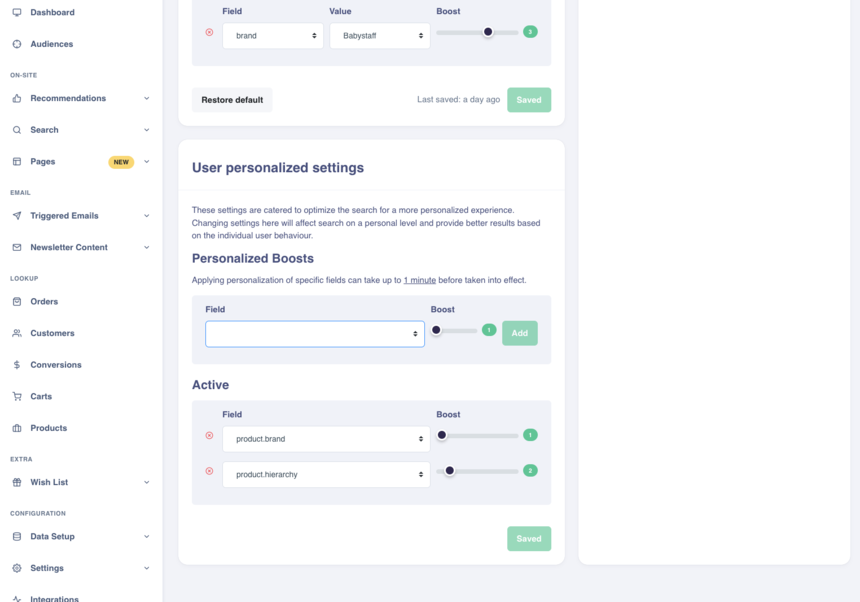
- Scroll down to User Personalized Settings.
To use personalized boosts, choose a parameter under Fields and adjust the slider to apply the boost. - Press Save to store the changes and wait about 1 minute before testing.
More Examples & Use Cases
If a visitor has been browsing shoes for men and then searches for a specific shoe brand, Hello Retail will prioritize shoes for men from that brand.
If the visitor then searches for jeans, the search will return jeans as usual but prioritize jeans for men, with a preference for the brand previously viewed.
Personalized Search is available with Professional Search and Enterprise Search. Contact Hello Retail for more information.
Personalized Boosts
In User Personalized Settings, you will find Personalized Boosts. These boosts let you change how Hello Retail prioritizes personalization parameters such as brand, gender, color, category, or any other field available in your product data.
How Personalized Boosts Work for User Personalized Search
If a visitor has recently browsed black shoes for men from Nike, Hello Retail can personalize on at least four parameters: color, product type, gender, and brand.
Without any active personalized boosts, if the same visitor searches for jeans, then black jeans for men from Nike will be prioritized.
If you want gender to have higher impact, increase the personalized boost for gender.
After boosting gender, the search engine will prioritize that parameter over the others. Results will still include black jeans for men from Nike, but you will see a stronger emphasis on items for men, including more variety across brands and colors.