 Avg. 4 min read
 Search: Redirects
This guide explains how Hello Retail Search redirects work and how to configure them.
What is Search?
Hello Retail Search continuously indexes your product catalog and ranks results by relevance and popularity.
When you need to override the default behavior for specific queries, you can create redirects.
What is a Redirect?
Use redirects when customers search for content that is not a product. Hello Retail Search focuses on products and matches queries to product data. If you have pages like opening hours or support information, those pages will not appear by default. In these cases, a redirect sends the user directly to a relevant URL instead of showing product results.
How to Create a Redirect
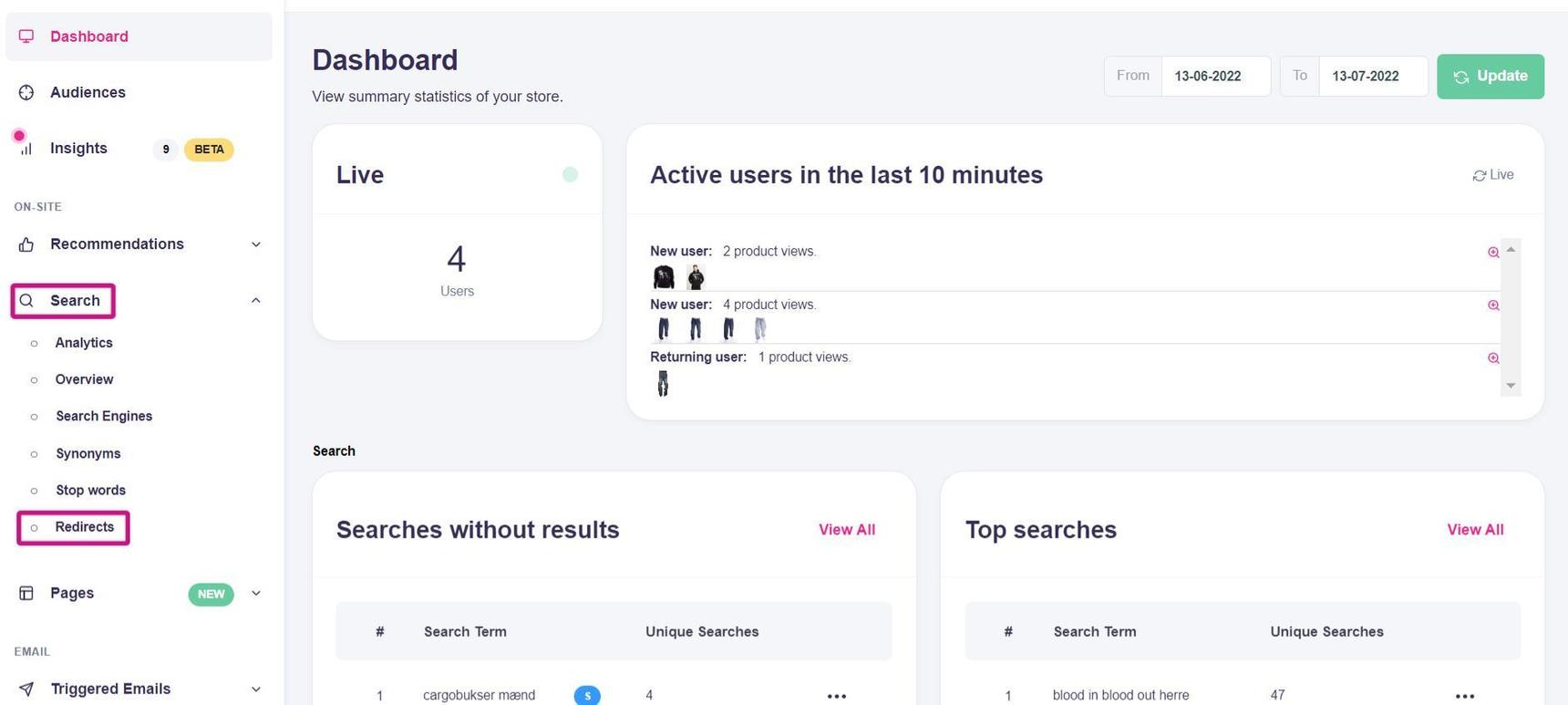
- Log in to your Hello Retail account. In the dashboard, open the left-hand menu. Under the On-site section, click Search to expand the drop-down.
- From the drop-down, click Redirects.
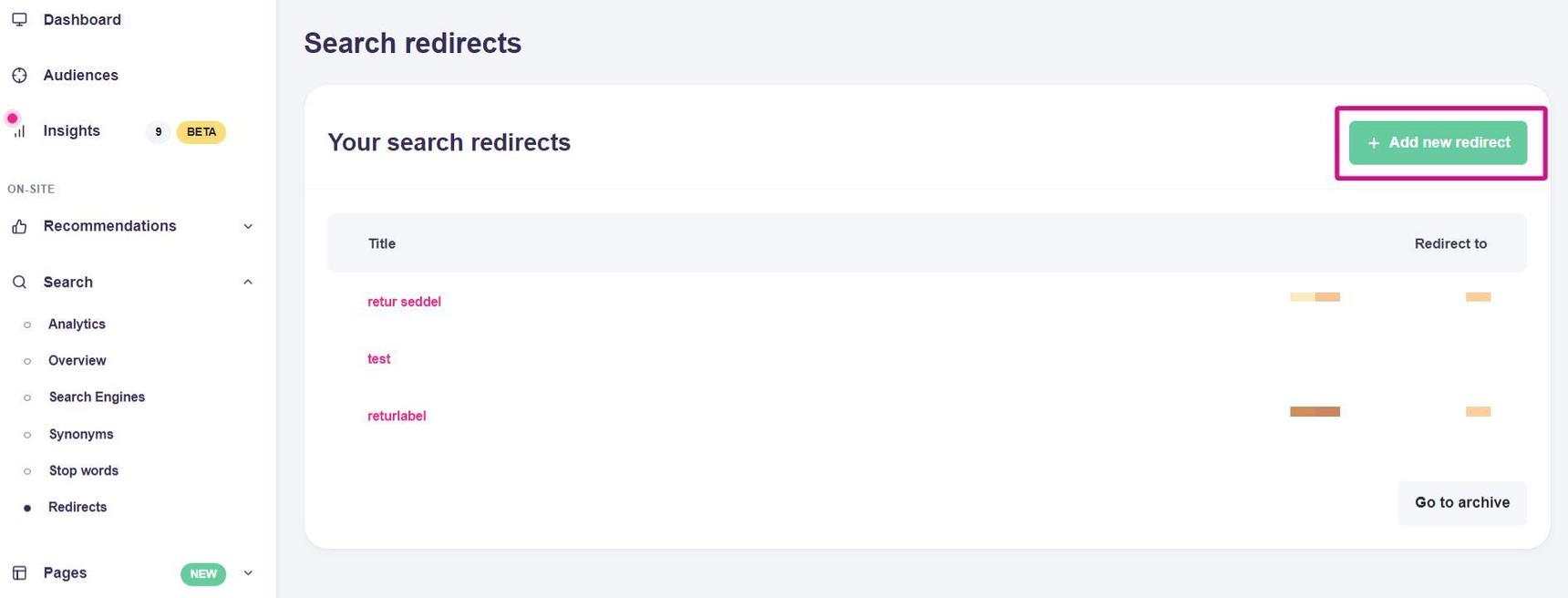
- In the Overview, click Add new redirect.
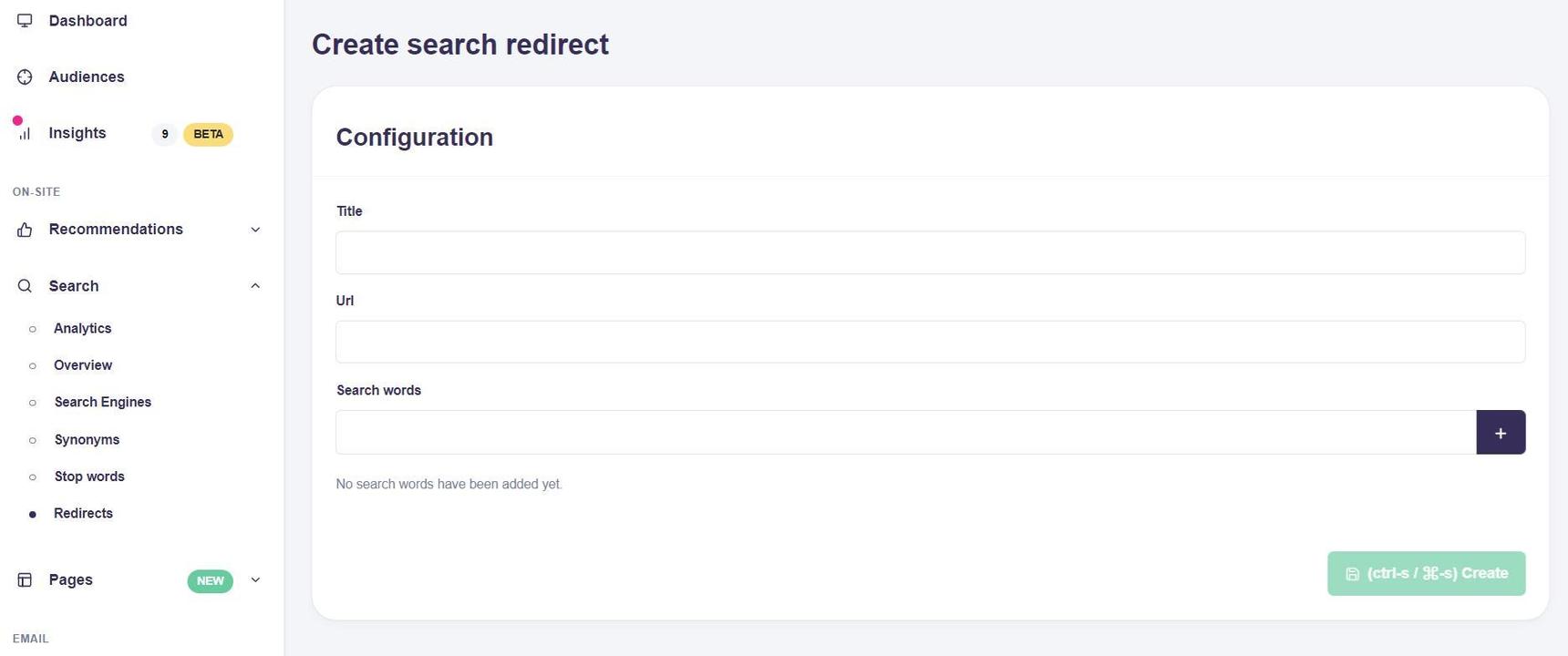
- In the Configuration view, enter a Title, the destination URL, and the Search word(s) that should trigger the redirect. Click the + button to add multiple terms. Each listed term will trigger the redirect.
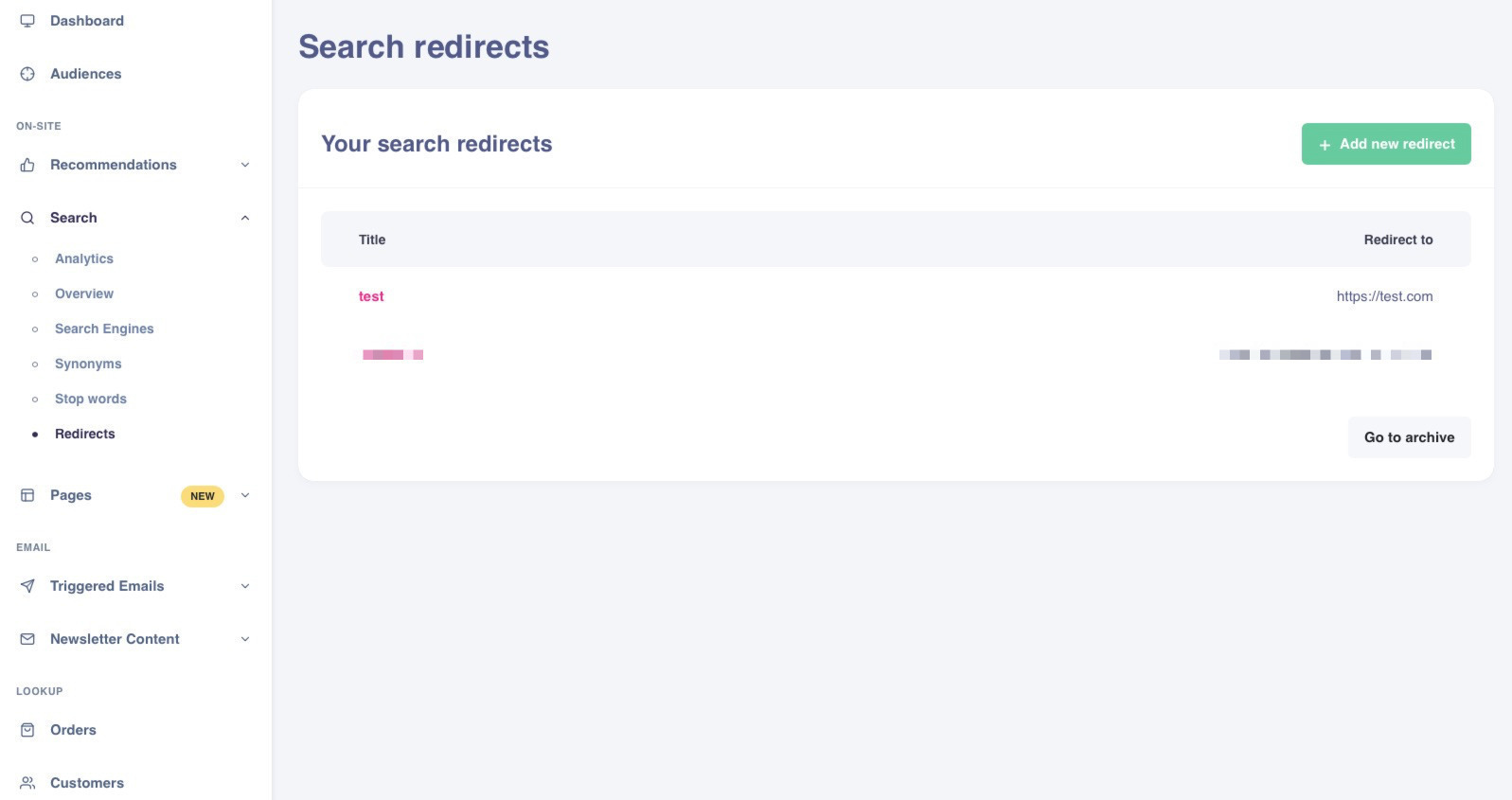
- Click Create. The redirect will appear in the overview and is now active. Searches that match the defined terms will send users directly to the target URL and bypass the search results.
- To identify useful redirect candidates, go to the dashboard.
- In the left-hand menu, under Search, click Analytics.
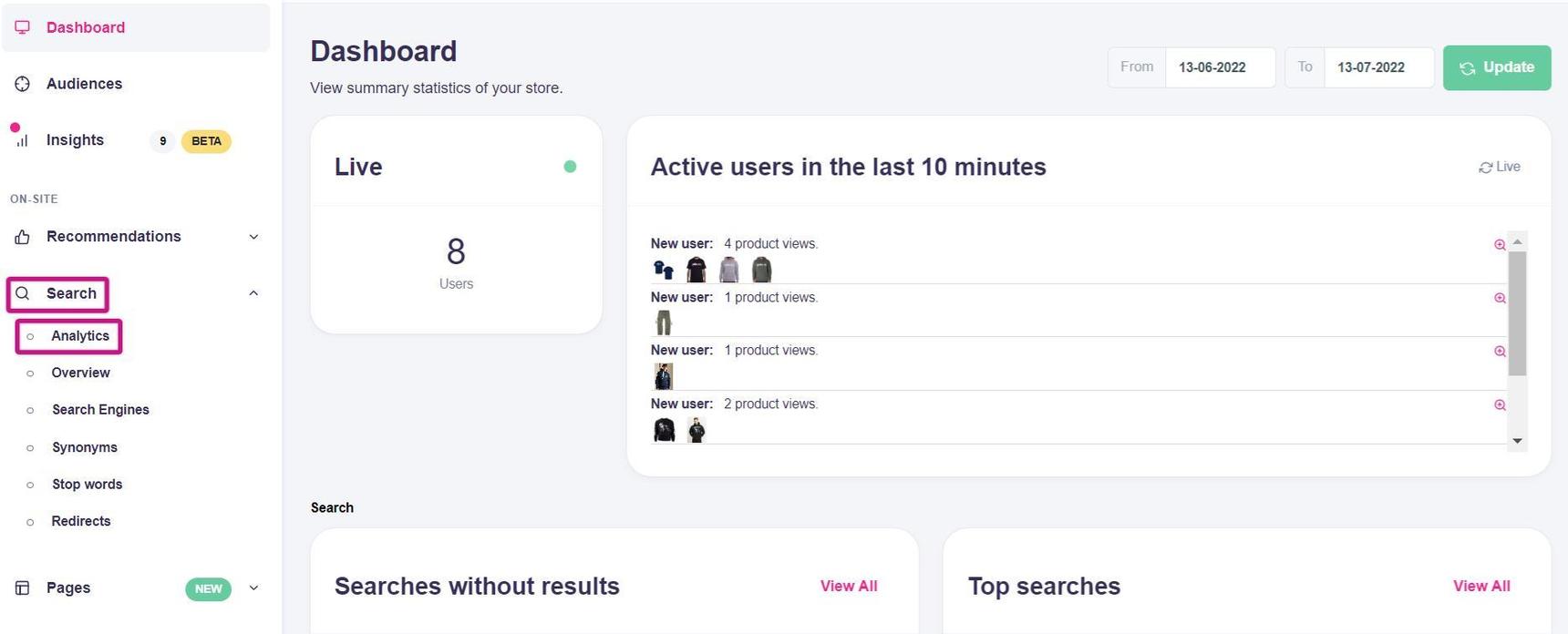
- In Analytics, scroll to the bottom to view Top searches without results and Top searches. Use these insights to add redirects where they help users reach relevant content faster.
Below is an example of a redirect used with Overlay Search.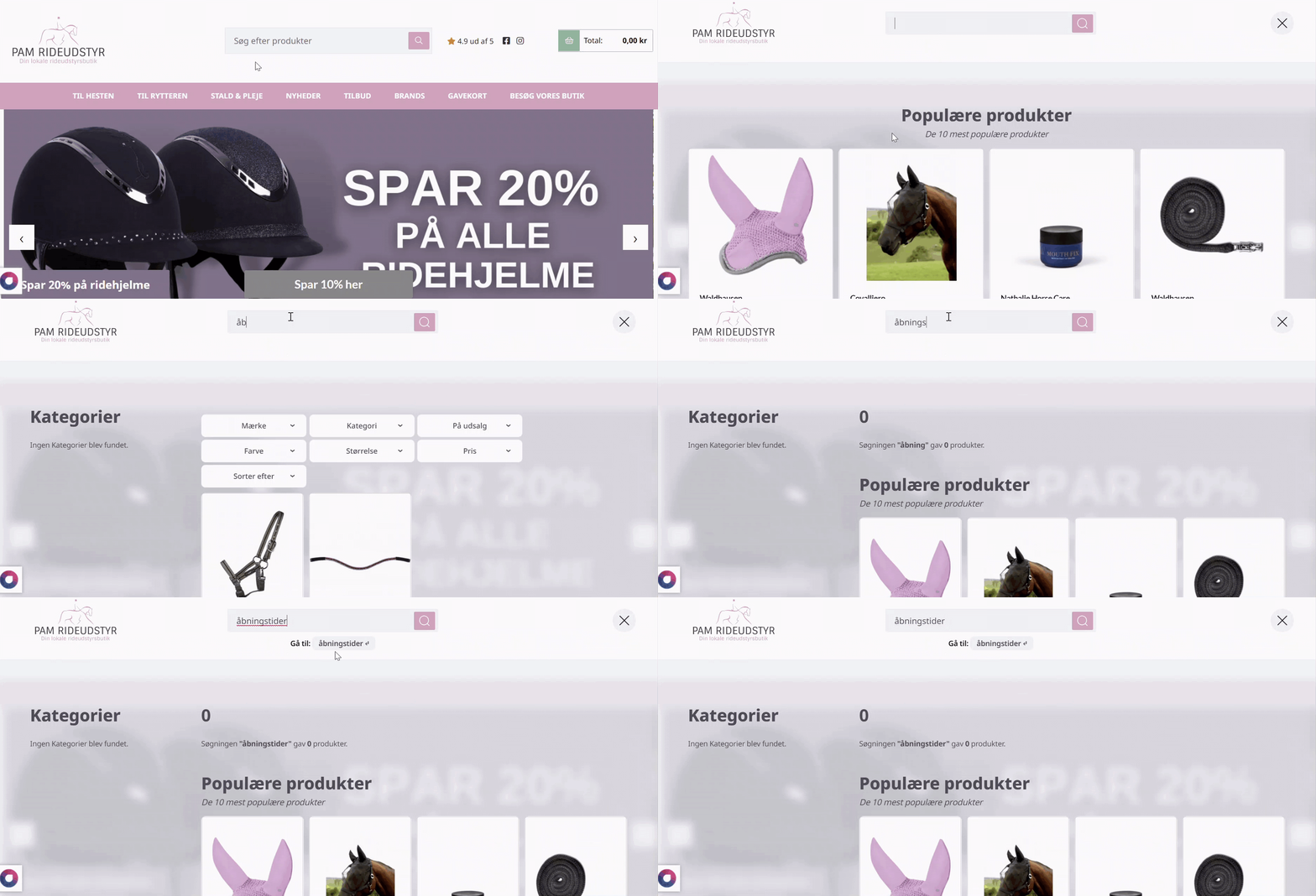
Wildcards
You can add wildcards to search words to include variations of a term.
- Add an asterisk (*) at the end of a word to match any suffix.
- Add an asterisk at the beginning of a word to match any prefix.
- Use an asterisk at both ends to match a word anywhere within a query.
For example: adding open* will match opens, opening, and openinghours. When a user searches for a term that matches the wildcard, the redirect will trigger.
Other Examples
Common redirect targets include pages for shipping information, About, address, store details, or other non-product content.
You can also direct queries to a launch page or campaign page for a new product line.
Add only terms that should bypass product results. Avoid redirecting common product queries that users expect to see as product listings.