Avg. 2 min read
 Search: Stop Words
This guide explains what stop words are in Hello Retail Search and how to configure them.
What are Stop Words
Stop words let you define a list of words that the search engine ignores in customer queries on your webshop.
Which stop words to use depends on your catalog, language, and intent. Add terms that do not change product meaning and can safely be ignored in queries.
Use Cases
Some common examples and use cases for stop words could be:
- Filler words
- Adverbs
- Verbs
- Adjectives
Add any terms you need the search engine to ignore to improve relevance for your customers.
How to Set It Up
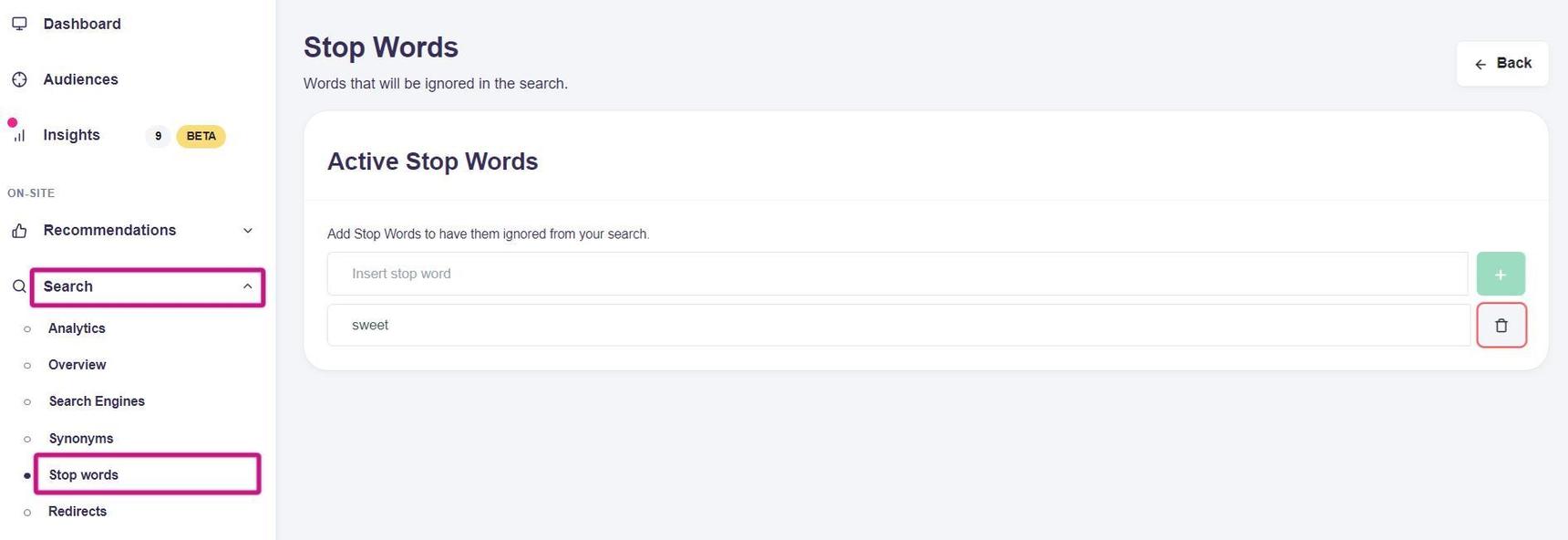
- Log in to your Hello Retail account. In the left-hand menu, go to the On-Site section and expand Search.
- From the drop-down menu, click Stop words.
- Click Edit to add words to the list. Click the green + button to finalize adding the words.