 Avg. 3 min read
 Search: Synonyms
In this guide, you can read and learn about what synonyms in search are and how to utilize them.
Synonyms
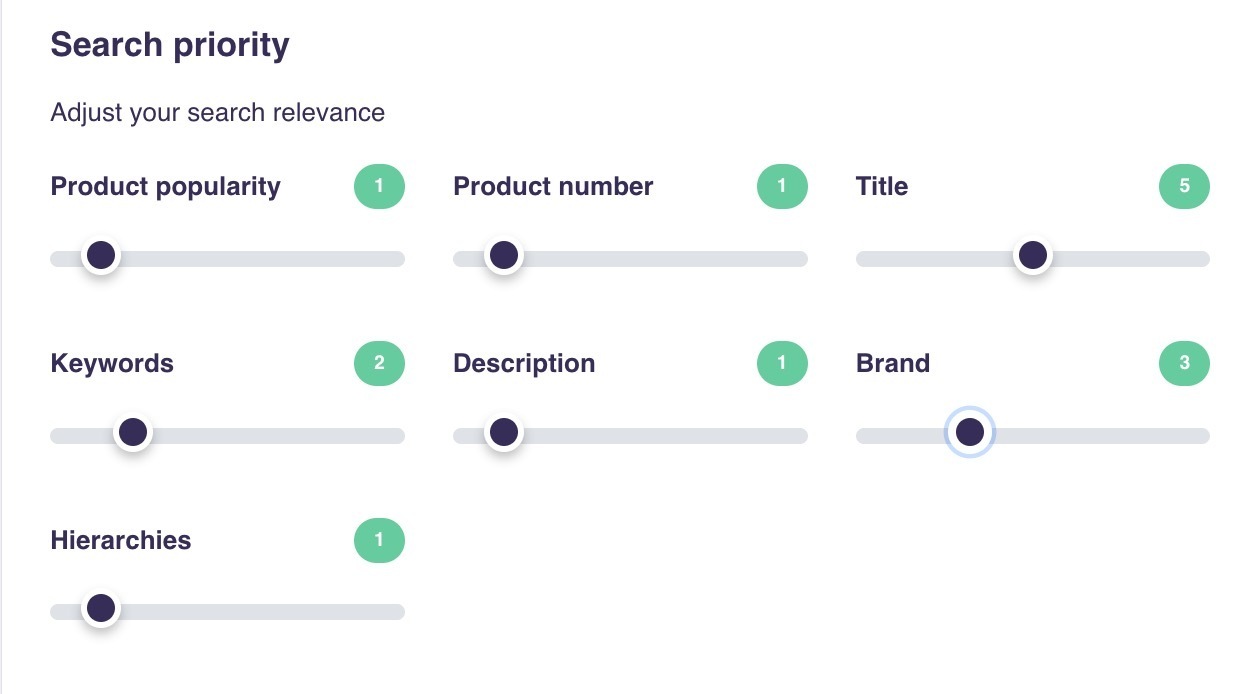
When visitors use Hello Retail search, their query terms are matched against product fields that are marked as searchable. You can configure this to some degree, but by default the fields are those shown under the search engine weights/priority here:
Sometimes a query will not match your data because of misspellings or different wording than what you use.
Synonyms can help map these queries to the right results.
Hello Retail Search can handle many misspellings and still return relevant results. However, if you sell sneakers and hoodies and a visitor types sneaks or hoddy, the engine might not return relevant results.
Synonyms help the search understand that a query for hoddy should match products containing hoodies.
How to Create Synonyms
There are two ways to add synonyms: from the search statistics panel or directly from the menu.
Top Searches without results:
Search queries that return no results are listed under this item:
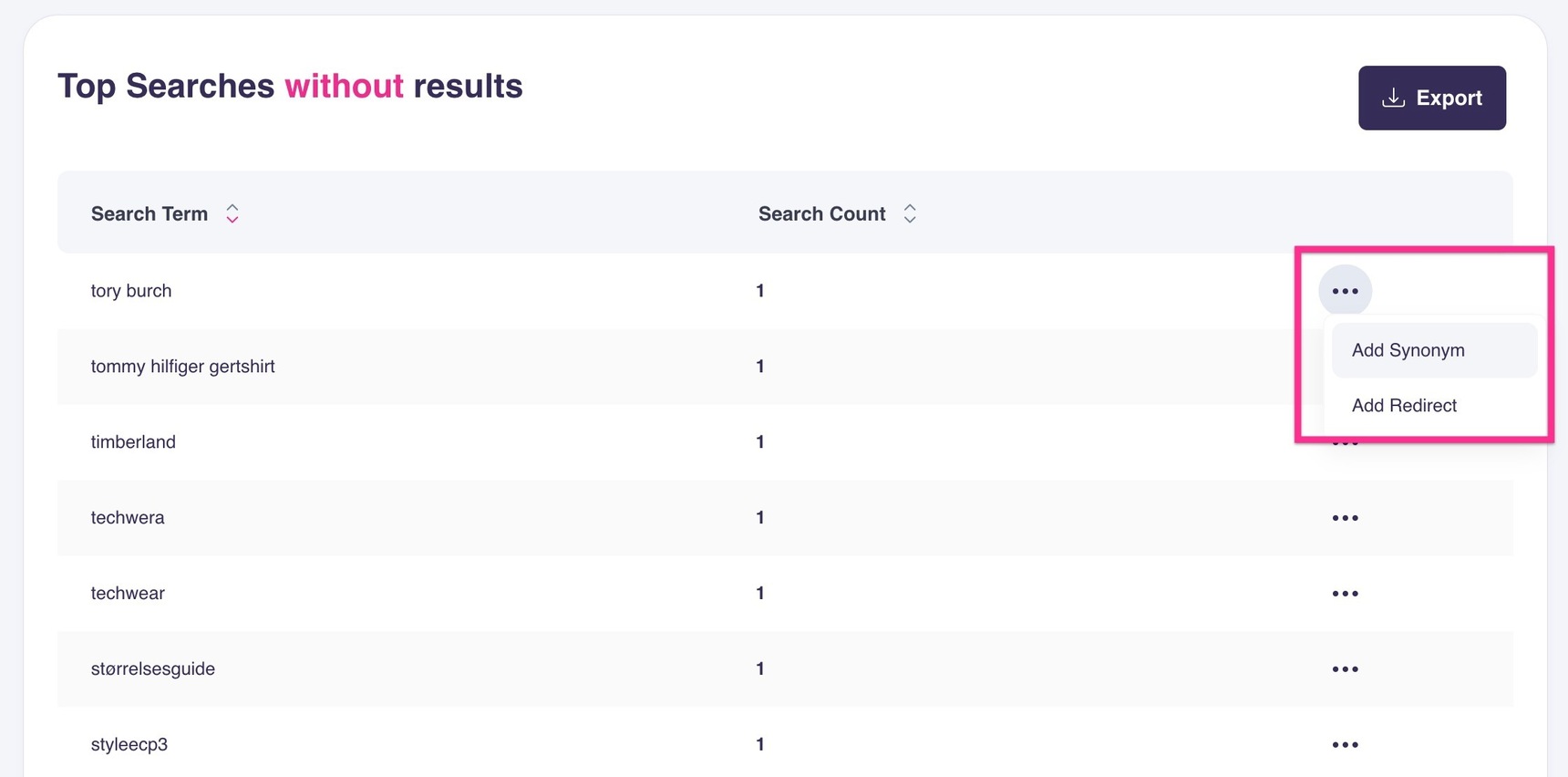
From that list, you can add both Synonyms and Redirects for each search term, as shown in the screenshot above.
Through menu item:
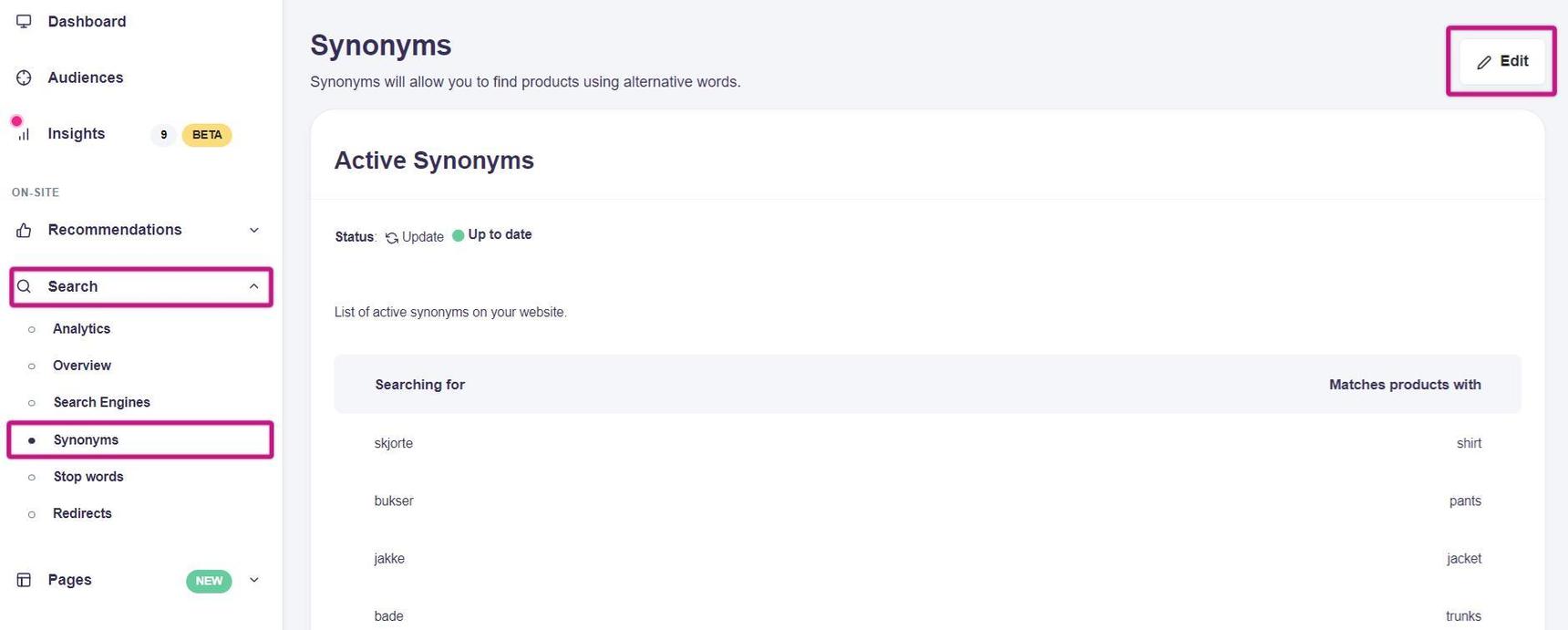
- Start by logging into your Hello Retail account. In the dashboard, open the left-hand menu. Under On-site, click Search to expand the drop-down.
- From the drop-down, click Synonyms.
- In this view, you can see the list of existing synonyms. If it is empty, click Edit to add synonyms.
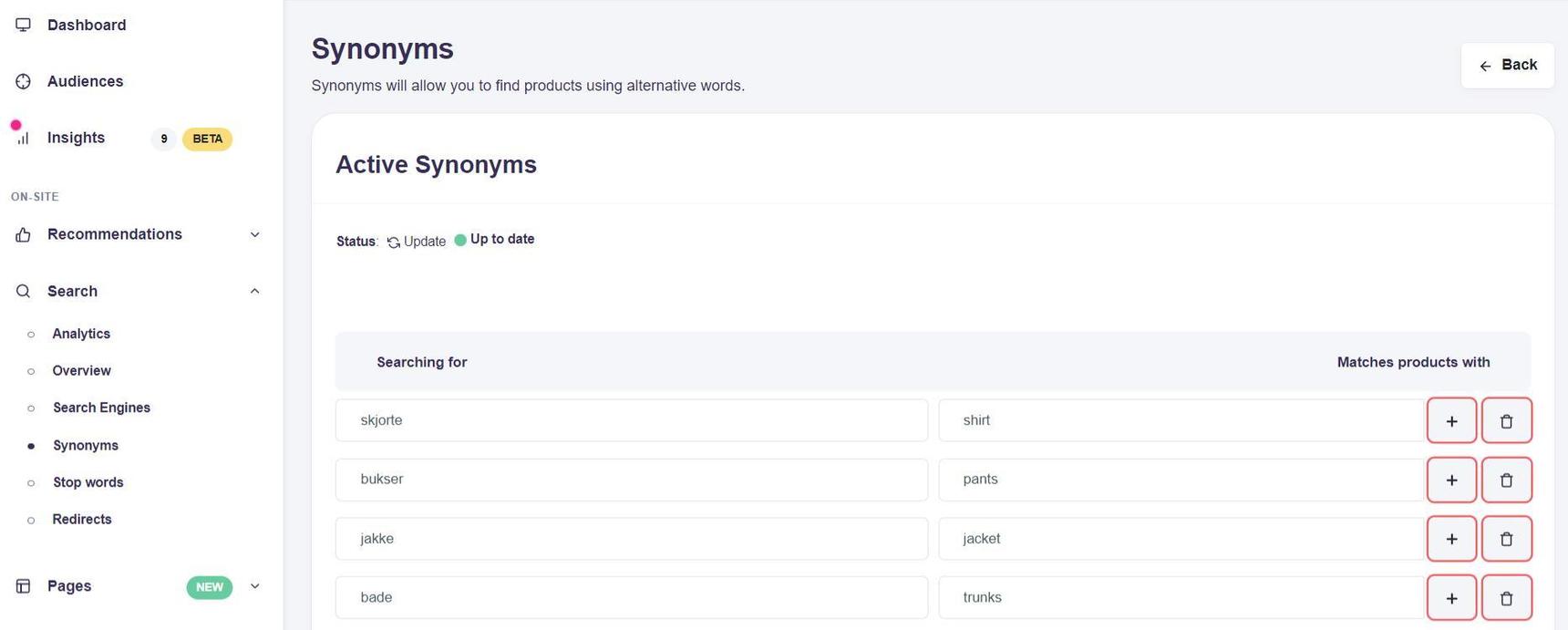
- Enter the query term in the Searching for column and the product term it should match in Matches products with. The mapping is directional.
Example: enter hoddy in Searching for and hoodie in Matches products with. - Click Save when you are done adding synonyms.
General Notes About Synonyms
- Visitors may use English terms on a non-English site, or vice versa.
- The target term must exist in your product data for the synonym to work. The data must be present in one or more of these fields: Title, Description, Keywords, or Brand.
- Compound words are supported.
- After you add a synonym, the system re-indexes products to include the new mapping. It can take some time before the synonym becomes active.