 Avg. 2 min read
 Abandoned Cart Design - Triggered Emails
In this guide, we explain how to design an abandoned cart triggered email. You should already have a base design created before you begin.
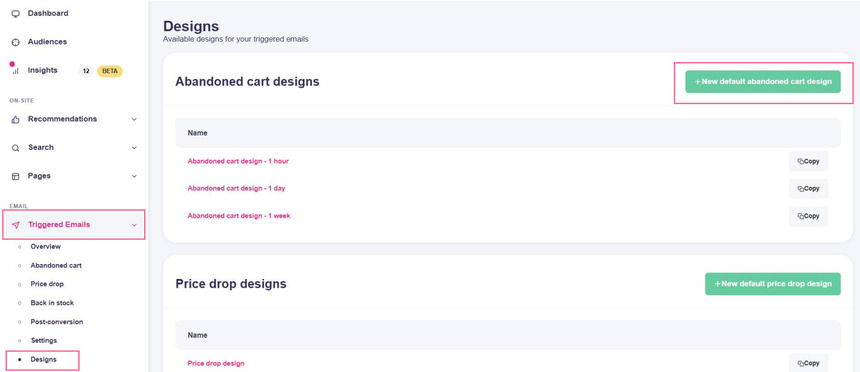
Navigate to Triggered Emails > Designs and press New default abandoned cart design.
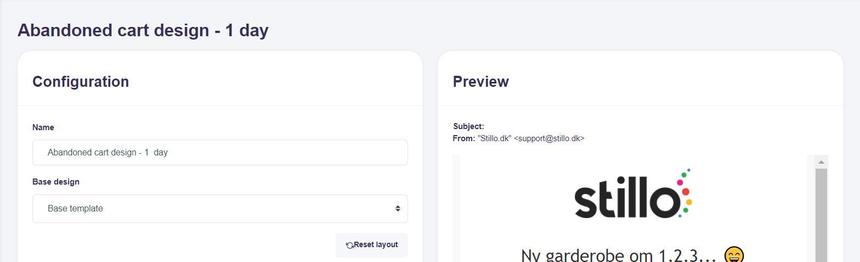
Start by entering a clear name. Many shops send multiple abandoned cart emails, so choose a name that distinguishes the timing and purpose. For example, this design is for an email that triggers one hour after the cart is abandoned.
Choose the base design you want to use to inherit your layout and branding.
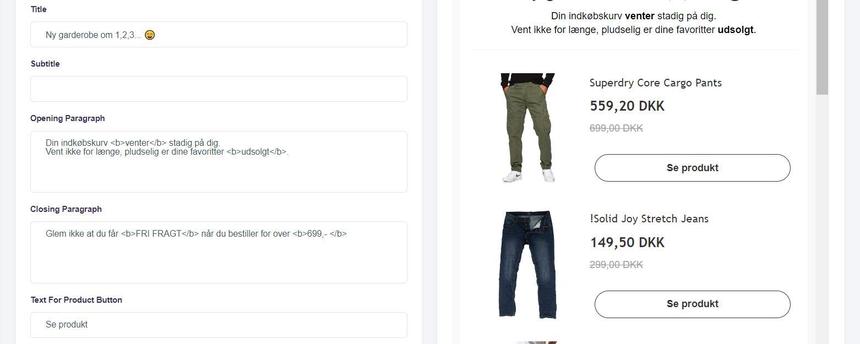
Fill out all text fields to match your brand voice and tone.
If you reference a "Return to cart" button in the opening paragraph, ensure your webshop integration is configured for cart restore. Only reference the button if you have verified that it renders correctly in the email.
You can also add a voucher code to encourage completion of the order. Generate and manage voucher codes in your shop system. Hello Retail will insert the code you provide.
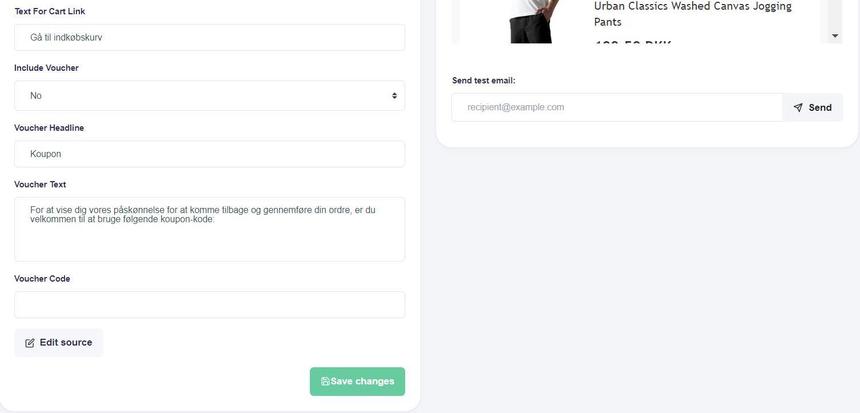
Save your changes when you are satisfied with the content. You can edit the code for advanced customization if needed. If something goes wrong, press Reset layout at the top to revert to the default.
Check the result by sending a test email.
After creating your first design, you can add more abandoned cart designs if you plan a sequence. You can also create designs for other trigger types or set up the trigger that uses this design.