 Avg. 1 min read
 Changing font for Triggers
You can use a Google Font in your Triggered Emails. Not all email clients support web fonts. When a client does not support them, the email renders using the fallback font defined in your design.
To set up a font, follow the procedure below:
1. First, search for a font you like here.
-
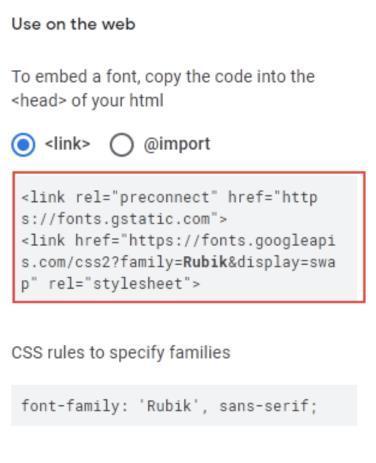
Then copy the link tag;
-
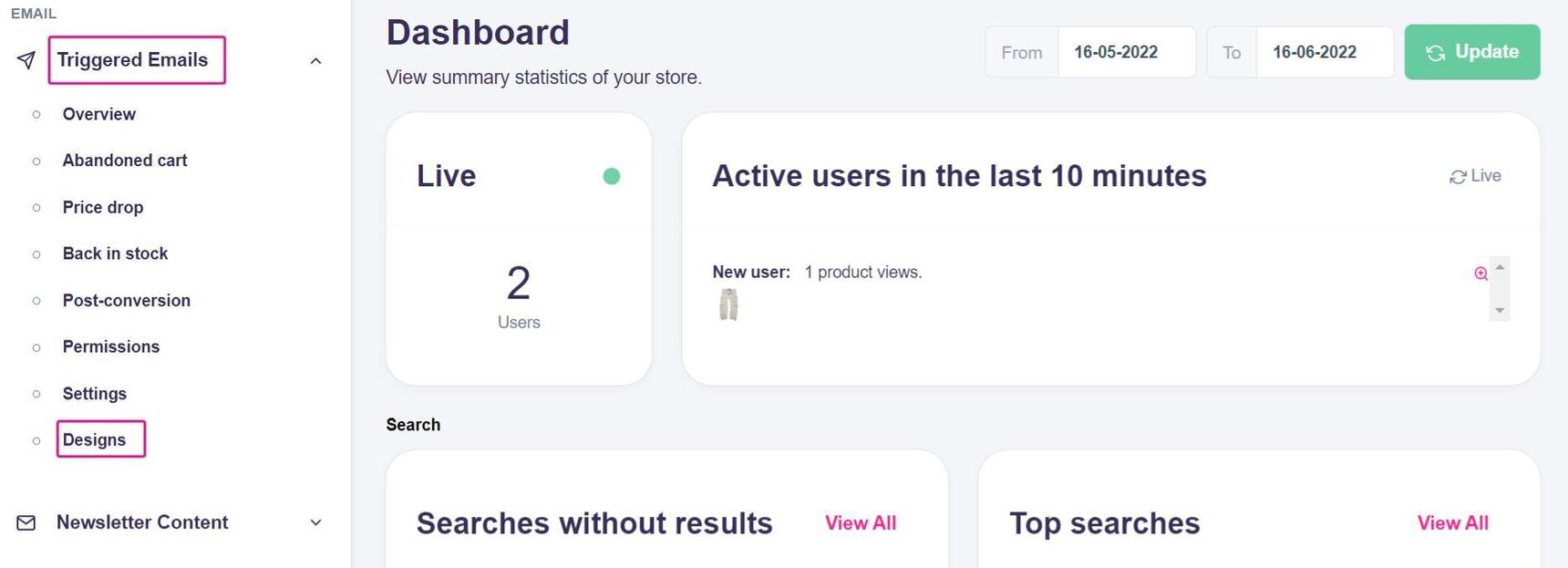
Next, navigate to the Triggered Emails section on your Dashboard and click on Designs in the dropdown menu;
-
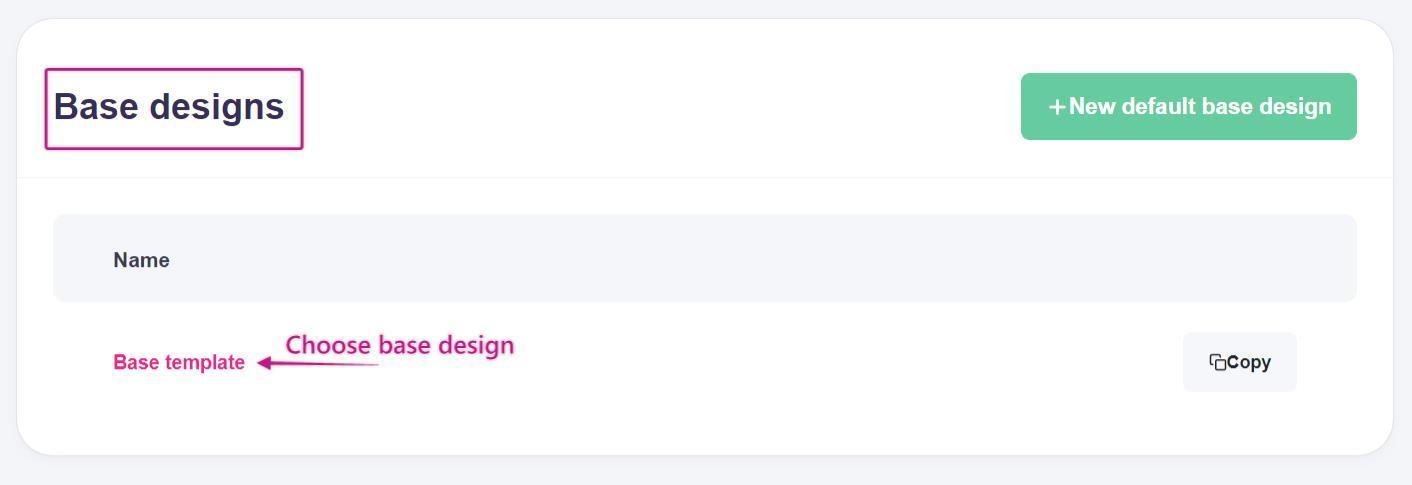
Scroll down to the Base designs section and choose the base design you want to change the font for.
- In the Configuration section, click Edit source.
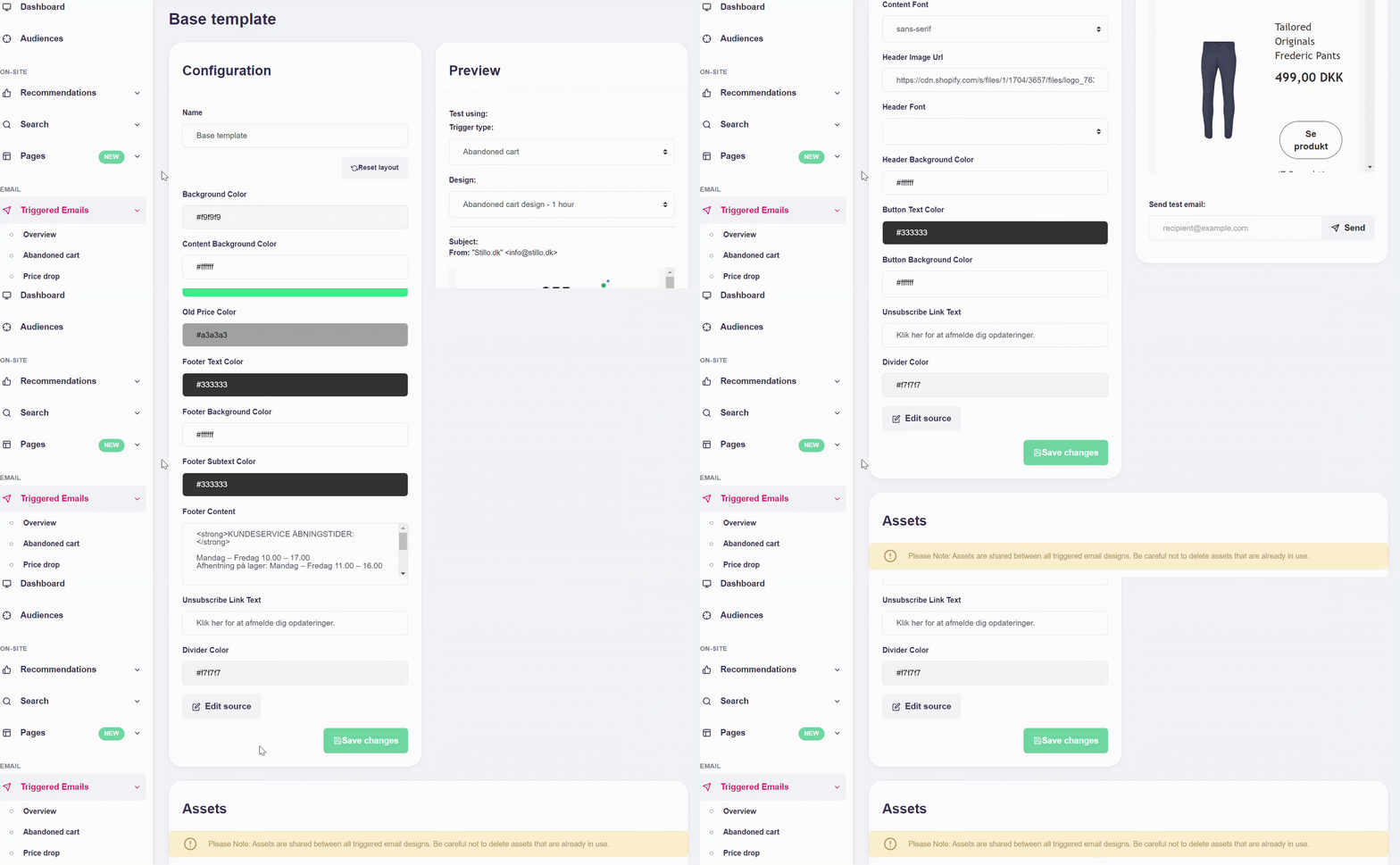
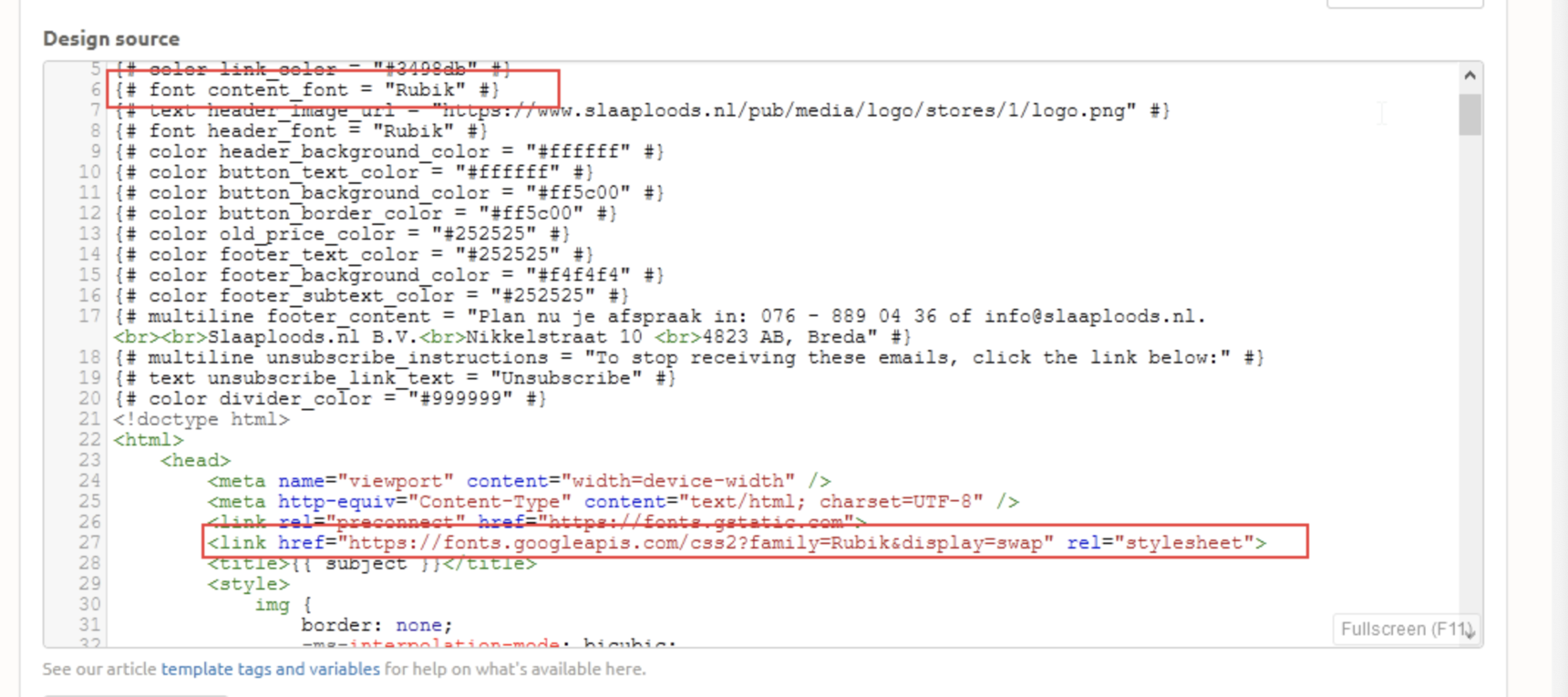
- In the Design source box, paste the link tag you copied into the
<head>tag of the base design, and change the "content_font" variable to the font family you added. Include a generic fallback, for example: Roboto, Arial, sans-serif.
7. Save your changes by clicking Save changes.