Avg. 1 min read
 Setting up the Abandoned Cart Trigger
This guide explains how to enable and configure an Abandoned Cart trigger email.
-
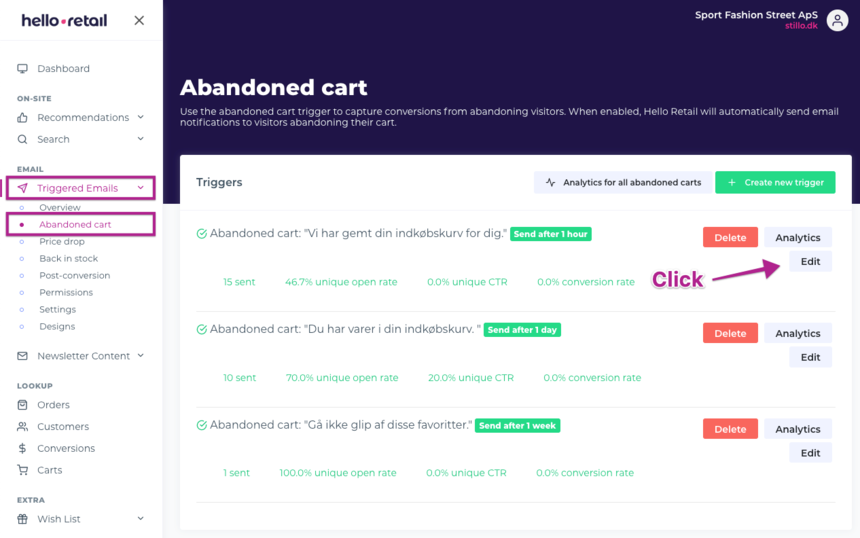
To enable the Abandoned Cart trigger, navigate to Triggered Emails > Abandoned Cart.
Here you can enable up to three Abandoned Cart triggers and set the delay between each trigger.
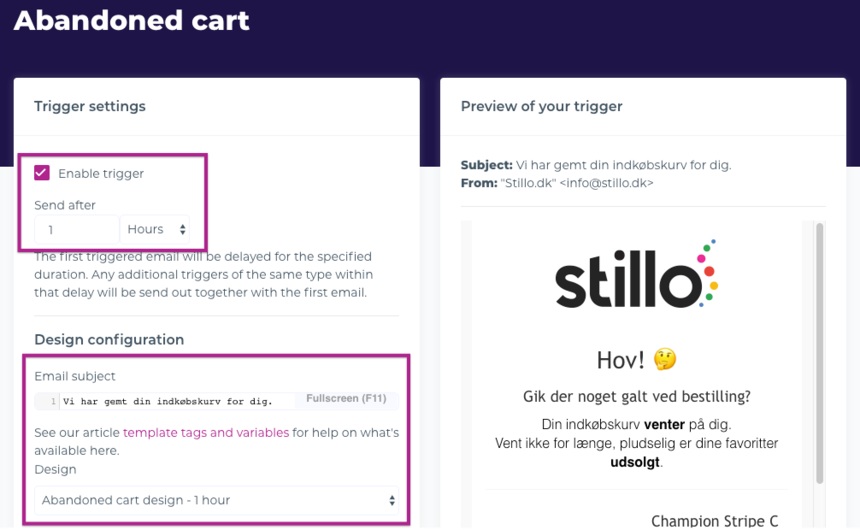
 2. Enable the trigger, set when the email should be sent, define the subject line, and select the design.
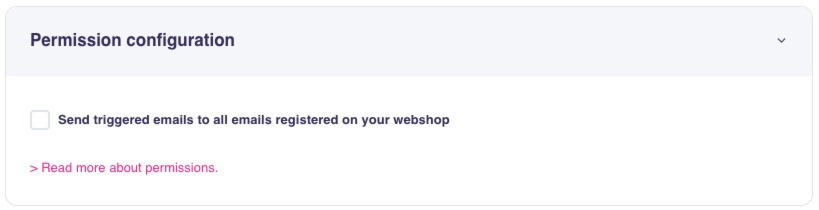
 3. Configure the Permission settings. Ensure compliance with local consent rules in your country.
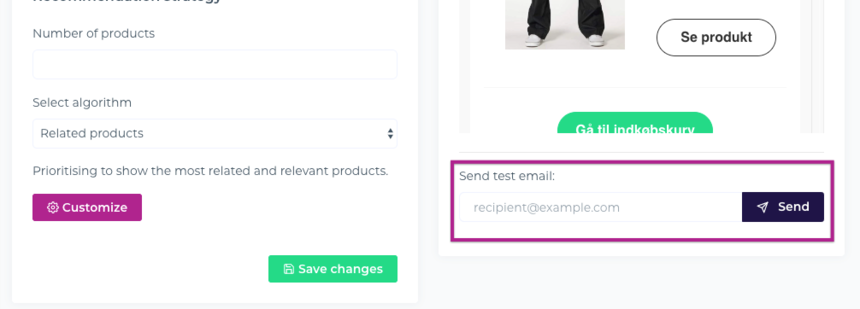
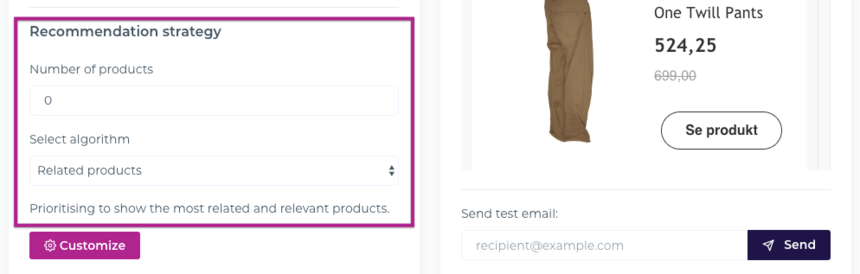
 4. Optionally add product recommendations to the email. Choose how many items to include and which recommendation strategy to use.
 5. Finally, Save your changes – and the Abandoned Cart trigger is ready.
Note
To preview the email in your inbox, send a test email from the editor to your own address.