 Avg. 1 min read
 Tracking Triggered Emails in Google Analytics
Hello Retail automatically appends Google Analytics UTM parameters to links in Triggered Emails. This lets you attribute traffic and analyze sources and campaign performance in GA.
If you want to know how to view Hello Retail data in Google Analytics, then click here.
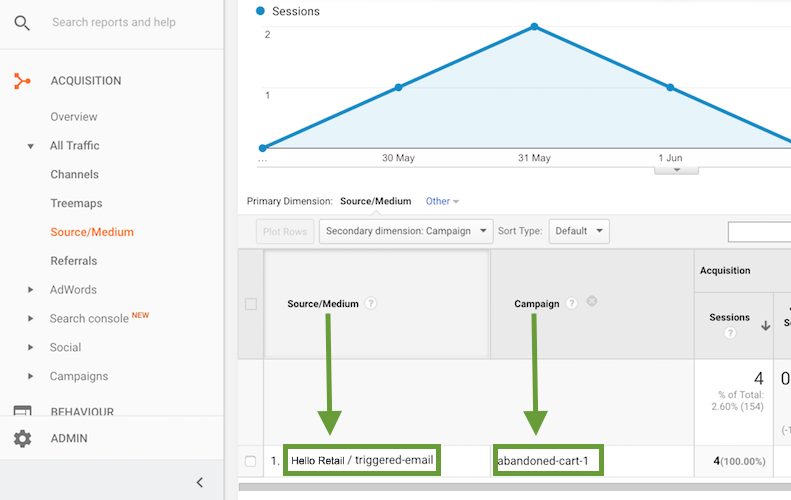
All outbound links from Triggered Emails are appended with UTM parameters. Here's an overview of the parameters used:
| Trigger type | Source | Medium | Campaign |
|---|---|---|---|
| Abandoned cart | helloretail | triggered-email | abandoned-cart-1,abandoned-cart-2,abandoned-cart-3 |
| Price drop | helloretail | triggered-email | price-drop-1 |
| Post-conversion | helloretail | triggered-email | post-conversion-1,post-conversion-2,post-conversion-3 |